40
零度智控(北京)智能科技有限公司
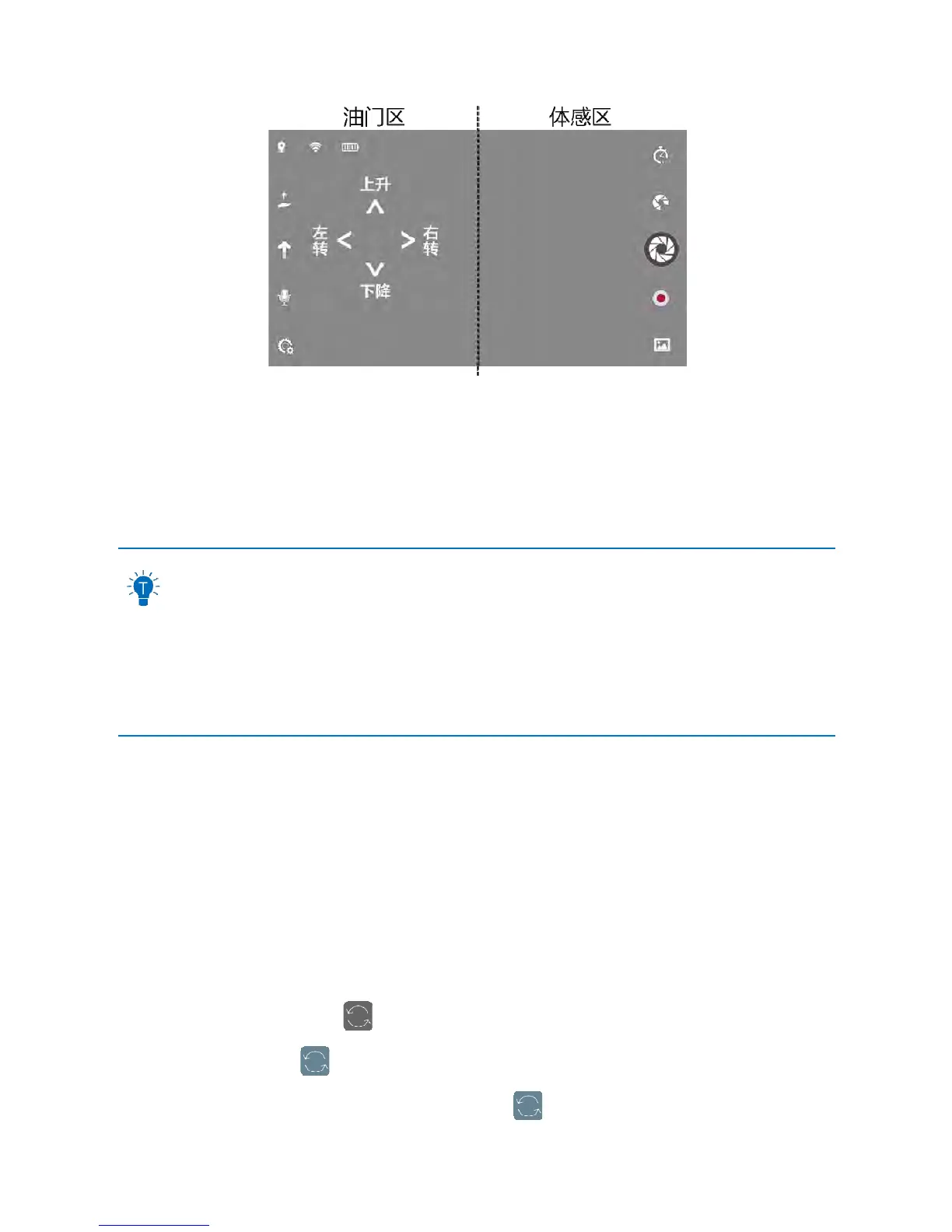
(图内容的翻译:Throttle,Up,Down,Leftturn,RightTurn,MotionController)
FlyingForwards/Backwards/Left/Right:Pressanypartofthemotioncontrollerareaandtiltyourmobiledevice
forward,backward,leftorright.Toavoidanymishaps,thesensorwillonlyworkwhenyourphoneistiltedwithin45°.
Ascent/Descent:Moveyourfingerupanddownonthethrottle;Left/
RightTurn:Moveyourfingerleftandrighton
thethrottle
Thedefaultpositionofthethrottleissettotherighthandside.Youcanmoveittothelefthand
sidein“Settings”–“HandSwitching(leftandright)”.
Thedefaultcontrollermodeissettoreversecontroller.Youcanchangethistoforwardfacing
controllerin“Settings”–“ControllerMode”.Formoreinformationonthereversecontroller
anditsapplicableusage,pleaserefertothe“ControllerMode”sectiononpage16.
Thedefaultcontrolmethodissettomotioncontroller.IfyouhaveswitchedtoSwipeMethod,
youcanswitchbacktotheswipemethodin“Settings”–“ControlMode”.
SwipeMethod
Lookingthroughthecamera’spointofview,youcancontrolDOBBY’sflightbymoving
yourfingerwithintheviewfinderframe.
Ascent/Descent,flyingleft/right:Moveyourfingersup/down,left/rightintheviewfinder
screen;
Flyingbackwards:Placetwofingersontheviewfinderscreenandpulltheminward;
Flyingforwards:Placetwofingersintheviewfinderscre
enandpushthemoutwards;
Turningleft/right:Afterclickingthe “Turn”iconinthetoprighthandcornerofthe
screen,itwillchangetothis:
Movingyourfingerleft/rightinthevie wfinder
framewillmakeDOBBYturnleft/right.Click ingthisicon
againwillexitthis



 To Next Page