28
Quick Start Installation Guide
807042 v1.02 08.22 HydroTap G5 UltraCare Install Instructions
13.6 System priming
SECTION 13: Commissioning
• Read the on screen information.
• Touch the run arrow to go to the next
screen.
• Monitor the on screen information.
• Note if ‘Font’ has been selected on the drain away option (see section
13.4) and auto dispense is disabled on entry into this screen; the screen
prompts the user to dispense using the tap during the process.
13.7 Cleaning preparation
• Read the on screen information.
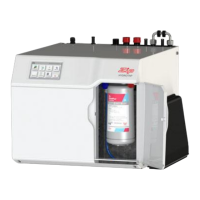
• Place a cloth under the filter.
• Remove the filter, refit the dust cap,
and set aside in a clean environment.


 To Next Page
 Loading...