EasyManua.ls Logo

ZKTeco TS1000 Pro - User Manual

ZKTeco TS1000 Pro
16 pages
Print Icon
To Next Page IconTo Next Page
Loading...
1 F16 Quick Start Guide
User Manual
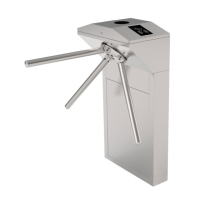
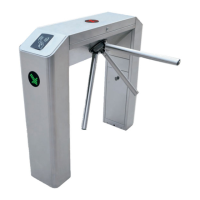
TS1000 Pro Series Tripod Turnstile
Version: 1.0
Date: September 2018

Questions and Answers

  • W
    William StevensAug 3, 2025
    What to do if ZKTeco TS1000 Pro Turnstiles do not grant access after authentication?
    • W
      Wendy SmithAug 4, 2025
      If a ZKTeco turnstile doesn't grant access after successful authentication, here's what to check: 1. Verify the user has the necessary permissions. 2. Use a multimeter to check the NO and COM ports of the access control system for a relay signal output. 3. Short-circuit the ports "K1, GND" and "K2, GND"; if the turnstile opens, inspect the access controller.
  • J
    Jonathan PruittAug 10, 2025
    What to do if ZKTeco TS1000 Pro Turnstiles allows continuous one-way passing?
    • F
      fcarrilloAug 11, 2025
      If ZKTeco turnstiles allow continuous passing on one side, you can try the following: 1. Check the turnstile-opening solenoid. 2. Ensure the access controller’s “Lock driving duration” is set to 1s. 3. Check the operation of the turnstile-opening solenoid and inspect for any obstructions.
  • M
    Mrs. Linda HarrisonAug 19, 2025
    How to troubleshoot a ZKTeco TS1000 Pro indicator that is not lit?
    • A
      Andrew AcostaAug 19, 2025
      If the indicator on your ZKTeco turnstile isn't lit when powered on, the issue might stem from the power supply or circuit. Check the connection and power cables for any damage, and ensure all wiring is securely connected.
  • R
    Roger HesterAug 26, 2025
    Why arms of ZKTeco TS1000 Pro Turnstiles cannot be lifted manually after power on?
    • T
      tiffany95Aug 26, 2025
      If the arms of your ZKTeco tripod turnstile cannot be lifted manually after powering on, it could be due to related component issues or a problem with the drop-arm solenoid. Check if the drop-arm solenoid is operating correctly and inspect its working status.

Summary

Technical Specifications

Unpacking and Testing the Tripod Turnstile

Power-on test before installation

Outlines the steps for performing a power-on test, including voltage checks, grounding, and self-check procedures.

Equipment Installation

Installation

Details the physical installation process, including drilling holes, fixing the mounting plate, and ensuring levelness with bolts and gaskets.

Cable Diagram

Function descriptions of the turnstile control board

Explains the purpose of various connectors and functions on the turnstile control board for different Pro models.

DIP K1 switch configuration

Details the configuration of DIP switch K1 for setting turnstile opening duration, direction indicator, and continue passing function.

Equipment Precautions and Maintenance

Precautions

Provides recommendations for outdoor use, temperature extremes (-30°C to 50°C), water immersion, and setting warning lines.

Troubleshooting

ZKTeco TS1000 Pro Specifications

General IconGeneral
Lane Width600mm
MaterialStainless Steel
Power SupplyAC 100-240V, 50/60Hz
Motor Voltage24V
Pass Speed30-40 people/minute
Working EnvironmentIndoor/Outdoor
Working Temperature-20°C to 60°C

Related product manuals