30
8010001002
X Series User’s Manual Chapter 2 Installation & Operation
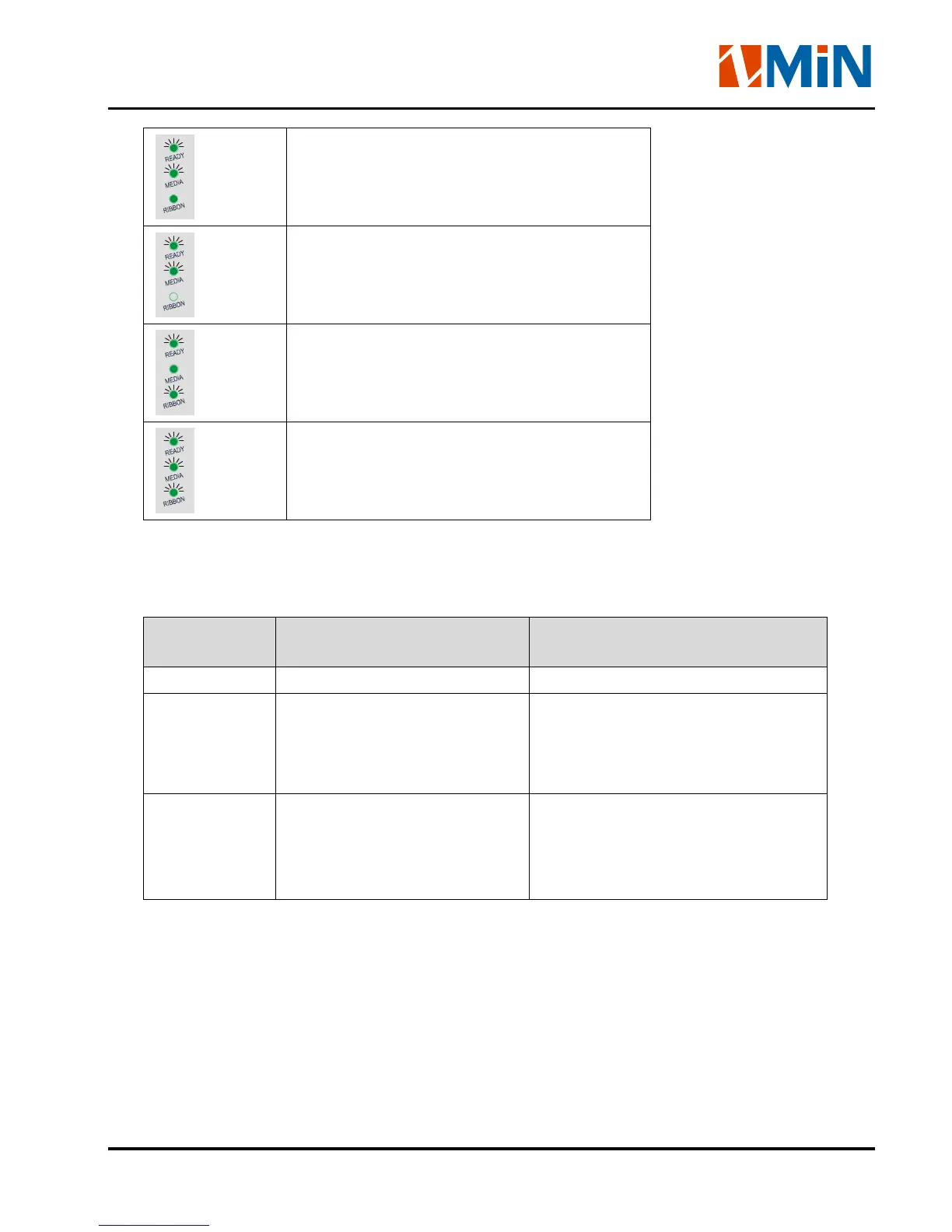
In Thermal Transfer Mode: Media Out
In Direct Thermal Mode: Media Out
In Thermal Transfer Mode: Ribbon is Out
Enter Advance Function Mode
Keys
The three keys have different functions based on the mode of the operation is performed.
Key Name Basic Functions
Advanced Functions
(see Advanced Functions below)
FEED Feed one label Media Sensor Calibration
PAUSE - Press once to pause current
print job
- Press a second time to resume
printing
Self-test:
The Printer performs a self-test and
prints out a configuration report
CANCEL - Cancel current batch of labels
- Forces the printer to continue
working after an error has
been corrected
Reset:
Resets the printer to Factory Default
Settings


 To Next Page