9
3.4 I Addi onal user func ons
3.4.1 Using speeds
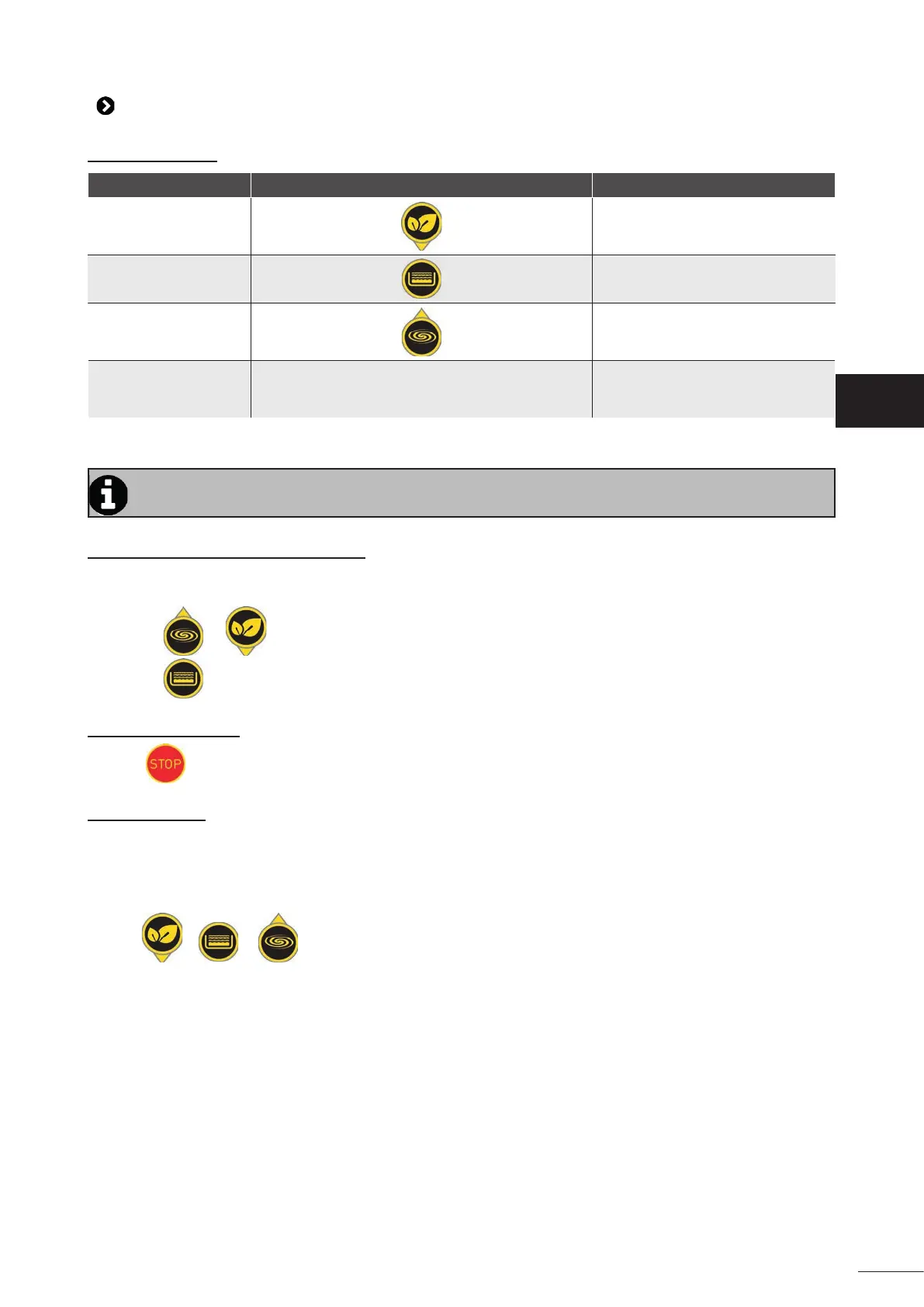
Speed Keys to start the speed Default speed
"ECO" speed
1400 rpm
"CLEAN" speed
2150 rpm
"BOOST" speed
2850 rpm
"PRIMING" speed Automa c at start-up 2850 rpm for 2 minutes
• When the pump is running, it displays the opera ng speed and an LED lights up above the key which
corresponds to the speed.
If the mains supply is disconnected (manually or via the fi ltra on clock) the pump will restart at the
last speed ac ve.
3.4.2 Modifying the speed confi gura on
- the speed you want to modify must be opera ng,
- press the key that corresponds to this speed for 5 seconds (the corresponding LED must fl ash).
- press
or un l you reach the speed you want (increments of 50 rpm).
- Press
and hold for 10 seconds to save.
3.4.3 Pump shutdown
• Press
.
3.4.4 Pump reset
You may reset the pump to return it to "factory" confi gura on:
- make sure that the pump is powered up but stopped ("OFF" is displayed on the screen).
- press
+ + for 5 seconds un l the 3 corresponding LEDs fl ash once.
- release the keys: the pump is now reset.
EN


 To Next Page