11
EN
5. Troubleshooting
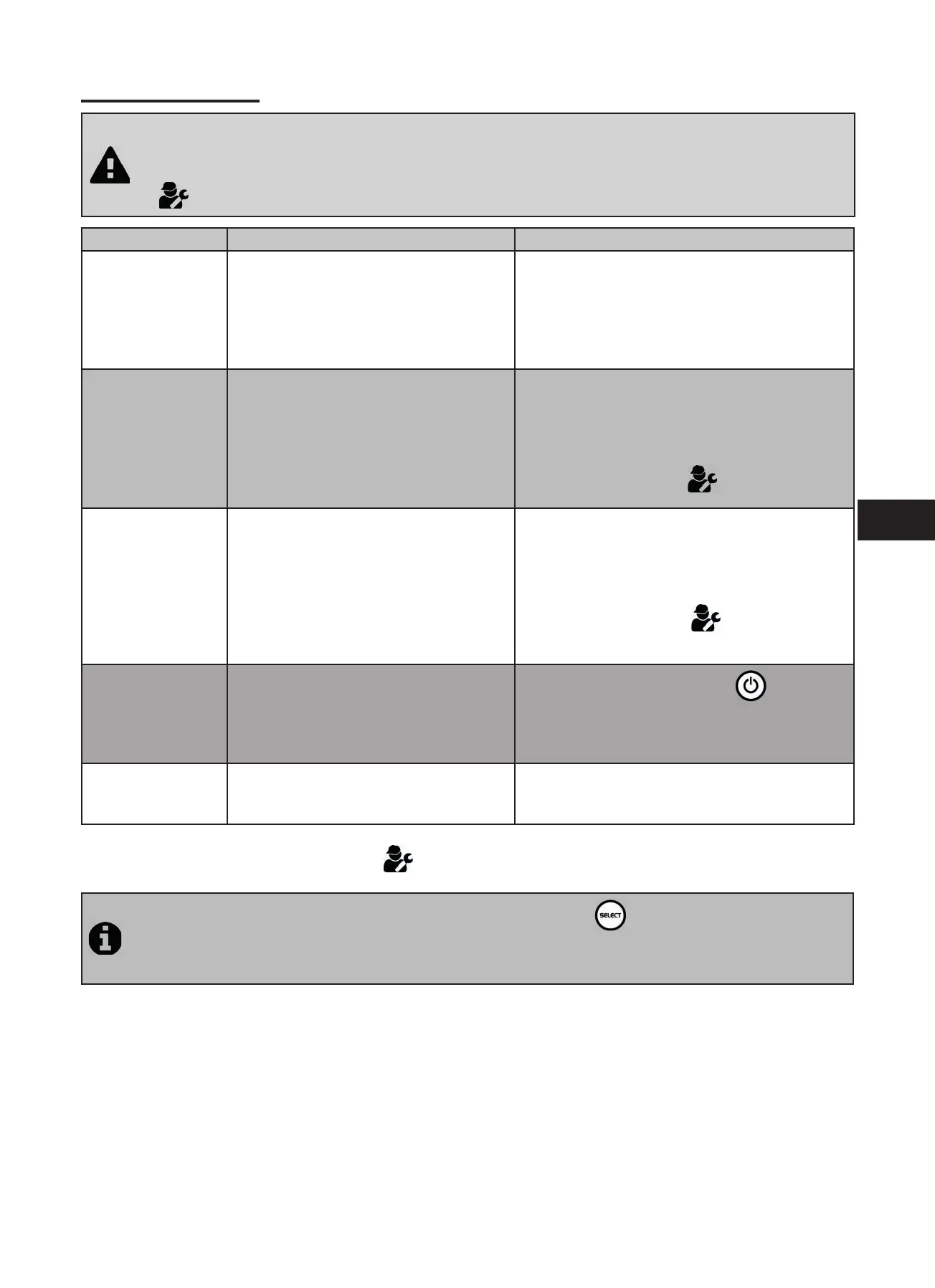
• Before you contact your reseller, please carry out these few simple checks using the following table if a
problem occurs.
• If the problem con nues contact your reseller.
•
: Ac ons reserved for a quali ed technician
Message Possible causes Solu ons
CHECK SALT
(orange “SALT”
indicator on)
• Lack of salt (< 4g/l) due to water loss
or dilu on (fi lter counterwash, water
renewal, rain, leaks, etc.).
• Pool water temperature too low (< 18 °C,
variable).
• Add salt to the pool to keep the level at 4 g/l.
If you do not know the salt level or how to test it,
consult your reseller
• Basic produc on limita on signal when the
water is too cold. Reduce chlorine produc on or
add salt to compensate.
CHECK CELL • Calcium carbonate level (HL) too high
• Electrode too old
• Scaled cell
• Clean and/or check the fi ltering system (pump
and fi lter)
• Check the calcium carbonate levels (HL) and
add calcium carbonate sequestrant if necessary
(Calci-)
• Replace the electrode :
• Clean the cell
PUMP FLOW
CONTROLLER FAULT
(“Flow” indicator
red and lit)
The messages
are displayed
alterna vely every
3 minutes.
• Failure of the fi ltering pump
• The fi lter and/or the skimmer(s) are dirty
• By-pass valves closed
• Flow controller and/or cell disconnected
or defec ve
• Check the pump, the fi lter, the skimmer(s), and
the by-pass valves. Clean them if necessary
• Check the cable connec ons (cell and fl ow
controller)
• Check that the fl ow controller is working correctly
(replace it if necessary :
)
PROD. FAULT • Cell power supply cable disconnected or
not properly connected
• Internal electronic problem in the
control box following an external electric
incident
• Switch off the electrolyser (
bu on) and
switch off the power supply to the control box,
then check that all the cables are properly
connected (mains power supply, cell, etc.)
INVERSION • The self-cleaning cycle is automa c; this
message is not an error code but an in-
forma on message
• Wait for about 10 minutes and chlorine produc-
on will resume automa cally at the previously
set level
If the problem con nues contact your reseller
.
To cancel the “CHECK CELL” and “PROD. FAULT” error messages, press for 3 or 4 seconds on when the
message appears.
The other codes are only informa on messages that disappear automa cally when the opera ng condi ons
return to op mal.




 To Next Page