ECG MONITORING 740 SELECT
21-22-0335 Rev D Page 19 of 40
ECG SETUP
To begin ECG monitoring use the following procedure:
ECG LEAD WAVEFORM
a. Touch the left side of the waveform area
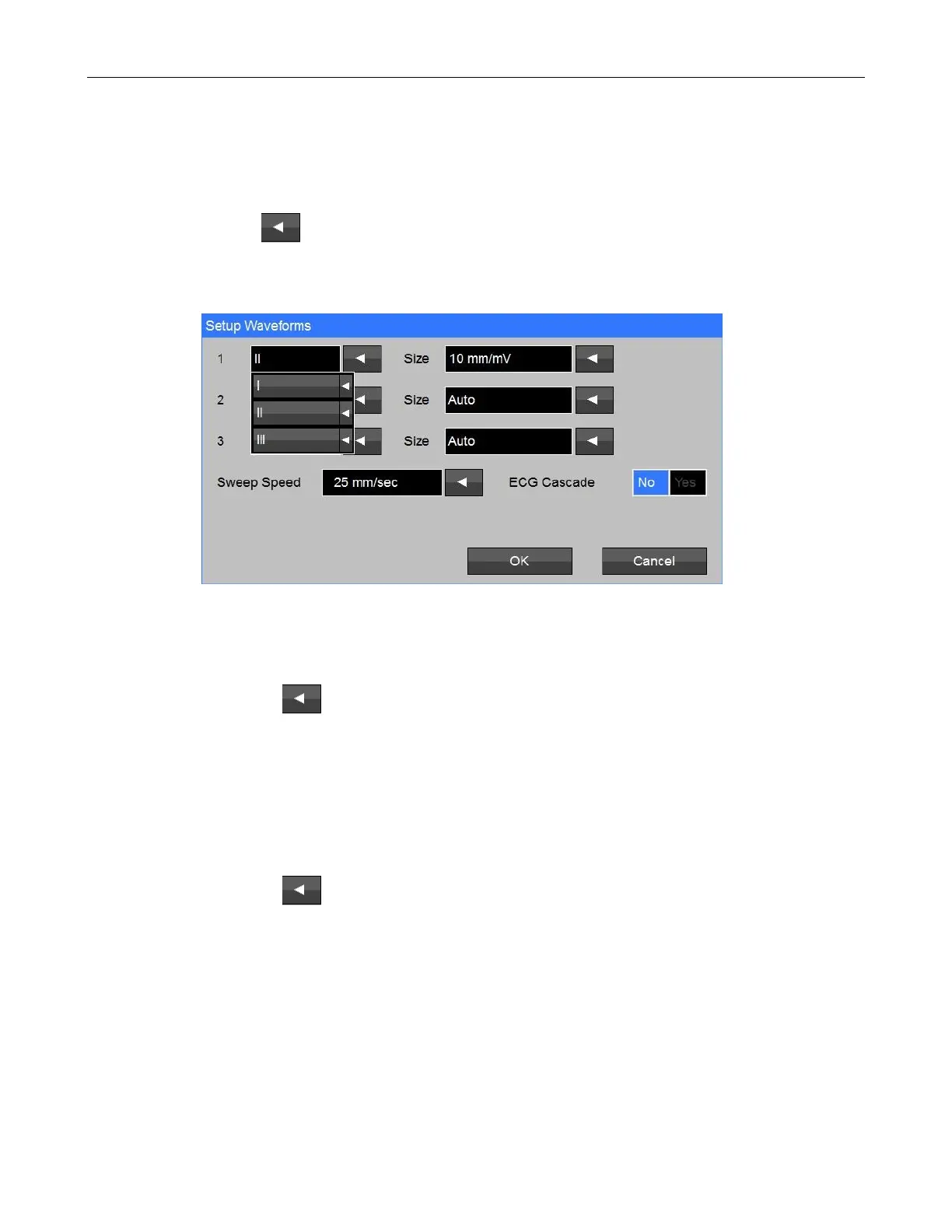
b. Touch the adjacent to the Waveform 1 selection (Refer to Figure 10);
b. Touch I (II or III) and touch OK; and
c. Touch Home to return to the Main screen.
Figure 10: ECG Waveform Setup screen
ECG SIZE
a. Touch the left side of the waveform area
b. Touch the adjacent to the Waveform 1 Size selection;
c. Touch (2.5, 5, 10, 15 or 20 mm/mV) and Touch OK; and
d. Touch Home to return to the Main screen.
SWEEP SPEED
e. Touch the left side of the waveform area
f. Touch the adjacent to the Sweep Speed selection;
g. Touch (6.26, 12.5 or 25 mm/sec) and Touch OK; and
h. Touch Home to return to the Main screen.



 To Next Page