ECG MONITORING 740 SELECT
21-22-0335 Rev D Page 24 of 40
ECG FILTER
The user-selectable ECG Filter feature allows the clinician to select the desired filtering of the
displayed ECG waveform.
User Selectable settings: Monitor (0.67 - 40 Hz) (Default) & Diagnostic (0.05 - 40 Hz)
CAL PULSE
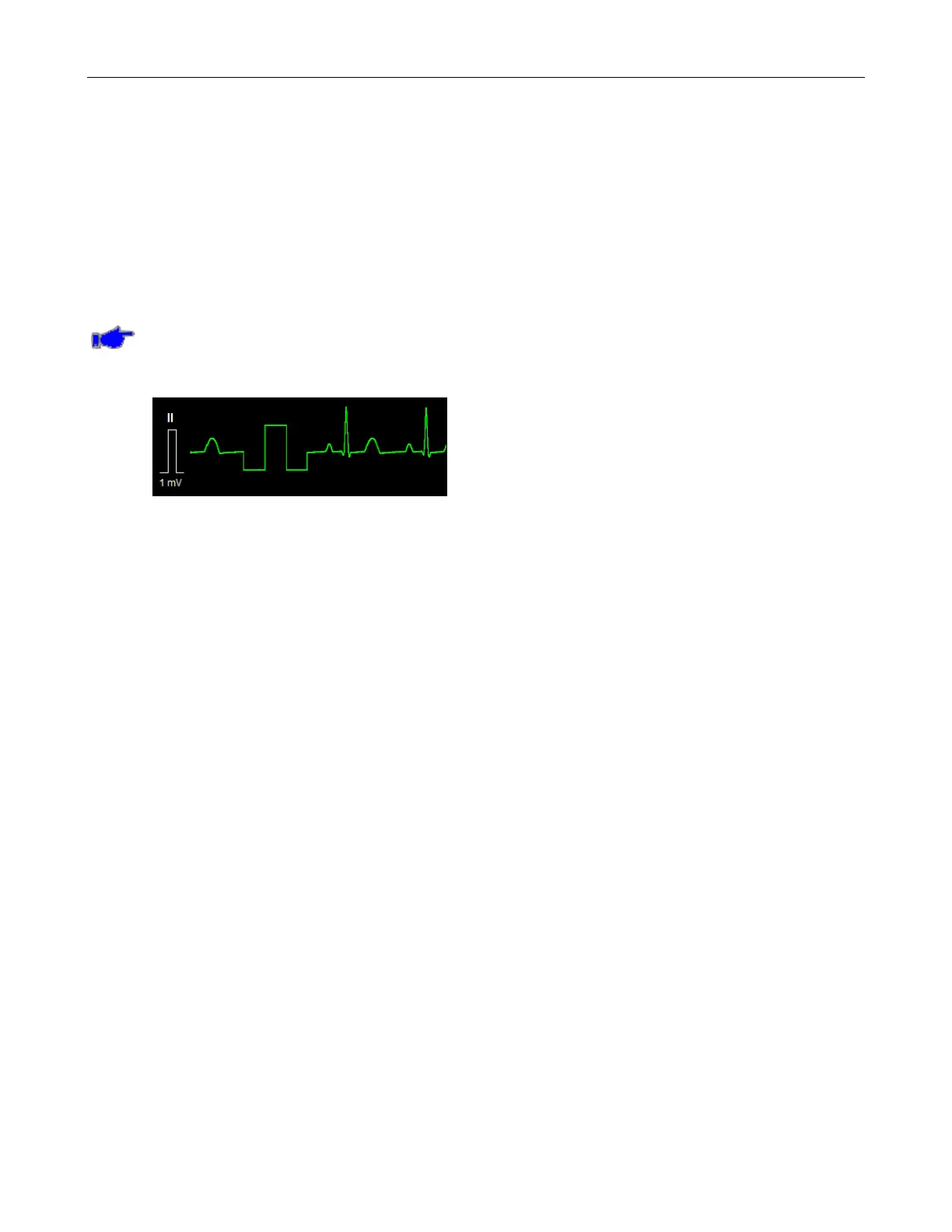
The user-selectable Cal Pulse feature allows the clinician to insert a 1 mV pulse onto the
currently selected ECG waveform. Press the Cal Pulse button and then OK. Upon returning
to the Main screen, the pulse will be injected onto the ECG waveform (refer to Figure 14).
Note: Pressing the Cal Pulse button more than once will only produce one pulse. Pressing
the Cal Pulse button and then the Cancel button will not generate a pulse. Returning to the
Main screen due to the menu inactivity timeout, will not generate a pulse.
Figure 14: ECG Cal Pulse
TESTING HR ALARMS
To manually test ECG monitoring alarm functionality on a daily basis, you may use the following
approach:
1. Connect the monitor to an ECG Patient simulator via the 3 leads;
2. Set the ECG Patient simulator for 1 mV ECG amplitude, HR of 80 bpm, RR of 12 rpm and
an impedance baseline of 500Ω;
3. Enable the HR alarms;
4. Lower the HR upper alarm limit setting below its current value;
5. Verify that "HR < [upper limit]" annunciates as a medium level alarm;
6. Press the ALARM SILENCE key;
7. Return the HR upper alarm limit to its previous value; and
8. Verify that the alarm is no longer active, and that ECG monitoring continues normally.
Repeat this steps 3-7 for the HR lower limit Test.
9. Alternatively, disconnect the RA or LL electrode;
10. Verify that "HR lead off" annunciates as a low level alarm;
11. Press ALARM SILENCE and reconnect the electrode; and
12. Verify that the alarm is no longer active and that ECG monitoring continues normally.
The ECG
Monitoring settings and specifications may be found Section 9, SPECIFICATIONS.



 To Next Page