ACCESSORIES 740 SELECT
21-22-0335 Rev D Page 27 of 40
ENABLING DISPLAY OF RESPIRATION
To enable the display of Respiration (Waveform and Numeric) use the following procedure:
a. Touch the Setup button on the right side of the Main Screen
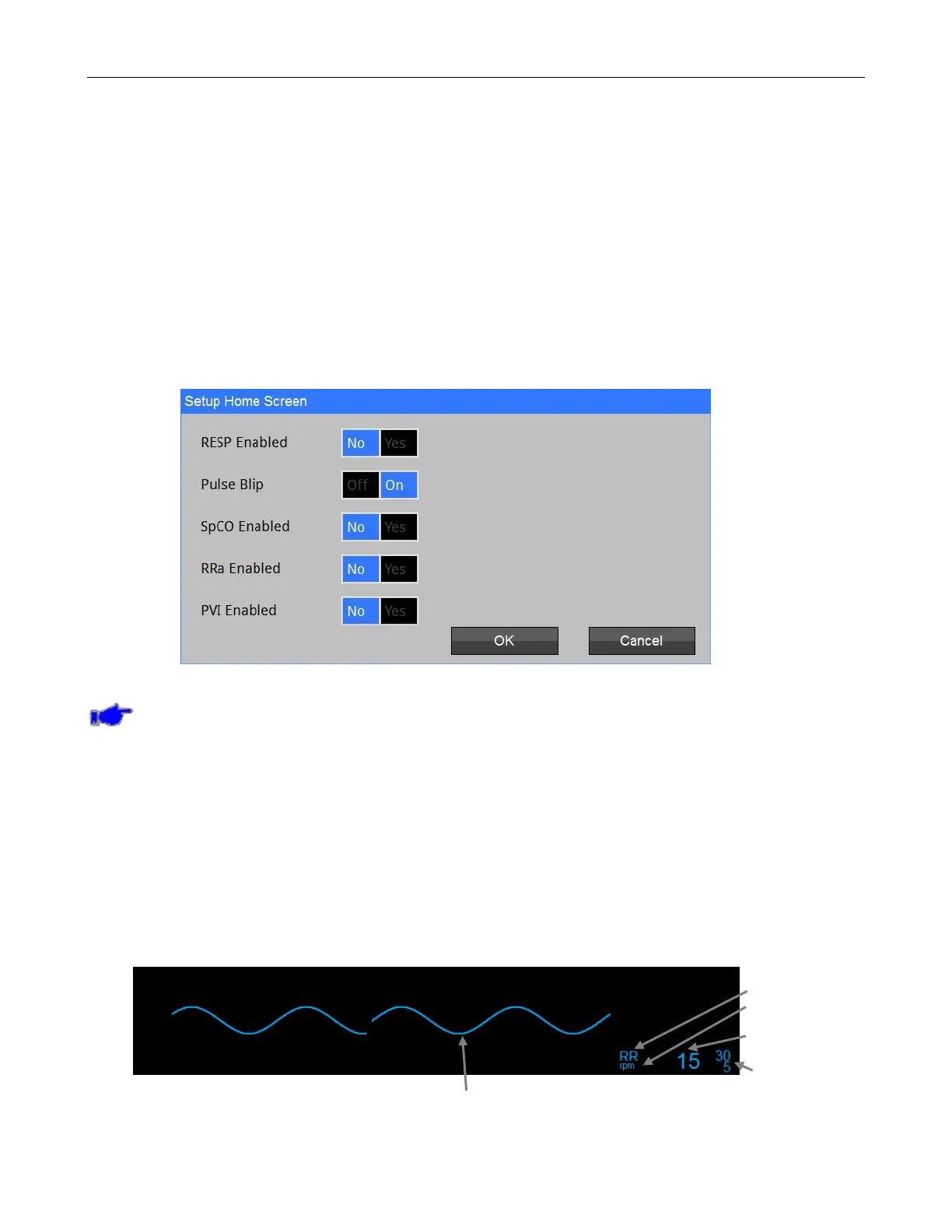
b. Touch the Home Screen button and the Setup Home Screen will be displayed. Refer to
Figure 15.
c. Touch the Yes adjacent to the RESP Enabled selection to Enable displaying of Resp
Waveform & Numeric;
OR
d. Touch the No adjacent to the RESP Enabled selection to Disable displaying of Resp
Waveform & Numeric;
e. Touch Home to return to the Main screen.
Figure 15: Setup Home Screen
Note: If the Monitor is configured with a capnography module (ETCO
2
), the Monitor will not
allow the display of the Respiration Waveform or Numeric from the ECG source.
GETTING STARTED WITH RESPIRATION
To begin monitoring Respiration, follow the patient preparation and electrode placement
procedures that are described in the ELECTRODE PLACEMENT section of this manual, starting
on page 16.
CHECKING THE RESPIRATION SIGNAL
When you have connected the patient to the monitor, you should be able to see a clean, slowly
oscillating Respiration signal on the Monitor display. This may take up to 30 seconds after the
patient has been connected. The Monitor should also display the patient's respiration rate (RR)
and alarm limit settings.
Name
Units
Value
Alarm Limits
Figure 16: RR Waveform and Numeric Value



 To Next Page