Maintenance 70
8.7.1 Diagnostics - sensors, buttons, I/O modules, CAN bus
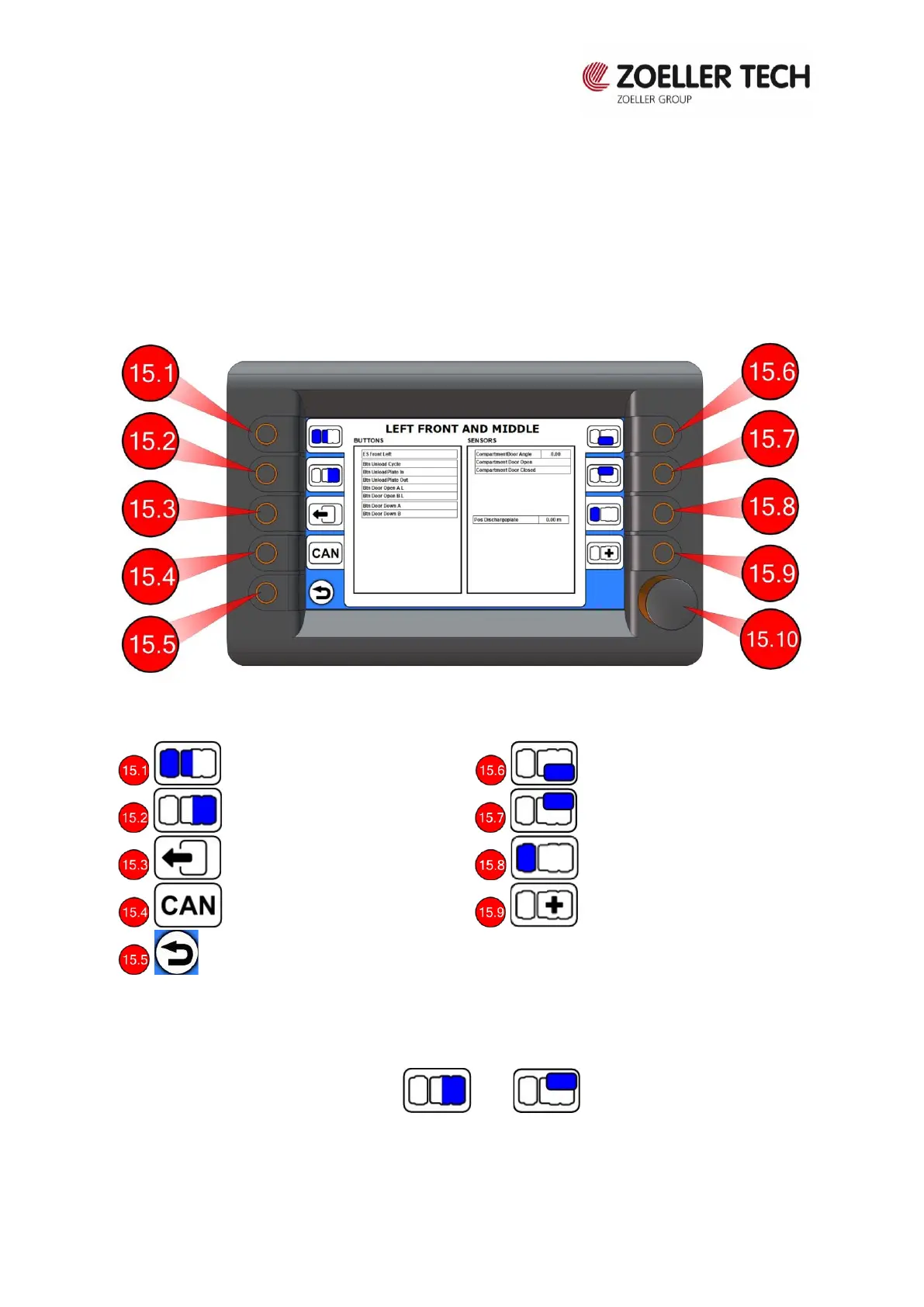
Information on the control system diagnostics is stored in the terminal. Information on vehicle
sensors, buttons, I/O modules and CAN bus and the status of these elements can be obtained
by going from the start page in the terminal to the main menu and then selecting "Diagnostics",
see Fig. 8.10.
Fig. 8.10 Diagnostics – left front and middle
By operating the buttons described above, you can control the status of sensors and buttons
on the entire vehicle. Active sensors and buttons are marked in green. In case of an error of
one of the sensors, it is marked in red. For example, to check the state of the buttons on the
right tailgate, press the and buttons and to display the corresponding
window.


 To Next Page