29
9)Press
to end the parameter setting mode and return to ordinary mode.
4. Setting of Counter Action
The production counter can be used as the Bottom Thread Counter. In repetition sewing, if a
bobbin finishes the sewing time as set in parameter, the sewing machine will stop sewing. The
Bottom Thread Counter uses the subtracting method.
The counters are set as Production Counter (Adding method) at the time of delivery. However,
if it is used as the Bottom Thread Counter (subtracting method), the parameter switch No.18 shall
be changed.
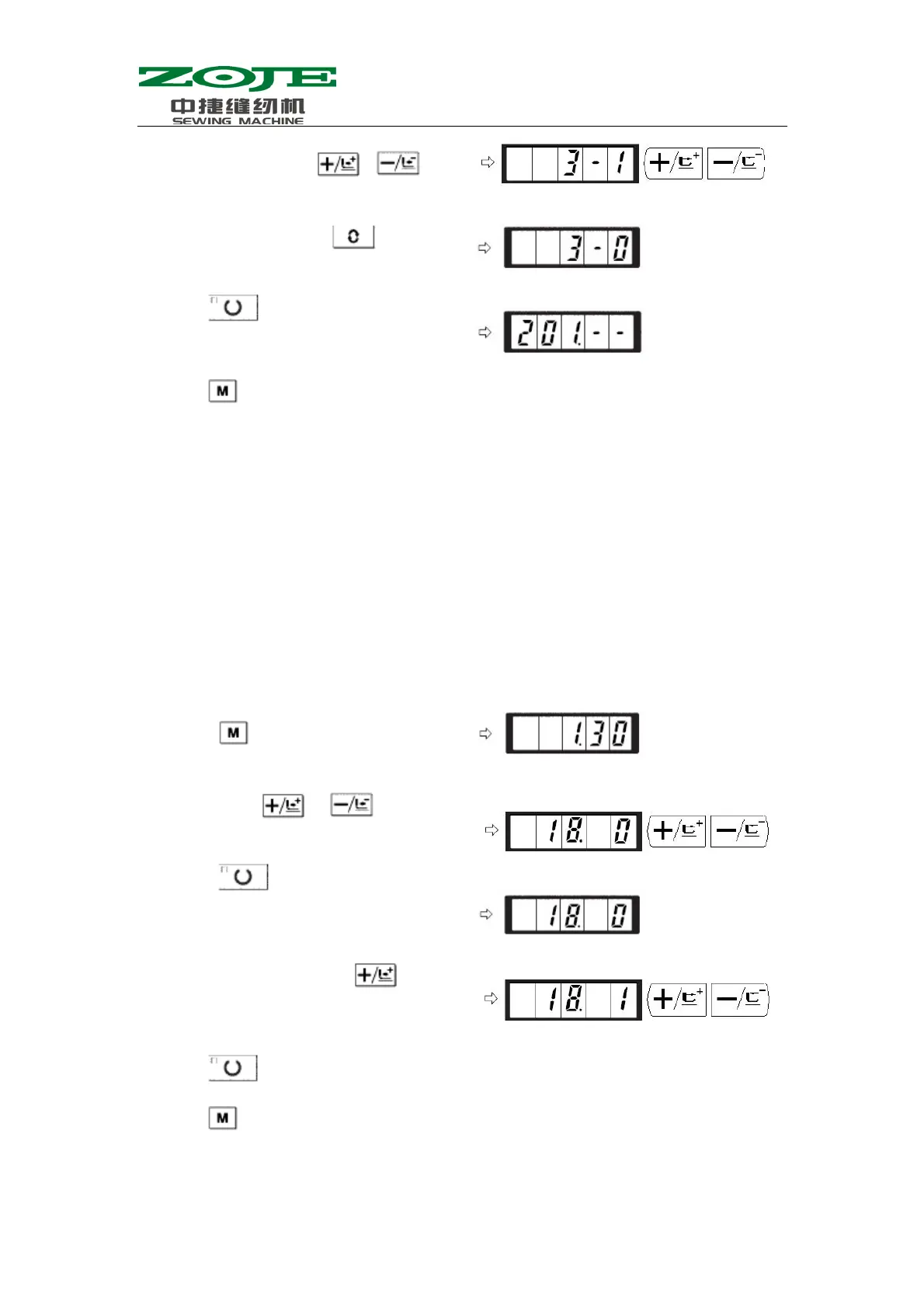
Example: change the Production Counter (Adding method) to Bottom Thread Counter
(Subtracting method).
5)Press to save the set value and turn off the Sewing LED
6)Press
to end the parameter setting mode and return to ordinary mode.
6)Set pattern No.3 with
& .
7)Set the value to 0 with
.
8)Press
to save the set value and Turn
off the Sewing LED
1)Press
when Sewing LED is off.
2)User can use
& to let screen
display parameter code No.18
3)Press
to turn on the Sewing LED.
Then the set value of the counter action is
dis
la
ed in the screen.
4)Set the set value to 1 with
Set value 0:Production Counter;
1:Bottom Thread Counter



 To Next Page