USER’S MANUAL OF WLAN BROADBAND ROUTER Version: 1.0
3
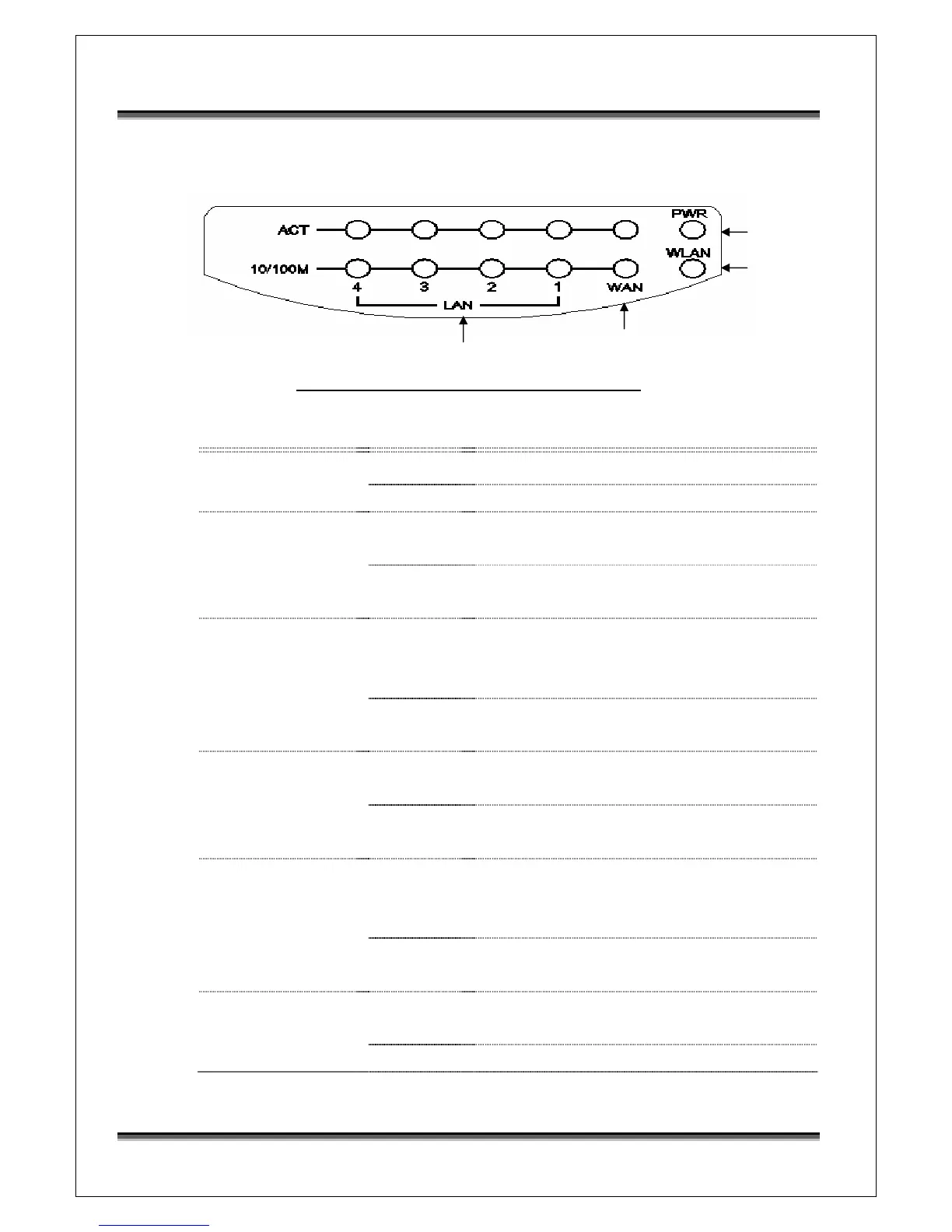
1.4 Front Panel Description
Figure 1 –WLAN Broadband Router Front Panel
LED Indicator State Description
1. Power LED
On
The WLAN Broadband Router is powered on.
Off
The WLAN Broadband Router is powered off.
2. WLAN LED
Flashing
Data is transmitting or receiving on the
antenna.
Off
No data is transmitting or receiving on the
antenna.
3. WAN LED
ACT
Flashing
Data is transmitting or receiving on the WAN
interface.
Off
No data is transmitting or receiving on the
WAN interface.
10/100M
On
Connection speed is 100Mbps on WAN
interface.
Off
Connection speed is 10Mbps on WAN
interface.
4. LAN LED
ACT
Flashing
Data is transmitting or receiving on the LAN
interface.
Off
No data is transmitting or receiving on the LAN
interface.
10/100M
On
Connection speed is 100Mbps on LAN
interface.
Off
Connection speed is 10Mbps on LAN interface.
WAN LED
LAN LED
Power LED
WLAN LED



 To Next Page