USER’S MANUAL OF WLAN BROADBAND ROUTER Version: 1.0
15
interface, Wireless interface, NAT and Firewall modules
are applied to this mode
Bridge Each interface (LAN, WAN and Wireless) regards as
bridge. NAT, Firewall and all router’s functions are not
supported
Wireless ISP Switch Wireless interface to WAN port and all Ethernet
ports in bridge mode. Wireless interface can do all
router’s functions
Apply Changes Click the Apply Changes button to complete the new
configuration setting.
Reset Click the Reset button to abort change and recover the
previous configuration setting.
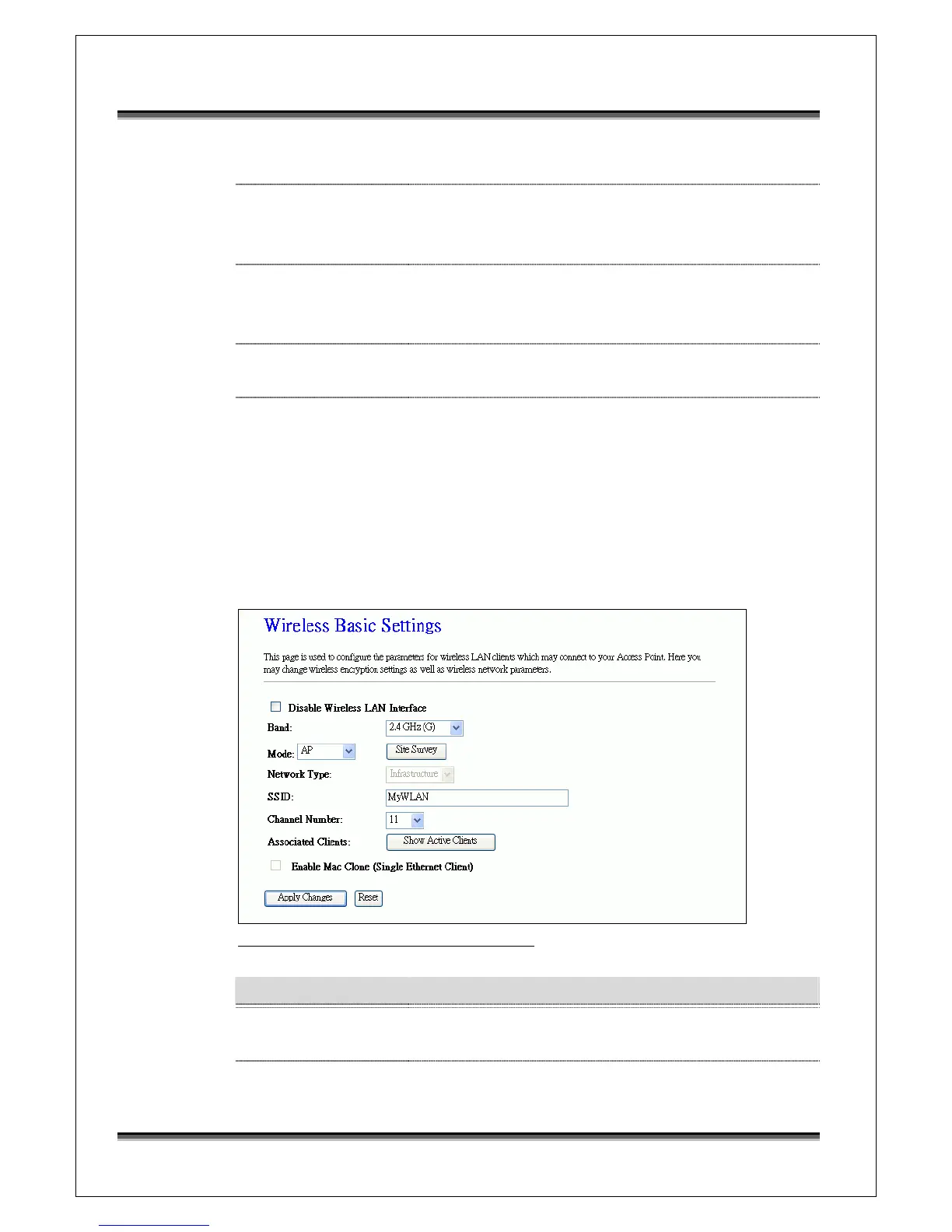
3.3.4 Wireless - Basic Settings
This page is used to configure the parameters for wireless LAN clients that may
connect to your Broadband Router. Here you may change wireless encryption
settings as well as wireless network parameters.
Screen snapshot – Wireless Basic Settings
Item Description
Disable Wireless LAN
Interface
Click on to disable the wireless LAN data transmission.
Band Click to select 2.4GHz(B) / 2.4GHz(G) / 2.4GHz(B+G)



 To Next Page