USER’S MANUAL OF WLAN BROADBAND ROUTER Version: 1.0
9
3.2 Connect to the WLAN Broadband Router
Open a WEB browser, i.e. Microsoft Internet Explore, then enter 192.168.1.254 on the
URL to connect the WLAN Broadband Router.
3.3 Management and configuration on the WLAN Broadband Router
3.3.1 Status
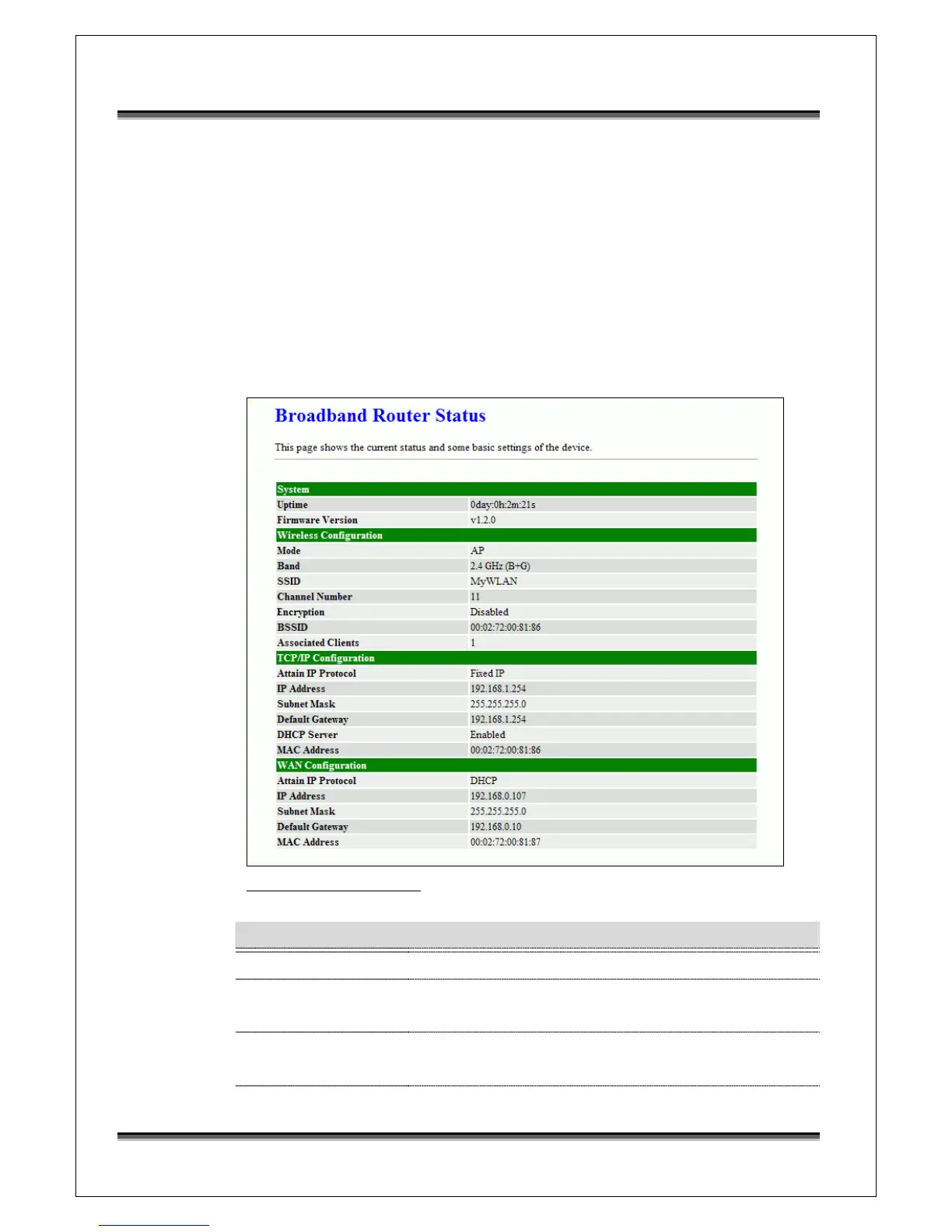
This page shows the current status and some basic settings of the device, includes
system, wireless, Ethernet LAN and WAN configuration information.
Screen snapshot – Status
Item Description
System
Uptime It shows the duration since WLAN Broadband Router is
powered on.
Firmware version It shows the firmware version of WLAN Broadband
Router.



 To Next Page