USER’S MANUAL OF WLAN BROADBAND ROUTER Version: 1.0
35
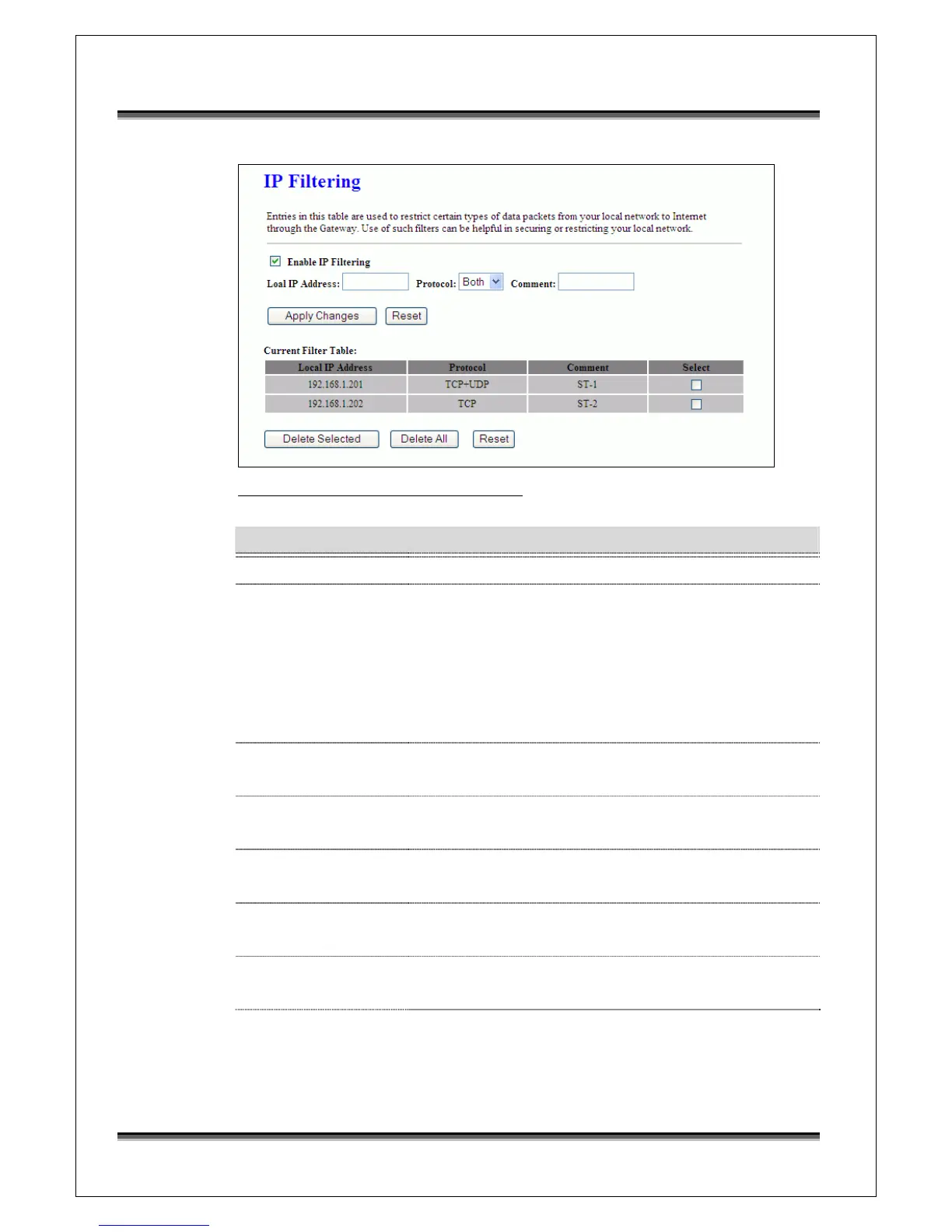
Screen snapshot – Firewall - IP Filtering
Item Description
Enable IP Filtering Click to enable the IP filtering security function.
Local IP Address
Protocol
Comments
To restrict data transmission from local network on
certain IP addresses, fill in the IP address and the
protocol, also put your comments on it.
The Protocol can be TCP, UDP or Both.
Comments let you know about whys to restrict data from
the IP address.
Apply Changes Click the Apply Changes button to register the IP address
to IP filtering list.
Reset Click the Reset button to abort change and recover the
previous configuration setting.
Delete Selected Click to delete the selected IP address that will be
removed from the IP-filtering list.
Delete All Click to delete all the registered entries from the
IP-filtering list.
Reset Click the Reset button to abort change and recover the
previous configuration setting.
3.3.14 Firewall - MAC Filtering
Entries in this table are used to restrict certain types of data packets from your
local network to Internet through the Gateway. Use of such filters can be



 To Next Page