USER’S MANUAL OF WLAN BROADBAND ROUTER Version: 1.0
25
Tx Rare (Mbps) It shows the wireless link rate within WDS.
Refresh Click to refresh the statistic counters on the screen.
Close Click to close the current window.
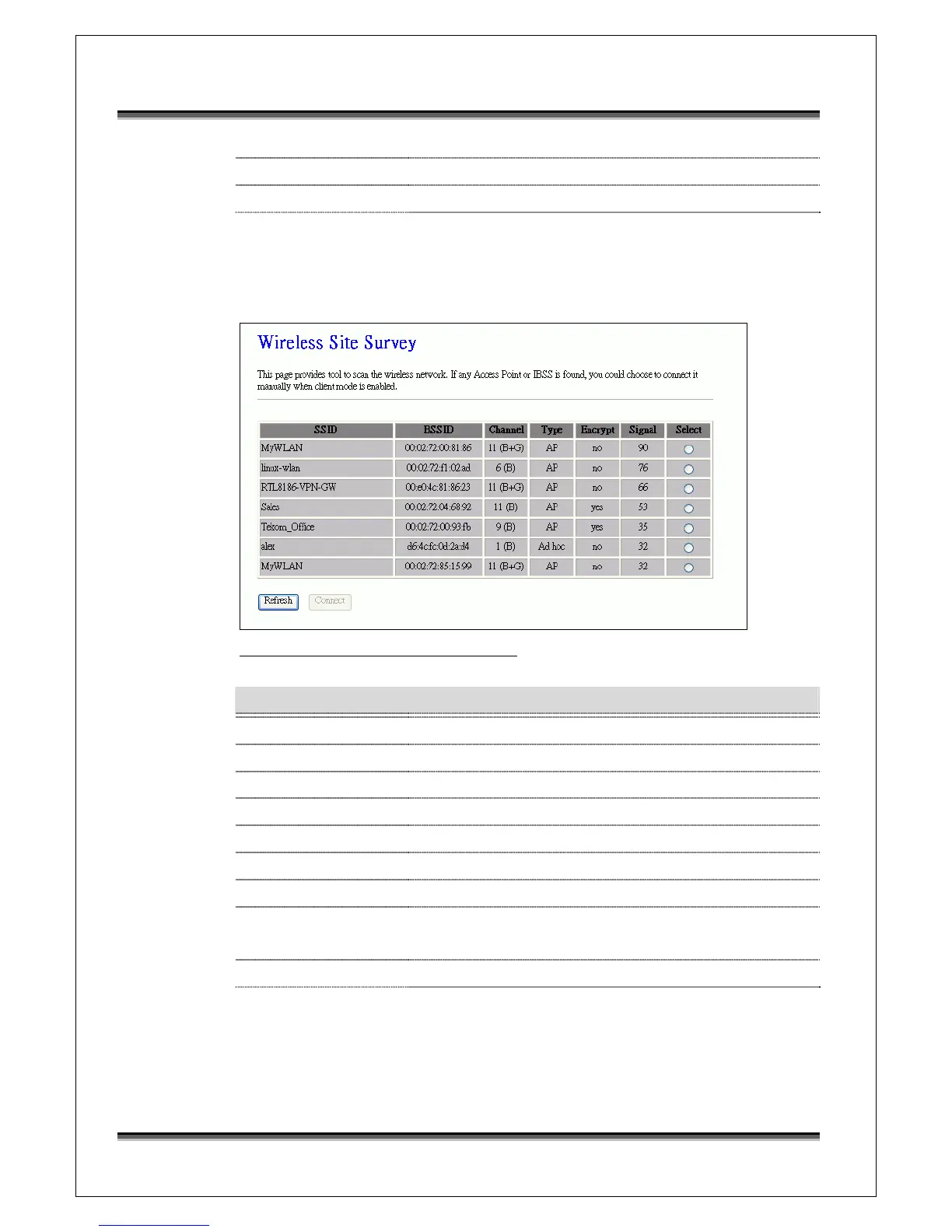
3.3.9 Site Survey
This page is used to view or configure other APs near yours.
Screen snapshot – Wireless Site Survey
Item Description
SSID It shows the SSID of AP.
BSSID It shows BSSID of AP.
Channel It show the current channel of AP occupied.
Type It show which type AP acts.
Encrypt It shows the encryption status.
Signal It shows the power level of current AP.
Select Click to select AP or client you’d like to connect.
Refresh Click the Refresh button to re-scan site survey on the
screen.
Connect Click the Connect button to establish connection.
3.3.10 LAN Interface Setup
This page is used to configure the parameters for local area network that
connects to the LAN ports of your WLAN Broadband Router. Here you may



 To Next Page