USER’S MANUAL OF WLAN BROADBAND ROUTER Version: 1.0
21
previous configuration setting.
WEP encryption key (secret key) length:
Length
Format
64-bit 128-bit
ASCII 5 characters 13 characters
HEX 10 hexadecimal codes 26 hexadecimal codes
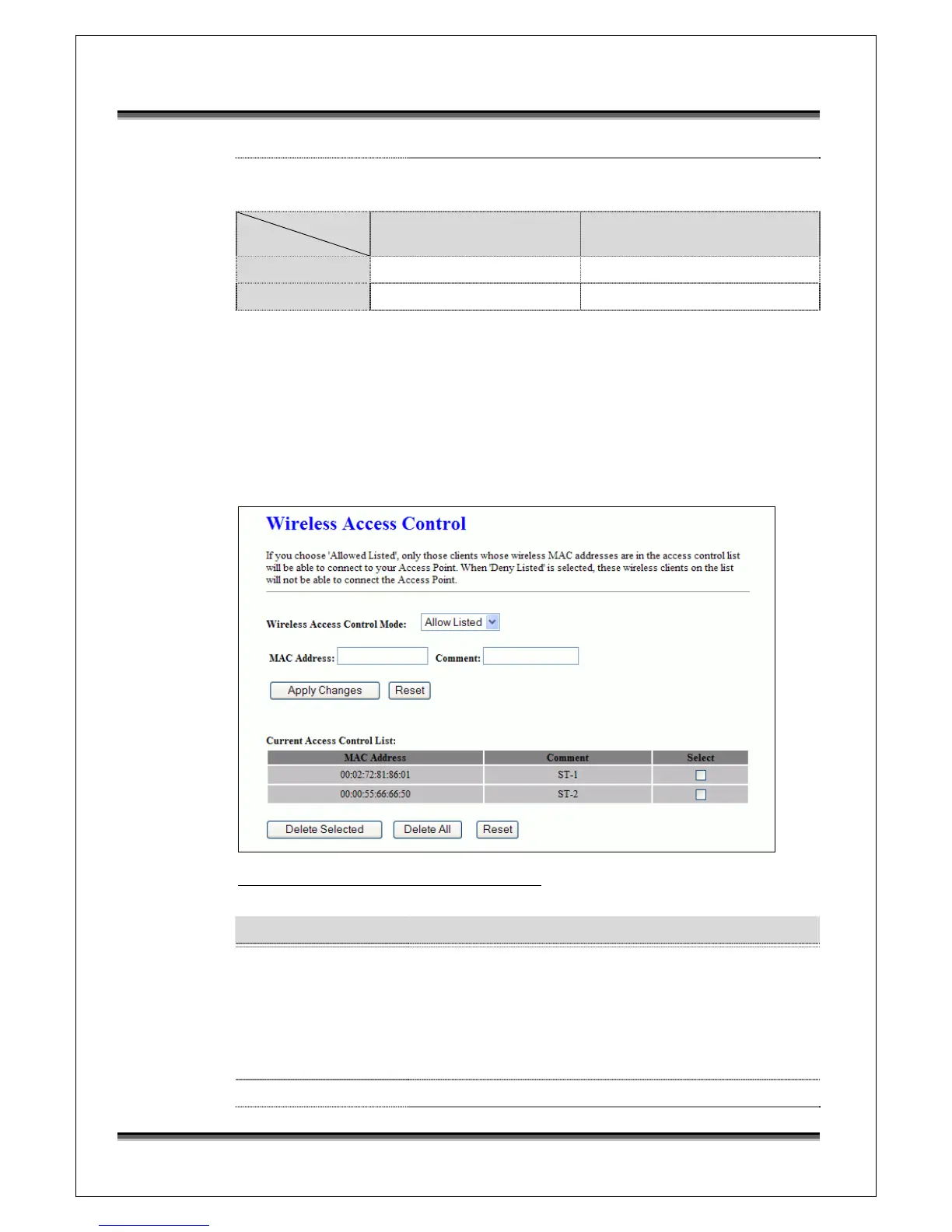
3.3.7 Wireless - Access Control
If you enable wireless access control, only those clients whose wireless MAC
addresses are in the access control list will be able to connect to your Access
Point. When this option is enabled, no wireless clients will be able to connect if
the list contains no entries.
Screen snapshot – Wireless Access Control
Item Description
Wireless Access
Control Mode
Click the Disabled, Allow Listed or Deny Listed of drop
down menu choose wireless access control mode.
This is a security control function; only those clients
registered in the access control list can link to this
WLAN Broadband Router.
MAC Address Fill in the MAC address of client to register this WLAN



 To Next Page