USER’S MANUAL OF WLAN BROADBAND ROUTER Version: 1.0
39
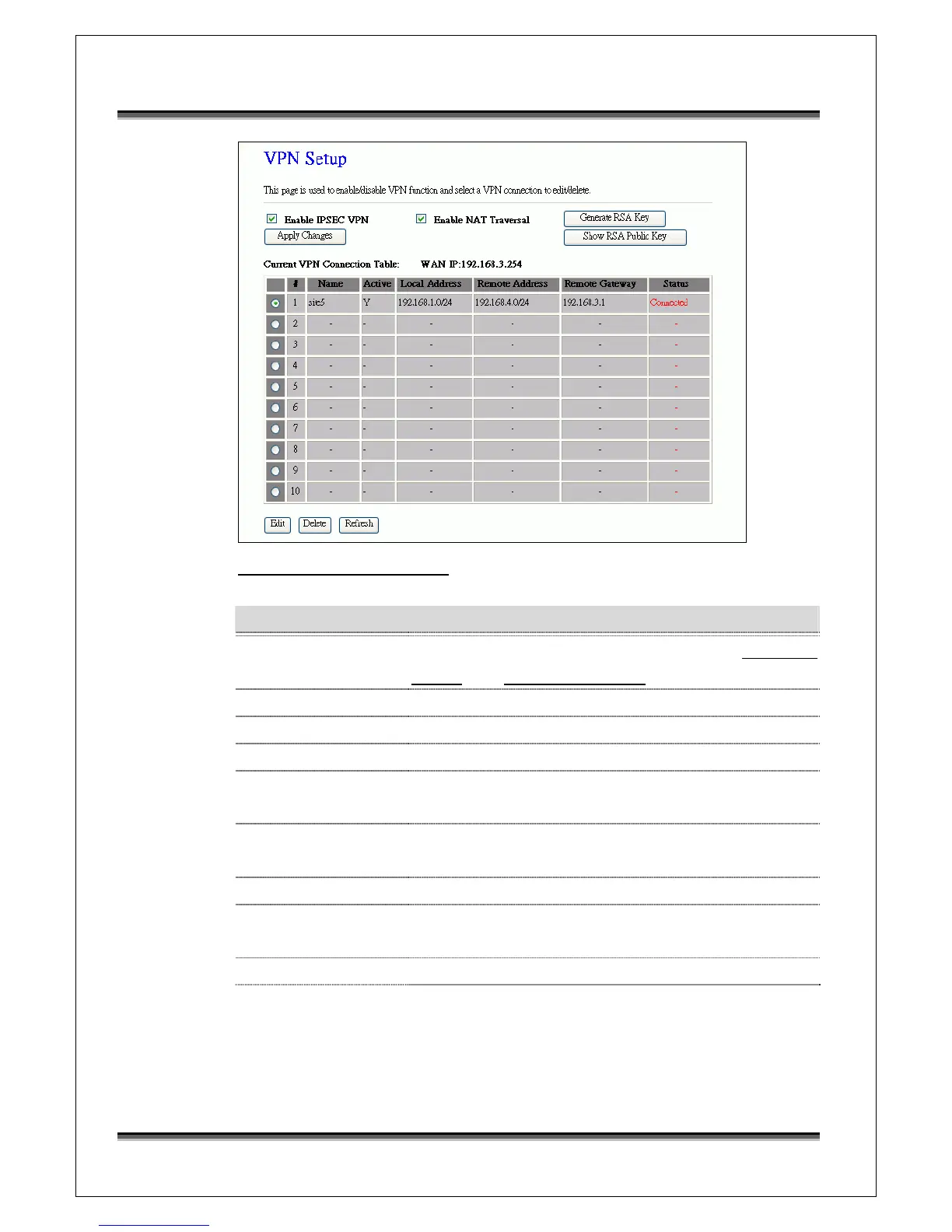
Screen snapshot – VPN Setup
Item Description
Enable IPSEC VPN Click to enable IPSEC VPN function. Refer to 4.27 What
is VPN? and 4.28 What is IPSEC?
Enable NAT Traversal Click to enable NAT Traversal function.
Generate RSA Key Click to generate RSA key.
Show RSA Public Key Click to show RSA public key that we generate.
Apply Changes Click the Apply Changes button to enable IPSEC VPN,
NAT Traversal settings.
Current VPN
Connection Table
It shows current WAN interface information and VPN
connection table.
Edit Click to enter the current VPN tunnel configuration page.
Delete Click to delete the current VPN tunnel that radio button
stay.
Refresh Click to refresh the current VPN connection table.



 To Next Page