• Secondary DNS
This is the IP address of an alternate Domain Name System (DNS) server.
Your service provider supplies this address, if needed.
• Service Name
This is the name assigned by your service provider to identify your service.
The Service Name is optional.
• Assigned IP Address
This is the optional IP address assigned by your service provider. The
Assigned IP Address is optional.
Go to
Step 4. Wireless Settings on page 20.
Configuring PPTP
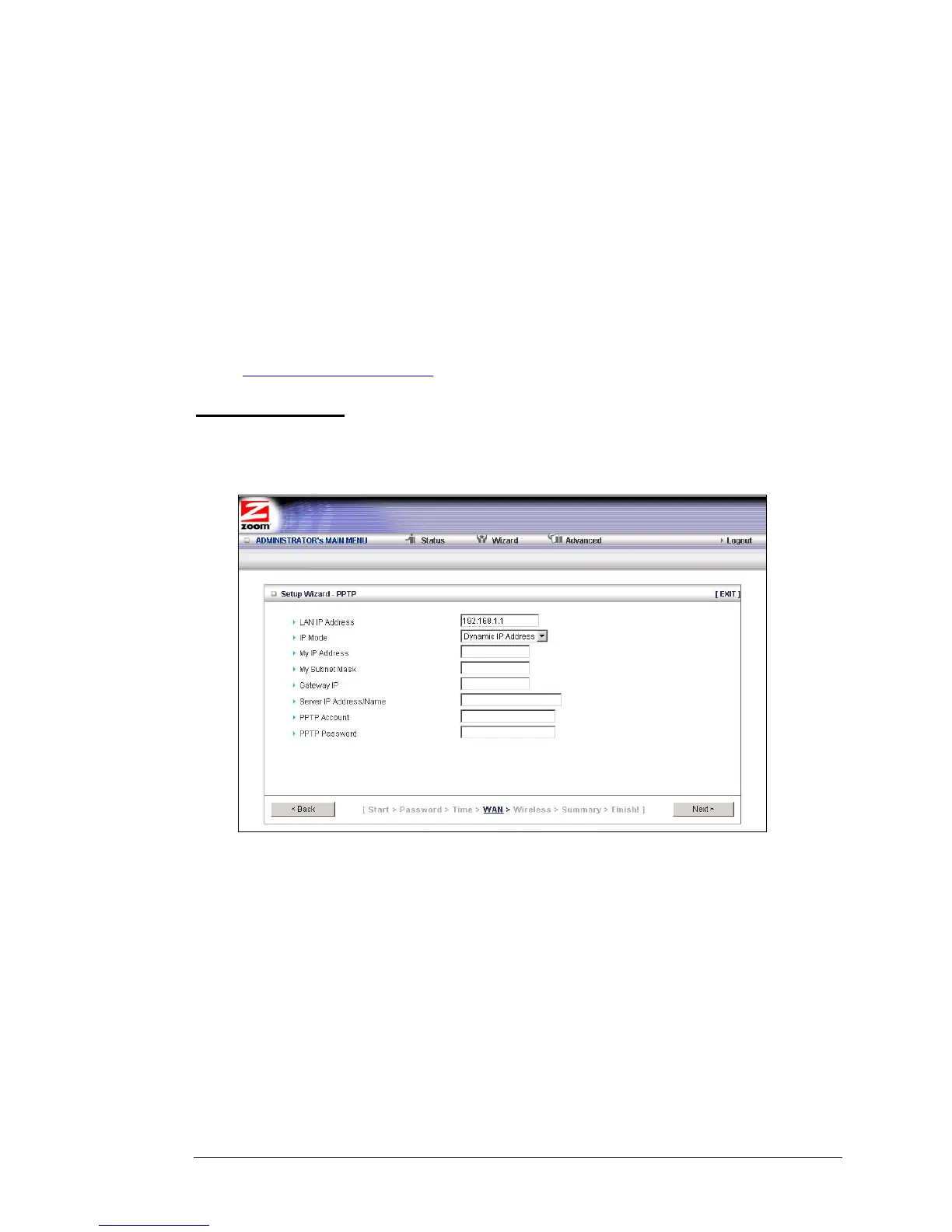
If you are using your router within a VPN, you might need to select the Point-to-Point
Tunneling Protocol (PPTP). When you select the PPTP button on the Select WAN Type
menu, the following page opens:
• LAN IP Address
This is the LAN IP Address of your router. Devices behind your router use
this address as their default gateway. Most users will not need to change
this address.
• IP Mode
This is the mode used to generate the IP address. Select an option from the
dropdown menu, based on your service provider's requirements.
• My IP Address
This is the private IP address that your service provider assigned to your
router.
Chapter 3: Using the Configuration Manager's Setup Wizard 17



 To Next Page