• PIN
This is the Personal Identification Number (PIN) code assigned by your
service provider, if needed.
• Dialed Number
This number is assigned by your service provider, if needed.
• Account
This is the Account Name provided by your service provider, if needed.
• Password
This is the Password assigned by your service provider, if needed.
Go to
Step 4. Wireless Settings, below.
Step 4. Wireless Settings
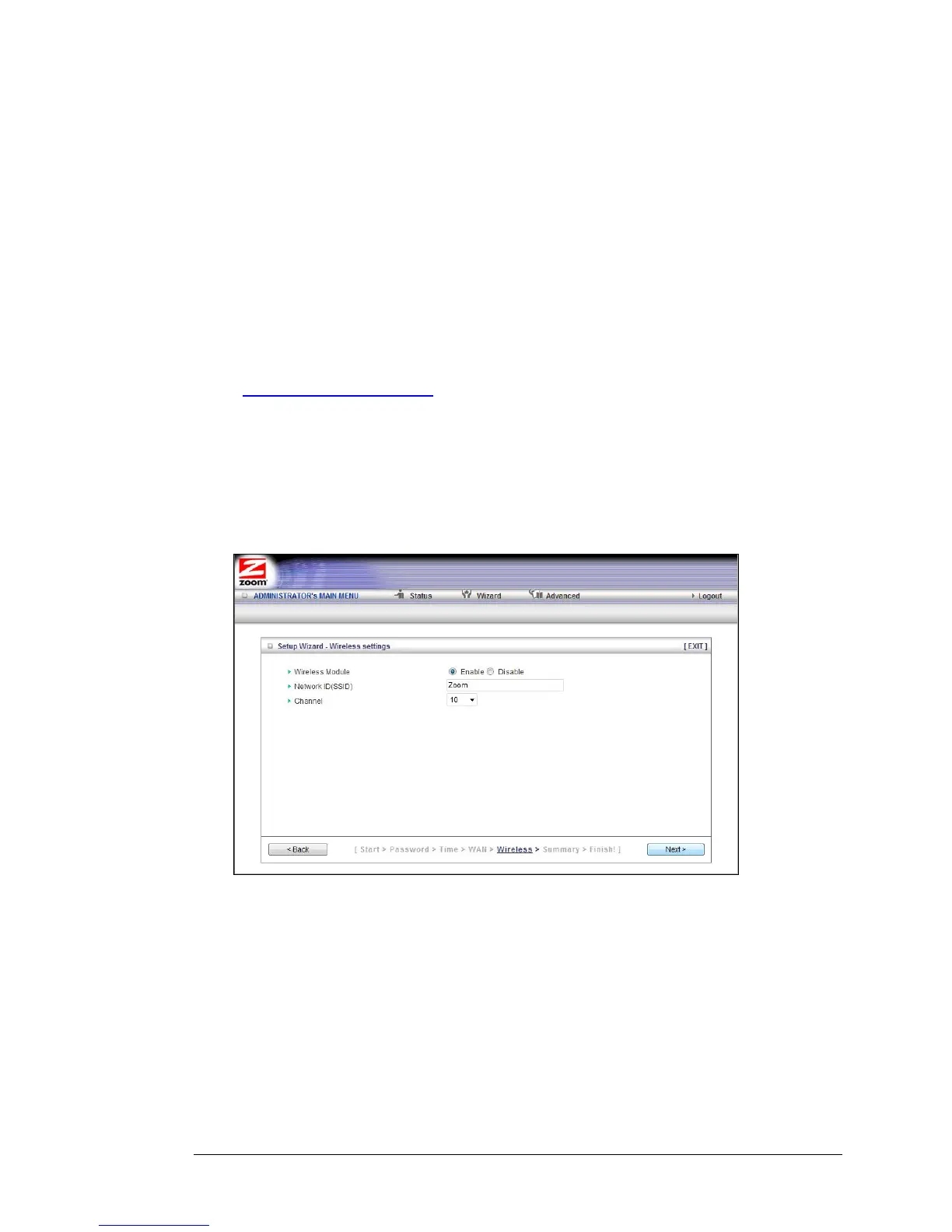
The Wireless Settings page lets you configure the wireless settings for your 3G router
and devices. If you are happy to have no wireless security, click Next to go to Step 5. If
all of your network's wireless devices are capable of WPS security setup and you
want to use WPS, please go to Steps 5 and 6, then exit the Wizard and go to Chapter
4. Otherwise, continue below.
•
Wireless Module Accept the default, Enable. Click the Disable checkbox only if
you do not want wireless clients to access your network.
•
Network ID (SSID) refers to the Service Set Identifier for your device. By
default, the SSID for the 3G Wireless-N Router is
Zoom. You can change the
SSID to a name of your choice. The SSID can be up to 32 alphanumeric
characters. If you change the name, make sure that all devices on your
network use the new SSID as the access point.
•
Channel refers to the wireless network channel assigned to your LAN. By
default, the router uses channel 10.
20 3G Wireless-N Router User Guide



 To Next Page