•
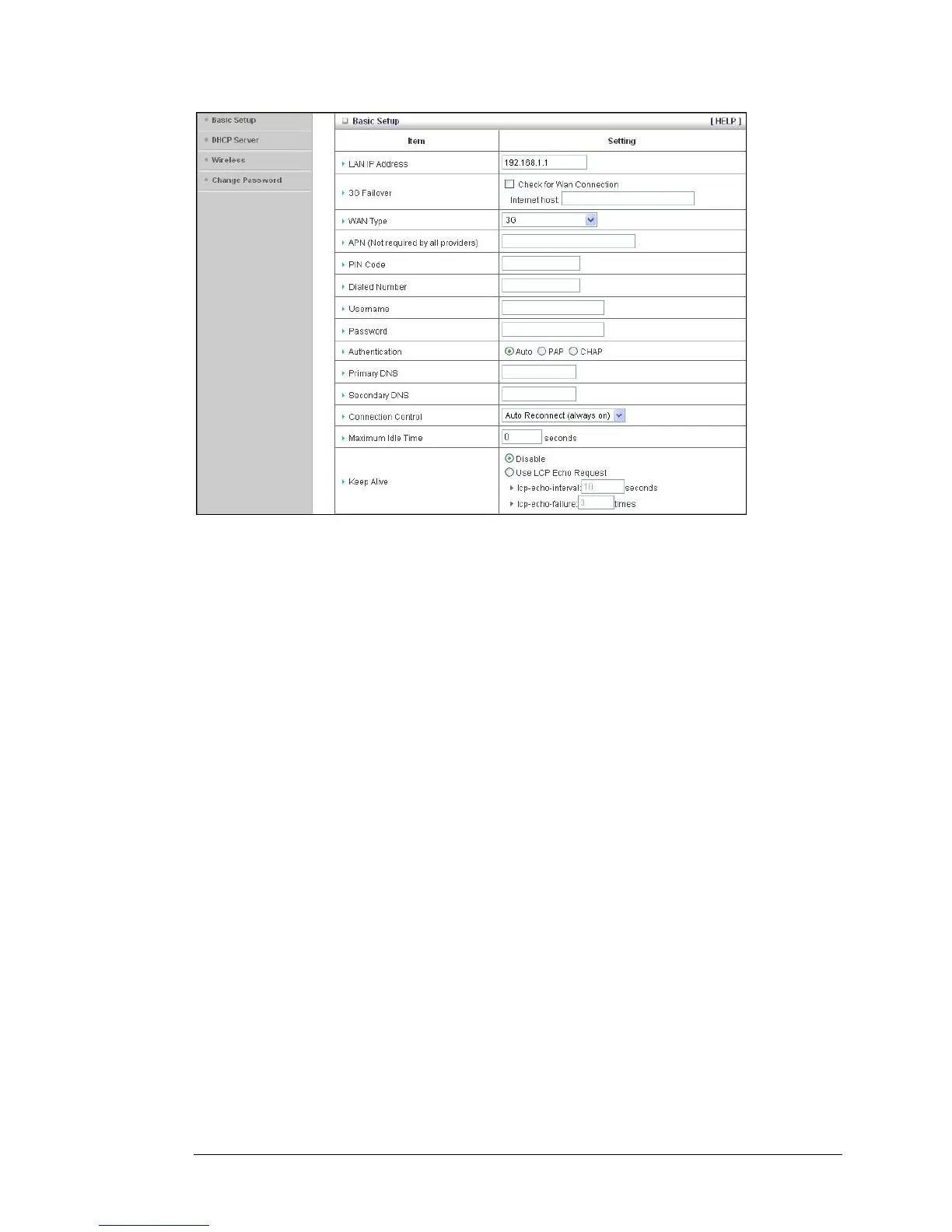
LAN IP Address
The local IP address of the router.
192.168.1.1, by default. All wireless or wired
devices on your network must use the LAN IP address of your router as their
default gateway.
• 3G Fallover
Click the WAN Connection checkbox if you want the WAN type to change to
3G wireless if the Ethernet WAN fails.
•
WAN Type
Set to
3G, by default. You can choose another option from the dropdown
menu, based on the WAN connection type that your service provider
supports.
•
APN, PIN Code, Dialed Number, Username and Password
Identifiers assigned by some service providers, if needed.
•
Authentication
Set to Auto, by default. Optionally, click Password Authentication Protocol
(PAP), or Challenge Handshake Authentication Protocol (CHAP), if
supported by your service provider.
•
Primary DNS and Secondary DNS
Identifiers for the Domain Name Servers. These identifiers are provided by
your service provider.
36 3G Wireless-N Router User Guide



 To Next Page