Using Rhythms
Using Rhythms
• Turn
of the middle effect.
• Turn
of the left effect.
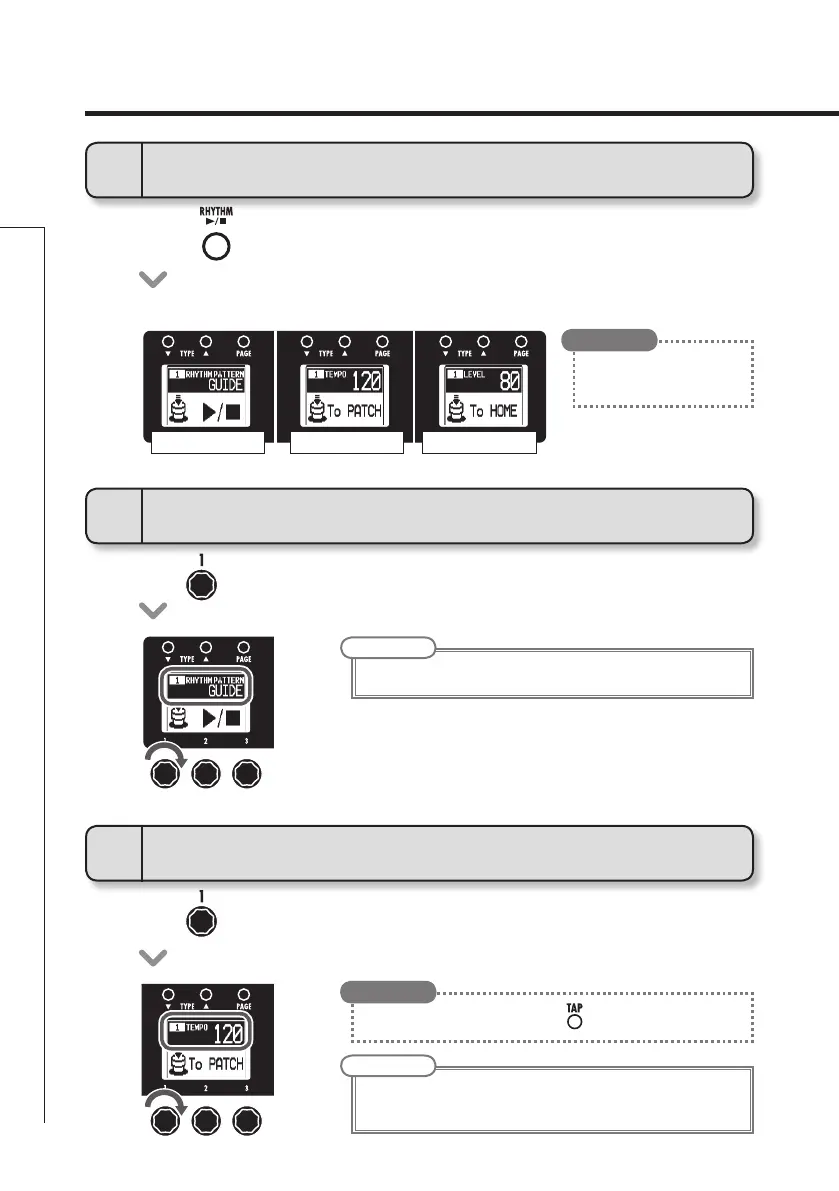
1
To activate a rhythm
2
To select the rhythm pattern
• Press.
•
The rhythm pattern starts to play automatically and the rhythm setting screens open.
NOTE
• Seepage50fortypesofpatterns
NOTE
• Thesettingrangeis40-250.
• Thistemposettingisusedbyeveryeffect,rhythmsandthelooper.
RHYTHM PATTERN
TEMPO LEVEL
3
To adjust the tempo
• Youcanalsosetthetempousing.
HINT
•
You can use a rhythm pattern
while using the looper.
HINT


 To Next Page