Updating the Firmware
To download the latest firmware version updater application:
Updating the Firmware
• VisittheZOOMWebsite(http://www.zoom.co.jp).
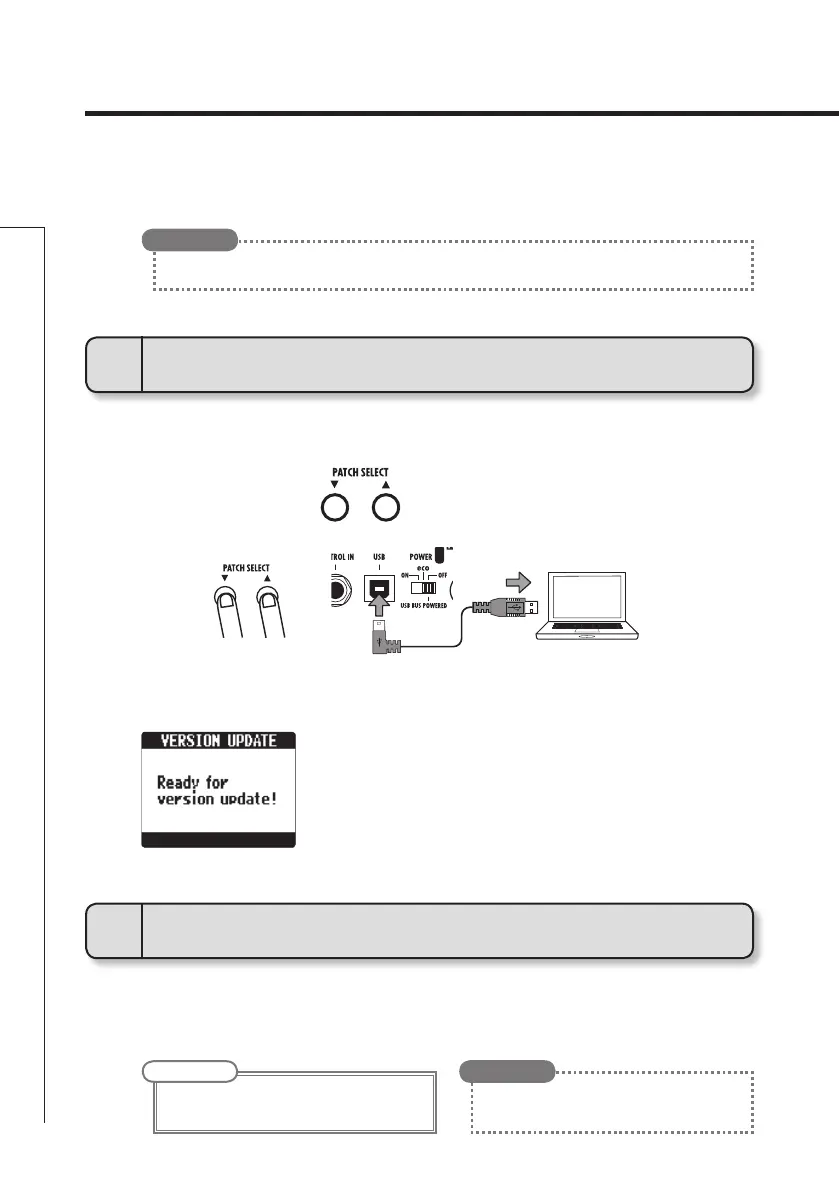
• ConrmthatthePOWERswitchissettoOFF.
•
Launch the version update application on your computer, and execute
the update.
• TheVERSIONUPDATEscreenappears.
• Whilepressingboth,connecttheunittoacomputerusingthe
USB cable.
1
To prepare to update the firmware version
2
To update the firmware
• OpentheGLOBALmenutocheckthecurrentrmwareversions.(Seepage21.)
HINT
• SeetheZOOMwebsiteforinstructionsabout
how to use the application.
HINT
NOTE
• Donot disconnectthe USBcablewhilethe
firmware is being upgraded.



 To Next Page