Changing Various Settings
• Turnofthelefteffect.
• Turnofthelefteffect.
Changing Various Settings
1
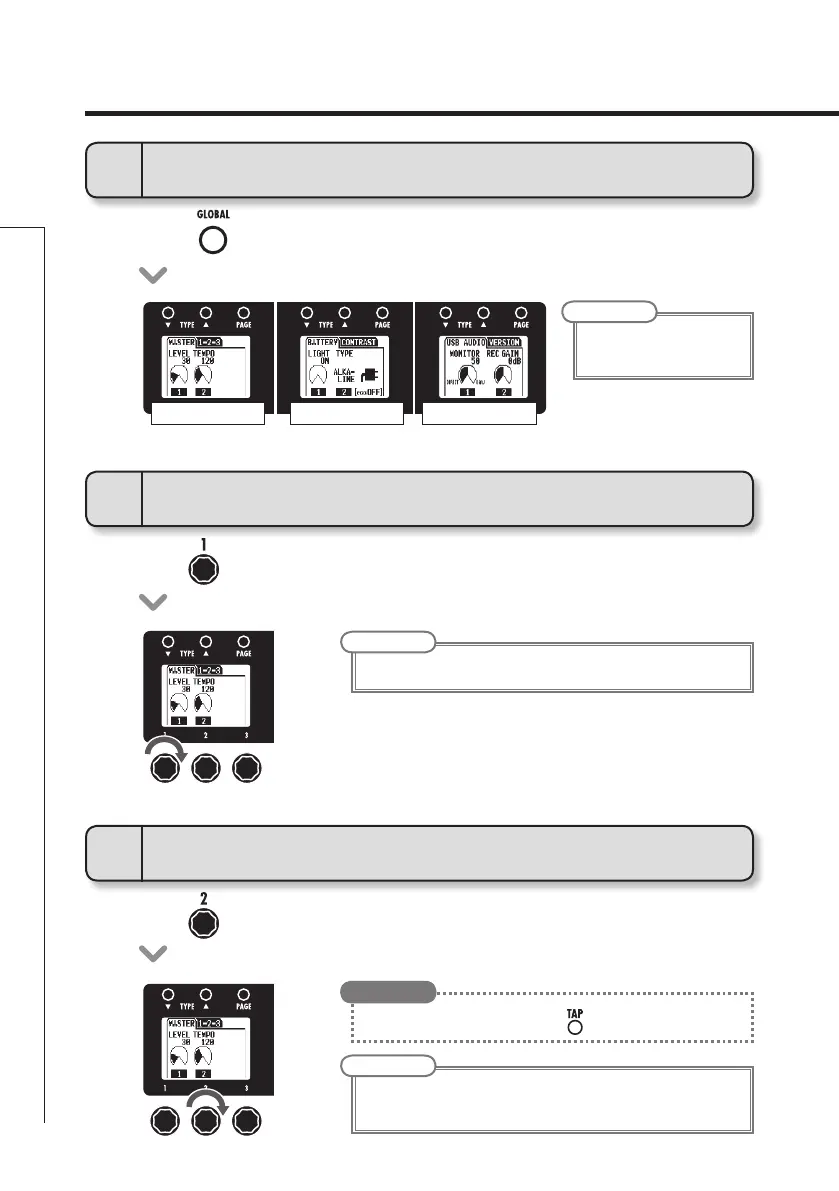
To activate the GLOBAL menu
2
To adjust the master level
• Press.
NOTE
• Globalparametersettings
affect all patches.
NOTE
• Thesettingrangeis0-120.
NOTE
• Thesettingrangeis40-250.
• Thistemposettingisusedbyeveryeffect,rhythmsandthelooper.
MASTER/1-2-3
BATTERY/CONTRAST
USB AUDIO/VERSION
3
To set the master tempo
• Youcanalsosetthetempousing.
HINT


 To Next Page