Changing Various Settings
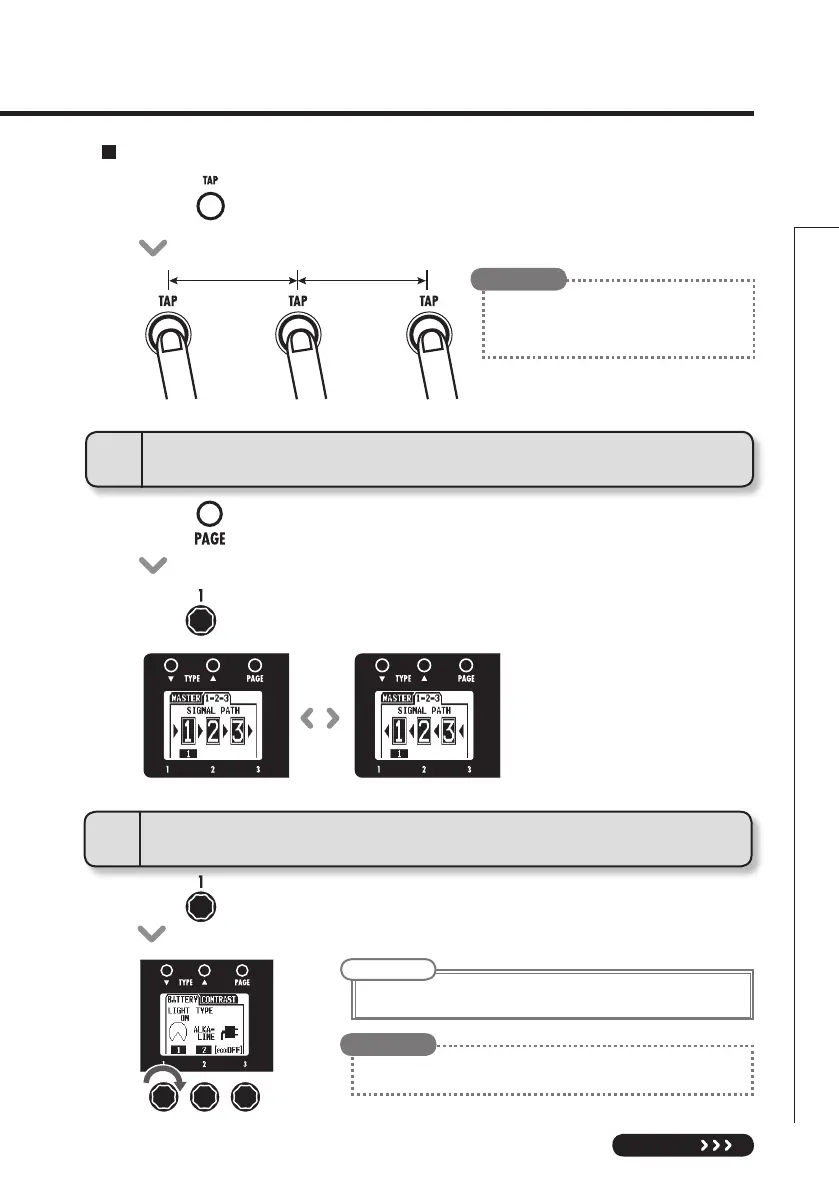
• Pressonthelefteffect.
• Turntosetthesignalowdirection.
GLOBAL
4
To change the direction of the signal flow
Setting the tempo by tapping
• Presstwoormoretimesatthedesiredtempo.
• Youcanalsosetthe tempousinganFS01
footswitch (sold separately).
(See page 17.)
HINT
5
To set the amount of time until the backlight dims
• Turnofthemiddleeffect.
NOTE
• ThesettingoptionsareONand1–30seconds.
•
The amount of power consumed can be reduced by dimming the backlight.
HINT


 To Next Page