Effect Types and Parameters
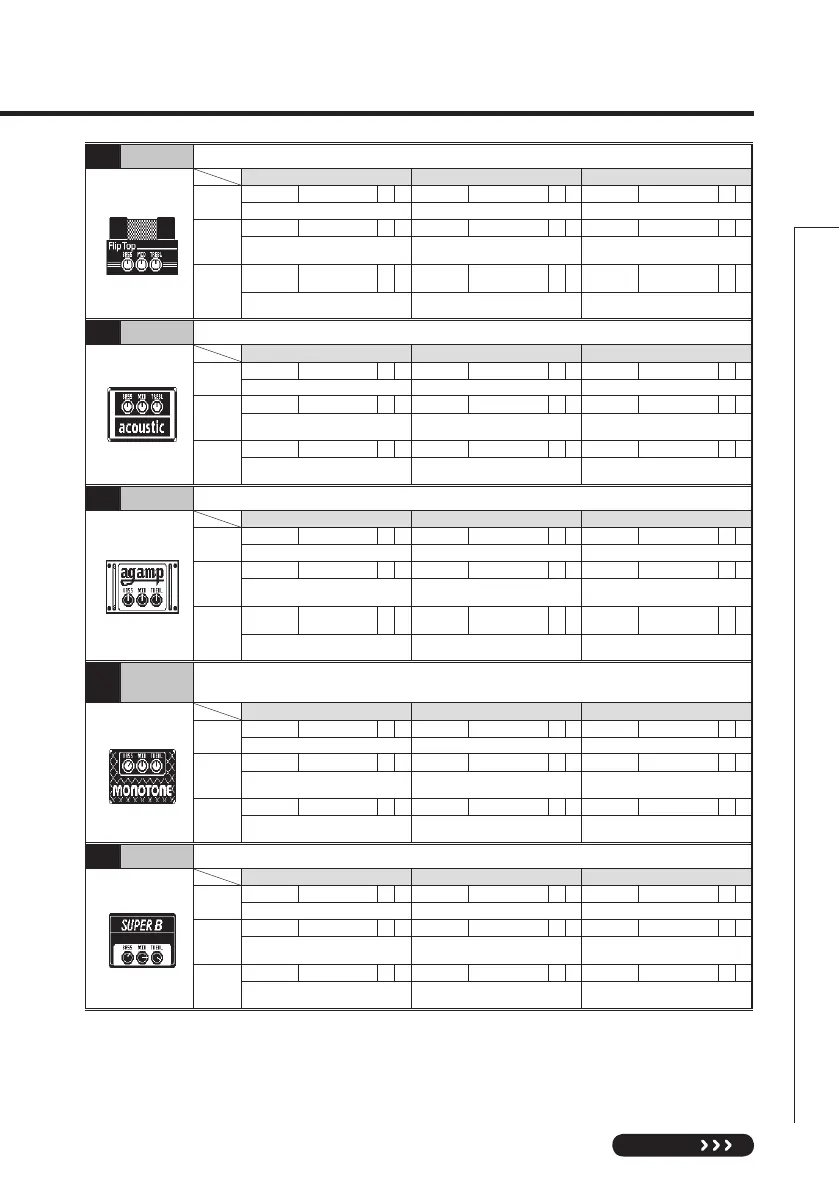
042 Flip Top SimulationoftheAmpegB-15madefamousbytheMotownsoundofthe1960s.
Knob1 Knob2 Knob3
Page01
Bass -10–10 Mid -10–10 Trebl -10–10
Adjusts the low frequency level. Adjusts the middle frequency level. Adjusts the high frequency level.
Page02
Mid_F 32Hz–6.3kHz Gain 0–100 P Level 0–150
Adjusts the center frequency of the
mid-range.
Adjusts the gain. Adjusts the output level.
Page03
Ultra
Off, Low, Hi,
Both
CAB See Table 1 Mix 0–100
Emphasizes high and low frequencies.
Selects the cabinet.
Adjusts the mix balance of the signal after
the pre-amp and the signal after the cabinet.
043 Acoustic Simulation of the Acoustic 360 well known for its gutsy midrange.
Knob1 Knob2 Knob3
Page01
Bass -10–10 Mid -10–10 Trebl -10–10
Adjusts the low frequency level. Adjusts the middle frequency level. Adjusts the high frequency level.
Page02
Mid_F 32Hz–6.3kHz Gain 0–100 P Level 0–150
Adjusts the center frequency of the
mid-range.
Adjusts the gain. Adjusts the output level.
Page03
Bright On/Off CAB See Table 1 Mix 0–100
Emphasizes high frequencies when
ON.
Selects the cabinet.
Adjusts the mix balance of the signal after
the pre-amp and the signal after the cabinet.
044 Ag Amp Simulation of the Aguilar DB750 famous for its powerful sound.
Knob1 Knob2 Knob3
Page01
Bass -10–10 Mid -10–10 Trebl -10–10
Adjusts the low frequency level. Adjusts the middle frequency level. Adjusts the high frequency level.
Page02
Mid_F 32Hz–6.3kHz Gain 0–100 P Level 0–150
Adjusts the center frequency of the
mid-range.
Adjusts the gain. Adjusts the output level.
Page03
Char
Off, Deep,
Brght, Both
CAB See Table 1 Mix 0–100
Selects one of 4 types of preset tones.
Selects the cabinet.
Adjusts the mix balance of the signal after
the pre-amp and the signal after the cabinet.
045
Monotone
Simulation of the POLYTONE MINI-BRUTE III with its distinct midrange, often used by
Jazz musicians.
Knob1 Knob2 Knob3
Page01
Bass -10–10 Mid -10–10 Trebl -10–10
Adjusts the low frequency level. Adjusts the middle frequency level. Adjusts the high frequency level.
Page02
Mid_F 32Hz–6.3kHz Gain 0–100 P Level 0–150
Adjusts the center frequency of the
mid-range.
Adjusts the gain. Adjusts the output level.
Page03
Char Dark, Brght, Flat CAB See Table 1 Mix 0–100
Selects one of 3 types of preset tones.
Selects the cabinet.
Adjusts the mix balance of the signal after
the pre-amp and the signal after the cabinet.
046 SuperB Simulation of the Marshall Super Bass that made rock history.
Knob1 Knob2 Knob3
Page01
Bass -10–10 Mid -10–10 Trebl -10–10
Adjusts the low frequency level. Adjusts the middle frequency level. Adjusts the high frequency level.
Page02
Mid_F 32Hz–6.3kHz Gain 0–100 P Level 0–150
Adjusts the center frequency of the
mid-range.
Adjusts the gain. Adjusts the output level.
Page03
Prese 0–10 CAB See Table 1 Mix 0–100
Adjusts the super-high frequency level.
Selects the cabinet.
Adjusts the mix balance of the signal after
the pre-amp and the signal after the cabinet.


 To Next Page