Reference [Recorder]
ZOOM MRS-8
38
5.
Repeatedly press the status key for the
track on which to perform punch-in/out,
until the key is lit in red.
6.
Use the Locate function to go to a spot
before the In point.
If the current location is outside the region between the In
and Out points, the status key flashes in red. When the
current location is between the In point and Out points,
the status key is lit in red. In this case, use the locate
function once again to go to a point that is earlier than the
In point.
7.
To rehearse the auto punch-in/out process,
press the PLAY [
R
] key.
The MRS-8 will begin playing. When you reach the In
point, the track on which you are punching in/out will be
muted. When you reach the Out point, muting is defeated.
(You are always able to monitor the input signal during
this time.) Performing this action does not delete or
record anything on the track.
To change the positions of the In point or Out point, press
the [AUTO PUNCH I/O] key so that the key goes out, and
then repeat steps 3 – 4.
When you are finished rehearsing, move again to a
location earlier than the In point.
8.
To actually perform auto punch-in/out, hold
down the REC [
O
] key and press the PLAY
[
R
] key.
The MRS-8 will begin playing. When you reach the In
point, recording begins automatically (punch-in). When
you reach the Out point, recording ends automatically
and playback resumes (punch-out).
9.
When you are finished recording, press the
STOP [
P
] key.
10.
To listen to the recorded result, repeatedly
press the status key for the track on which
you recorded, until the key is lit green. Then
move to a location earlier than the In point,
and press the PLAY [
R
] key.
To re-do the punch-in/punch-out recording, repeat steps 5
– 9.
11.
When you are satisfied with the recording,
press the [AUTO PUNCH I/O] key so that
the key goes out.
The auto punch-in/out function is canceled, and the In
point and Out point settings are discarded.
Recording several tracks
on a master track (mixdown
function)
This section explains how to play recorded audio tracks
as well as drum/bass track sounds and record them as a
stereo mix on a master track (mixdown).
The master track is a set of stereo tracks that is separate
from the normal audio tracks. The most common use of
the master track is as a track on which the end result of a
mixdown process is recorded.
The MRS-8 offers one master track for each project.
Similar to the regular audio tracks, the master track also
has ten virtual tracks (V-takes). This allows you to record
different mixes on several V-takes and select the optimum
take later.
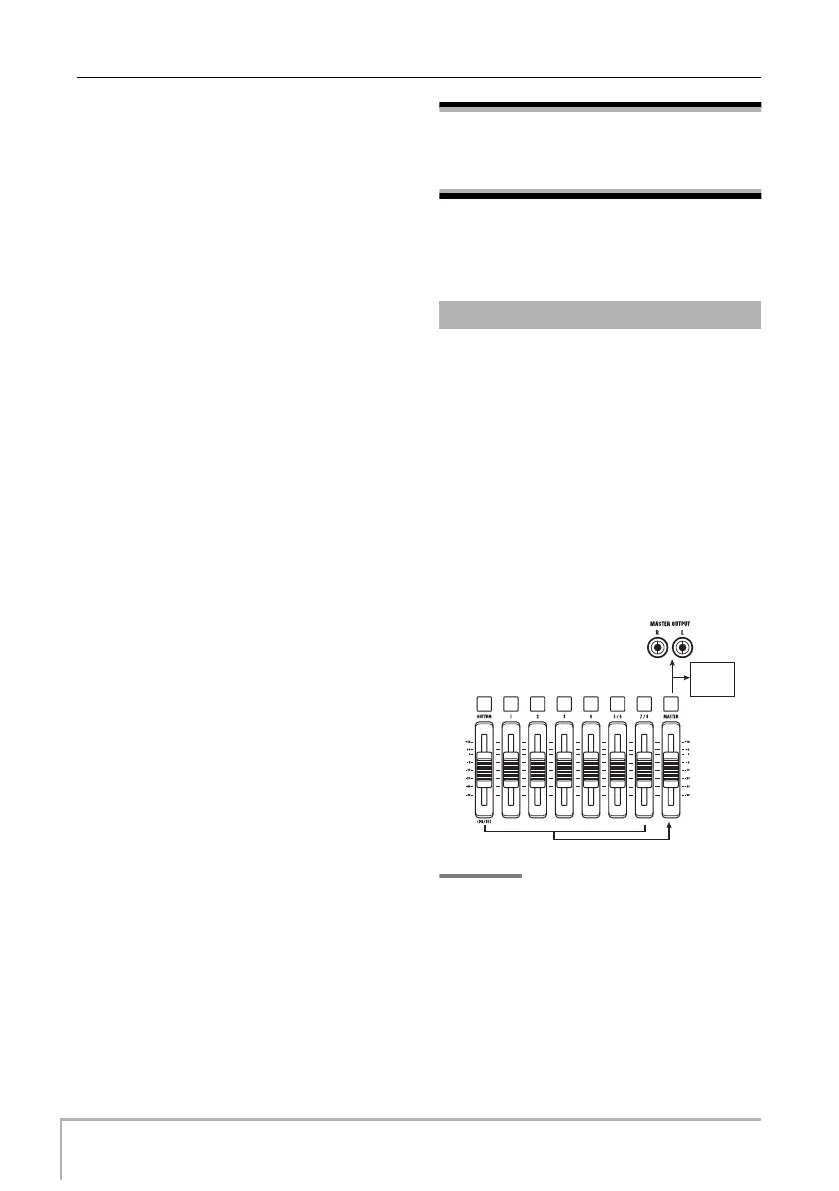
When you switch the master track to the recording
condition, the signal after passing the [MASTER] fader
(the same signal as available from the MASTER
OUTPUT jacks) is recorded on the master track.
HINT
It is possible to play the master tracks of several projects in
succession (
→
p. 111).
About the master track
Master
track
MRS-8(E).book 38 ページ 2004年7月30日 金曜日 午後5時24分



 To Next Page