ZOOM MRS-8
17
Quick Tour
Now let’s use your MRS-8 to do some actual recording. This Quick Tour describes the five steps that cover the entire
process from preparation until the completion of a song.
• Step 1: Preparations
Shows how to create a new project, select a guide rhythm,
and perform other steps necessary for recording.
• Step 2: Recording the first track
Shows how to record the first track while using the insert
effect on the input signal.
• Step 3: Overdubbing
Shows how to record further tracks while listening to a
track already recorded (overdubbing).
• Step 4: Mixing
Shows how to adjust the level, panning, and EQ of each
track, apply the send/return effect, and mix the recorded
material to a pair of stereo tracks.
• Step 5: Mixdown
Finally the completed stereo mix is recorded on the
master track to create the finished song.
Step 1: Preparations
On the MRS-8, song data are managed in units called
“projects”. A project comprises recorded audio data as
well as various rhythm and effect settings. By loading a
project, the same condition as when the song was last
saved can be recreated.
To start recording with the MRS-8, you must first create
a project.
1.
Connect the instrument to record and the
monitor system to the MRS-8 (
→
p. 12).
2.
Insert the SD card to use for recording
(
→
p. 13).
3.
Turn power on in the order MRS-8
→
monitor system.
When the MRS-8 starts up, the last handled project is
automatically loaded.
4.
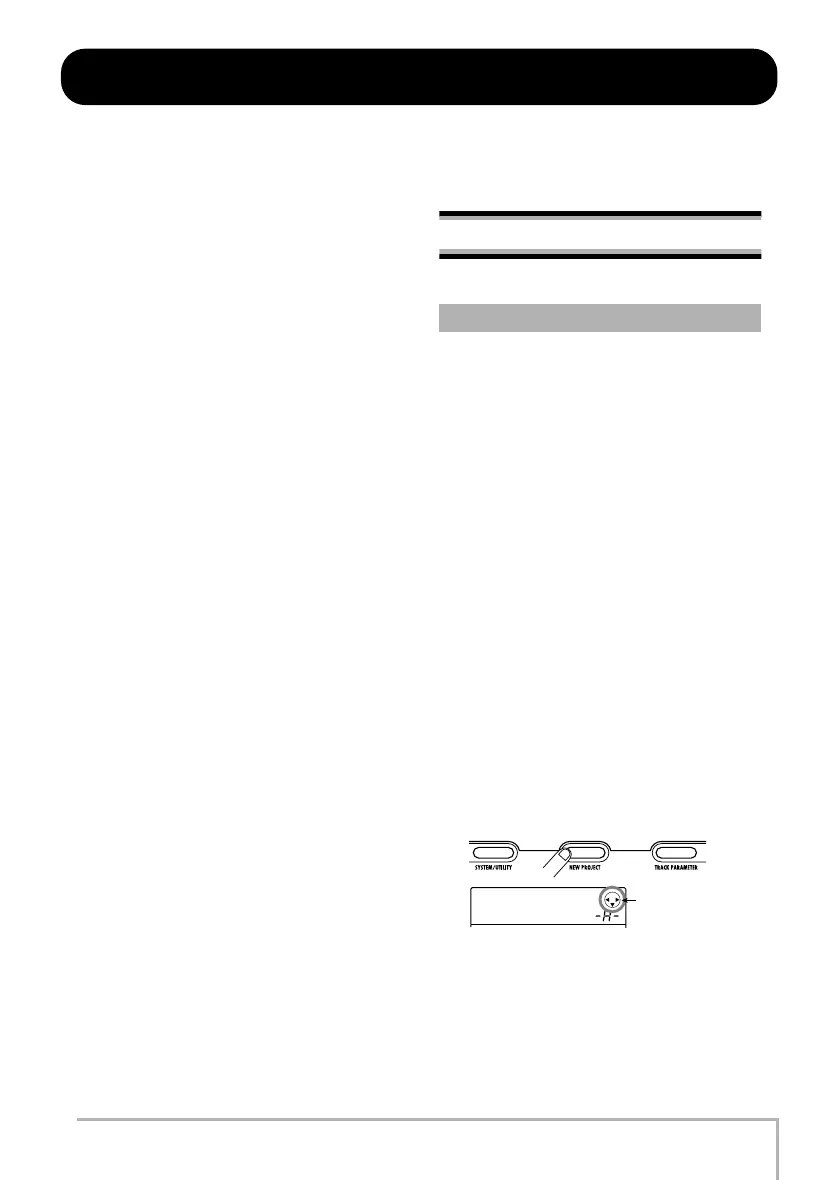
Press the [NEW PROJECT] key in the
display section.
When you press the [NEW PROJECT] key from the main
screen, the display changes as follows.
In this condition, a new project can be created.
The top right of the display shows the cursor keys that can
be used on this screen.
1.1 Creating a new project
PRJNo001
PRJ001
Cursor keys that
be used
MRS-8(E).book 17 ページ 2004年7月30日 金曜日 午後5時24分



 To Next Page