28 29
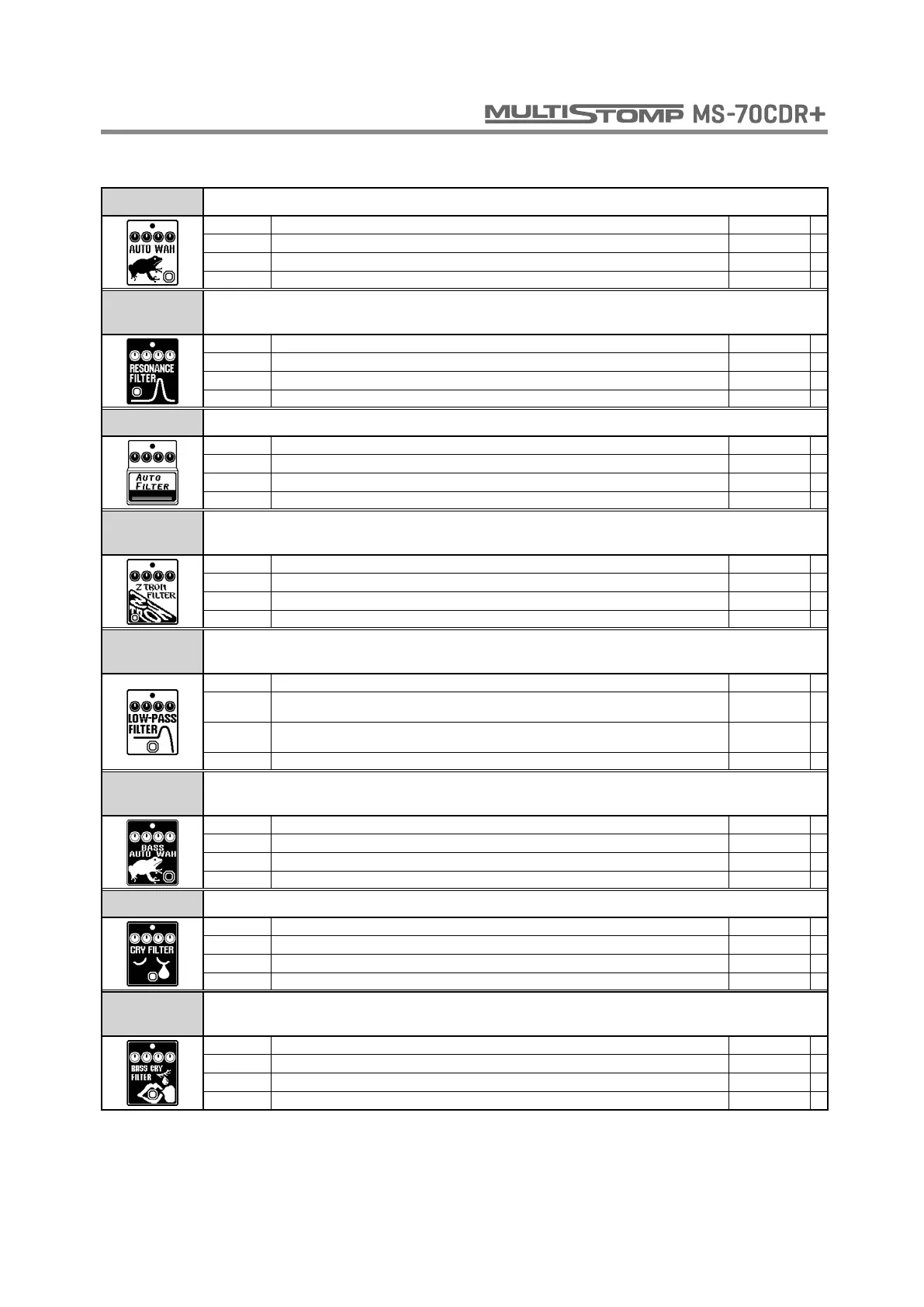
AUTO WAH This effect varies wah in accordance with picking intensity.
MODE Sets direction of movement of the filter. DOWN, UP
SENSE Adjusts the sensitivity of the effect. 1 - 10
RESO Sets effect resonance. 0 - 10
VOL Adjusts the volume. 0 - 100
RESONANCE
FILTER
This effect varies the resonance filter frequency according to picking intensity.
MODE Sets direction of movement of the filter. DOWN, UP
SENSE Adjusts the sensitivity of the effect. 1 - 10
RESO Sets effect resonance. 0 - 10
VOL Adjusts the volume. 0 - 100
AUTO FILTER This is a resonance filter with a sharp envelope.
MODE Sets direction of movement of the filter. UP, DOWN
SENSE Adjusts the sensitivity of the effect. 1 - 10
PEAK Adjusts the Q value of the filter. 0 - 10
DRY Adjusts the volume of the unaffected sound. 0 - 100
Z TRON
FILTER
This is like a Q-Tron Envelope Filter in LP mode.
SENSE Adjusts the sensitivity of the effect. -10 - 10
RESO Sets effect resonance. 0 - 10
DRY Adjusts the volume of the unaffected sound. 0 - 100
VOL Adjusts the volume. 0 - 100
LOW PASS
FILTER
This effect varies the low pass filter frequency according to picking intensity.
FREQ Sets minimum frequency of low pass filter. 0 - 100
SENSE Adjusts the sensitivity of the effect.
FST100 -
SLW100
RESO Sets effect resonance.
2P-10 -
4P-10
BAL Adjusts the balance between original and effect sounds. 0 - 100
BASS AUTO
WAH
You can adjust the mix of this bass guitar auto-wah with the original signal.
SENSE Adjusts the sensitivity of the effect. -10 - 10
RESO Sets effect resonance. 0 - 10
DRY Adjusts the volume of the unaffected sound. 0 - 100
VOL Adjusts the volume. 0 - 100
CRY FILTER This effect varies the sound like a talking modulator.
RANGE Adjusts the frequency range processed by the effect. 1 - 10
RESO Sets effect resonance. 0 - 10
SENSE Adjusts the sensitivity of the effect. -10 - 10
BAL Adjusts the balance between original and effect sounds. 0 - 100
BASS CRY
FILTER
This talking modulator is suitable for the bass frequency range.
RANGE Adjusts the frequency range processed by the effect. 1 - 10
RESO Sets effect resonance. 0 - 10
SENSE Adjusts the sensitivity of the effect. -10 - 10
BAL Adjusts the balance between original and effect sounds. 0 - 100
FILTER



 To Next Page