6
Formatting an SD card
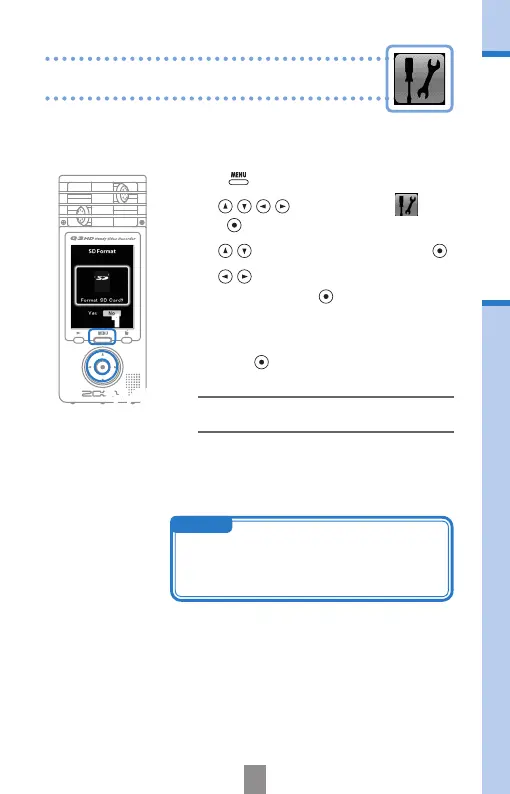
Format an SD card to make it compatible with the Q3HD.
Warning: formatting a card will permanently erase all data on it.
Formatting an SD card
1.
Press to open the Main Menu.
2.
Use to select
SETTING
and
press
.
3.
Use to select
SD Format
and press .
4.
Use
to select "
Yes
" to format or "
No
"
to cancel, and press
.
5.
When the reconrmation screen appears,
use the same procedure to select again
and press
.
•Select“Yes”tostartformatting.
•Select“No”tonotformatthecardandreturn
totheSETTINGmenu.
6.
After formatting completes, the
SETTING
menu reopens.
2,3,4,5
1
NOTE
• If the SD card write-protection switch is set to
ON, the card cannot be formatted.
• Formatting also initializes the built-in memory at
the same time.



 To Next Page