19
Conguring the BIOS
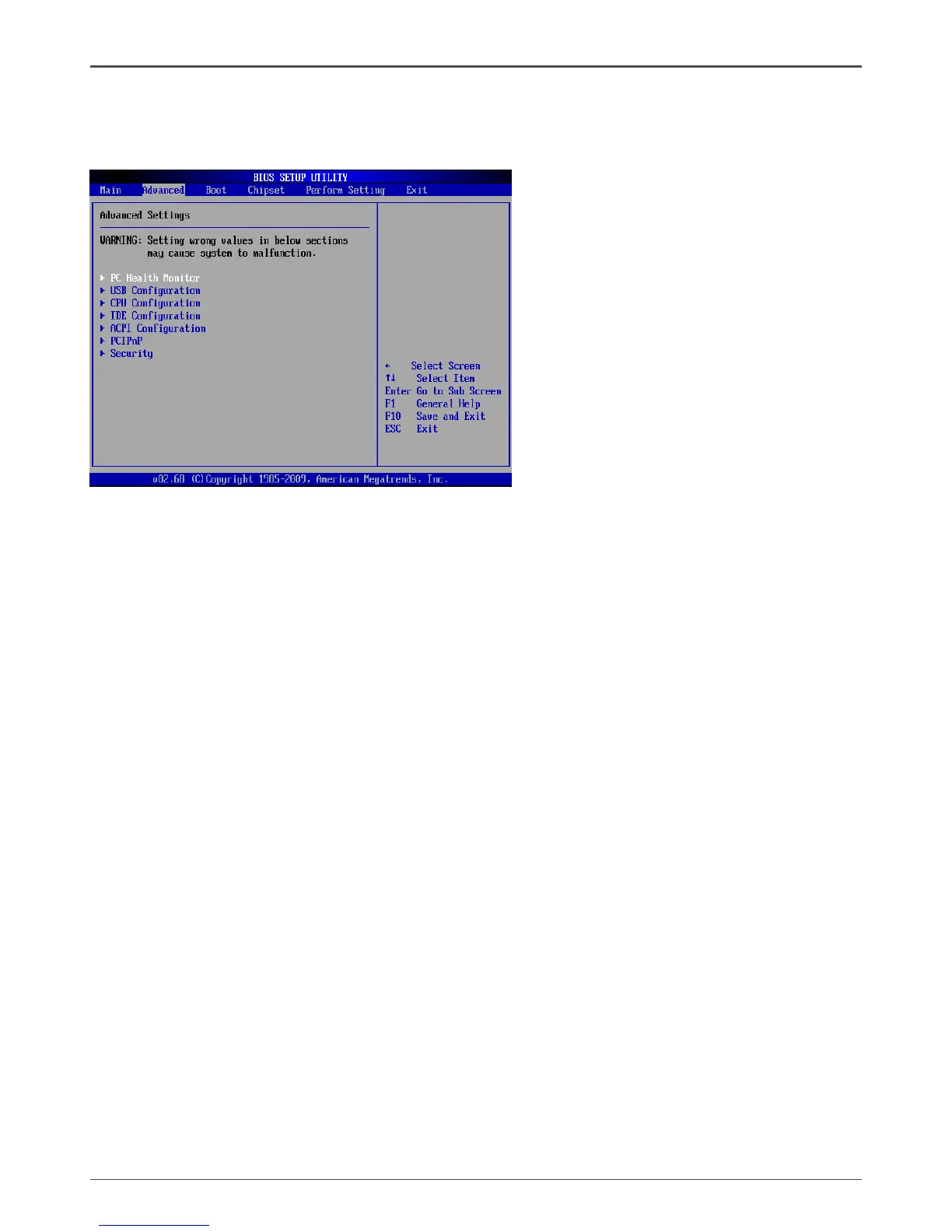
Advanced Menu
The Advanced menu items allow you to change the settings for the CPU and other
system devices. Press <enter> to display the conguration options:
PC Health Monitor
The items in this menu show the PC health information. Press <enter>to display
q CPUFAN Mode Setting
This item allows you to set the CPUFAN mode.
USB Conguration
The items in this menu allow you to change the USB-related features. Press <enter>
To display the conguration options:
q Legacy USB Support
Allows you to enable or disable support for USB devices on legacy operating
systems.
q USB 2.0 Controller Mode
Allows you to congure the USB 2.0 controller in HiSpeed or Full Speed .
q BIOS EHCI Hand-Off
Allows you to enable support for operating systems without an EHCI hand-off
feature.
q USB Mass Storage Device Conguration
Allows you to congure USB Mass Storage Device.
CPU Conguration
The items in this menu show the CPU-related information that the BIOS automatically
detects. Press <enter>to display the conguration options:
q Congure advanced CPU settings
Displays the auto-detected CPU information
q Max CPUID Value Limit
Allows you to determine whether to limit CPUID maximum value. Set this item
to [Disable] Windows XP operating system; set this item to [Enable] for legacy
operating system such as Windows NT4.0..


 To Next Page
 Loading...