EasyManua.ls Logo

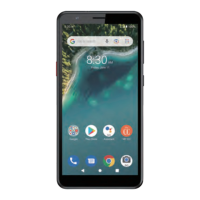
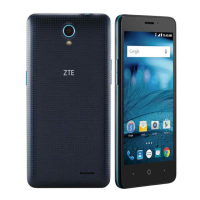
Zte Avid 579 - User Manual

Zte Avid 579
79 pages
Print Icon
To Next Page IconTo Next Page
Loading...
1
ZTE Avid 579
USER GUIDE

Table of Contents

Questions and Answers

  • C
    Christopher SanchezAug 13, 2025
    What to do if my Zte Cell Phone has echo or noise during calls?
    • C
      Chris GarnerAug 13, 2025
      Echo or noise during calls on your Zte Cell Phone is often due to poor network link quality or poor local telephone line quality. End the call and dial again, as you may be switched to a better-quality network link or phone line.
  • C
    Carlos WillisAug 17, 2025
    What to do if my Zte Cell Phone shows a nano-SIM card error?
    • M
      Meghan DavisAug 17, 2025
      A nano-SIM card error on your Zte Cell Phone can be caused by a malfunctioning or damaged card, improper insertion, or debris on the card contacts. Insert the nano-SIM card properly, or use a soft, dry cloth to clean the nano-SIM card contacts.
  • E
    emilydixonAug 21, 2025
    How to fix Zte Avid 579 Cell Phone that cannot turn on?
    • S
      Sydney OsborneAug 21, 2025
      If your Zte Cell Phone won't turn on, it is likely because the battery power has been depleted. Recharge the phone’s battery.
  • B
    Betty PetersonAug 25, 2025
    Why does my Zte Avid 579 have poor reception?
    • W
      wandarodriguezAug 26, 2025
      Poor reception on your Zte Cell Phone can occur if the network signal is weak at your location, such as in a basement or near a tall building, where wireless transmissions are less effective. It can also happen when the network is busy, like during peak hours, making it difficult to handle more calls. Another reason could be that you are too far from your service provider's base station. In the first two cases, move to a location where the network signal can be properly received or avoid using the phone during peak times, or try again after waiting a short time. You can request a service area map from Consumer Cellular in the last case.
  • D
    Daniel MitchellAug 28, 2025
    What to do if my Zte Cell Phone battery won't charge?
    • B
      Brandy Mitchell MDAug 28, 2025
      If your Zte Cell Phone battery isn't charging, it could be due to a damaged battery or charger. Also, extreme temperatures may prevent charging, specifically if the phone’s temperature is below 32°F (0°C) or higher than 95°F (35°C). Another potential cause is poor contact between the battery and charger. Adjust the battery charging environment to avoid extreme temperatures and check all connectors to ensure they are properly connected.
  • R
    Ruth GreeneSep 1, 2025
    Why does my Zte Cell Phone standby time get shortened?
    • N
      nicholas03Sep 1, 2025
      A shortened standby time on your Zte Cell Phone can occur due to Consumer Cellular system configuration. The same phone used with different service providers’ systems will not provide exactly the same length of standby time. Also, if you are located in an area where signaling is weak, temporarily power off the phone. A depleted battery or high-temperature environments can also shorten battery life, so use a new battery. If the phone cannot connect to the network, it will continue sending signals to locate a base station, consuming battery power. Change your location to one where the network is accessible, or temporarily turn off your phone.
  • B
    Bradley ReynoldsSep 5, 2025
    What to do if I cannot answer incoming calls on my Zte Cell Phone?
    • E
      Erin SharpSep 5, 2025
      If you cannot answer incoming calls on your Zte Cell Phone, it may be because you have activated the Call blocking feature. Disable this feature.
  • C
    Caitlyn AyersSep 8, 2025
    What to do if I cannot make outgoing calls on my Zte Avid 579 Cell Phone?
    • J
      John MyersSep 9, 2025
      If you cannot make outgoing calls on your Zte Cell Phone, it might be because you have activated the Fixed Dialing Numbers feature. Disable this feature.

Summary

Getting Started

Connecting to Networks and Devices

Connect to Wi-Fi

How to turn on Wi-Fi and connect to available networks.

Connect to Bluetooth Devices

Pairing and managing Bluetooth devices for wireless connectivity.

Phone Calls

Place and End Voice Calls

Instructions for making and ending voice calls on your phone.

Contacts Management

Messages and SMS

Send a Message

Instructions for composing and sending text or multimedia messages.

Camera Operations

Capture a Photo

Guide to taking photos, adjusting focus, and using flash.

Phone Settings Configuration

Network and Internet Settings

Manage Wi-Fi, mobile data, and data usage settings.

Troubleshooting Common Issues

General Safety Precautions

Customer Support Information

Zte Avid 579 Specifications

General IconGeneral
RAM2 GB
Storage16 GB
Rear Camera8 MP
Front Camera5 MP
SIMNano-SIM
WLANWi-Fi 802.11 b/g/n
GPSYes
RadioFM radio
USBmicroUSB 2.0
SensorsAccelerometer, proximity
LoudspeakerYes
3.5mm jackYes
Processor1.4 GHz Quad-core
Bluetooth4.2

Related product manuals