EasyManua.ls Logo

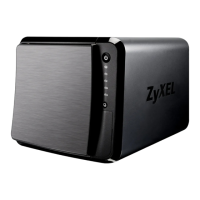
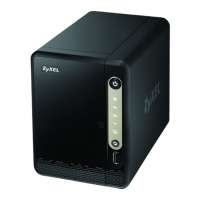
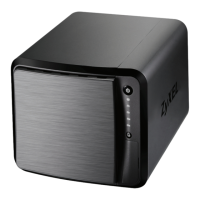
ZyXEL Communications NAS542 - User Manual

ZyXEL Communications NAS542
355 pages
Print Icon
To Next Page IconTo Next Page
Loading...
Default Login Details
User’s Guide
NAS Series
Model: NAS326, NAS520, NAS540, and NAS542
Personal Cloud Storage
Copyright © 2019 Zyxel Communications Corporation
Ways to Find Your
NAS
FindMe
NAS Starter Utility
Web Address http://(NAS Server Name)
http://(NAS IP Address)
User Name admin
Password 1234
Version 5.21 Edition 3, 9/2019

Table of Contents

Other manuals for ZyXEL Communications NAS542

Questions and Answers

  • K
    Kristina BakerSep 3, 2025
    What happens if a power failure occurred while the ZyXEL Communications Storage was downloading files?
    • L
      Lori CraigSep 4, 2025
      If a power failure occurs while your ZyXEL Communications Storage is downloading files, the NAS will re-download any corrupted files. If a file is intact but not completely downloaded, the NAS will resume the download task after it restarts.
  • Y
    ypattonSep 18, 2025
    Why I cannot make a backup on ZyXEL Communications Storage?
    • N
      Natalie ObrienSep 18, 2025
      If you cannot make a backup on your ZyXEL Communications Storage, check that enough space is available on the external disk. Also, verify that the NAS is not currently performing another backup job.
  • T
    Thomas WatersSep 16, 2025
    Why is the COPY LED red on my ZyXEL Communications NAS542?
    • S
      Sergio FloresSep 16, 2025
      If the COPY LED is red on your ZyXEL Communications Storage, the USB device or SD card may not be compatible with the NAS.
  • A
    aliciahaynesSep 14, 2025
    What does it mean if an HDD LED is off on ZyXEL Communications NAS542?
    • B
      Bradley AliSep 14, 2025
      If an HDD LED is off on your ZyXEL Communications Storage, it means the NAS cannot detect a hard drive in the drive bay. You should replace or install a hard drive.
  • D
    David RobbinsSep 12, 2025
    Why replacing smaller disks in a RAID 1, RAID 5, or RAID 6 with larger capacity hard disks did not expand the storage capacity of ZyXEL Communications Storage?
    • M
      Michelle RobertsonSep 13, 2025
      If replacing smaller disks with larger ones did not expand the storage capacity of your ZyXEL Communications Storage, it could be because the NAS rebooted during the RAID re-build. After the re-build finishes, go to the Storage Manager screens, select the volume or disk group, click 'Manage', and use 'Expand the volume with unallocated disk space'.
  • S
    Sophia FosterSep 12, 2025
    Why migrating from RAID 1 to RAID 5 did not expand the storage capacity on ZyXEL Communications NAS542?
    • M
      mblackwellSep 12, 2025
      If migrating from RAID 1 to RAID 5 did not expand the storage capacity on your ZyXEL Communications Storage, it may be because the NAS rebooted during the RAID re-build. After the re-build finishes, go to the Storage Manager screens, select the volume or disk group, click 'Manage', and use the 'Expand the volume with unallocated disk space' option.
  • J
    James JonesSep 9, 2025
    What should I do if I forgot the password for ZyXEL Communications Storage?
    • B
      Brian JacobsSep 9, 2025
      The default password for ZyXEL Communications Storage is 1234. If you have changed it and forgotten it, you will have to reset the NAS.
  • M
    Michelle CollinsSep 7, 2025
    What does it mean if an HDD LED is red on ZyXEL Communications Storage?
    • W
      wpattersonSep 7, 2025
      If an HDD LED is red on your ZyXEL Communications Storage, it indicates that the NAS has detected an error on the hard drive. It is recommended to replace the hard drive as errors suggest it may fail soon.
  • D
    Dominique JohnstonSep 5, 2025
    What to do if a local user cannot access a share on ZyXEL Communications NAS542 Storage?
    • D
      David RiosSep 5, 2025
      If a local user cannot access a share on your ZyXEL Communications Storage, first ensure that the NAS is turned on and connected to the network. The local user should also verify that they have entered their login name and password correctly.
  • S
    Stacey Ray MDAug 20, 2025
    Why is the LAN LED off on my ZyXEL Communications NAS542?
    • D
      Diane WilliamsonAug 21, 2025
      The LAN LED may be off because the Ethernet cable is not properly connected to the ZyXEL Communications Storage and another Ethernet device, or the other device is not turned on. Ensure the Ethernet cable is correctly connected and the other device is powered on. If the issue persists, try using a different Ethernet cable.

ZyXEL Communications NAS542 Specifications

General IconGeneral
RAID levels0, 1, 5, 6, 10, JBOD
Storage drive size- \
Hot-swap drive baysYes
Storage drive capacity0 GB
Supported file systemsFAT32, HFS+, NTFS, exFAT, ext2, ext3, ext4
Storage drive interface-
Storage drives installedNo
Storage drive sizes supported2.5, 3.5 \
Supported storage drive typesHDD
Total installed storage capacity0 TB
Maximum supported storage capacity24 TB
Number of storage drives installed0
Number of storage drives supported4
Supported storage drive interfacesSerial ATA II
Ethernet LAN data rates10, 100, 1000 Mbit/s
Supported network protocolsNFS, AFP, PPPoE, NTP, iSCSI
Internal memory1 GB
Internal memory typeDDR3
Processor cores2
Processor familyFreescale
Processor frequency1.2 GHz
Storage temperature (T-T)-30 - 70 °C
Operating temperature (T-T)0 - 40 °C
Operating relative humidity (H-H)10 - 95 %
Device classHome & Home Office
Security algorithmsFTPES, HTTPS
Compatible memory cardsSDXC
Maximum memory card size128 GB
CertificationCE, FCC, C-Tick, BSMI
Cables includedAC, LAN (RJ-45)
Output current4.74 A
Output voltage19 V
AC input voltage100-240 V
AC input frequency50 - 60 Hz
Power supply locationExternal
Power consumption (max)36.5 W
Chassis typeDesktop
Cooling typeActive
Product colorBlack
Number of fans1 fan(s)
USB 2.0 ports quantityUSB 2.0 ports have a data transmission speed of 480 Mbps, and are backwards compatible with USB 1.1 ports. You can connect all kinds of peripheral devices to them.
USB 3.2 Gen 1 (3.1 Gen 1) Type-A ports quantity3
Harmonized System (HS) code84714100
Weight and Dimensions IconWeight and Dimensions
Depth225 mm
Width190 mm
Height160 mm
Weight2000 g
Package depth269 mm
Package width316 mm
Package height286 mm
Package weight3800 g

Related product manuals