Configuring Mulitple Static IP Addresses
72
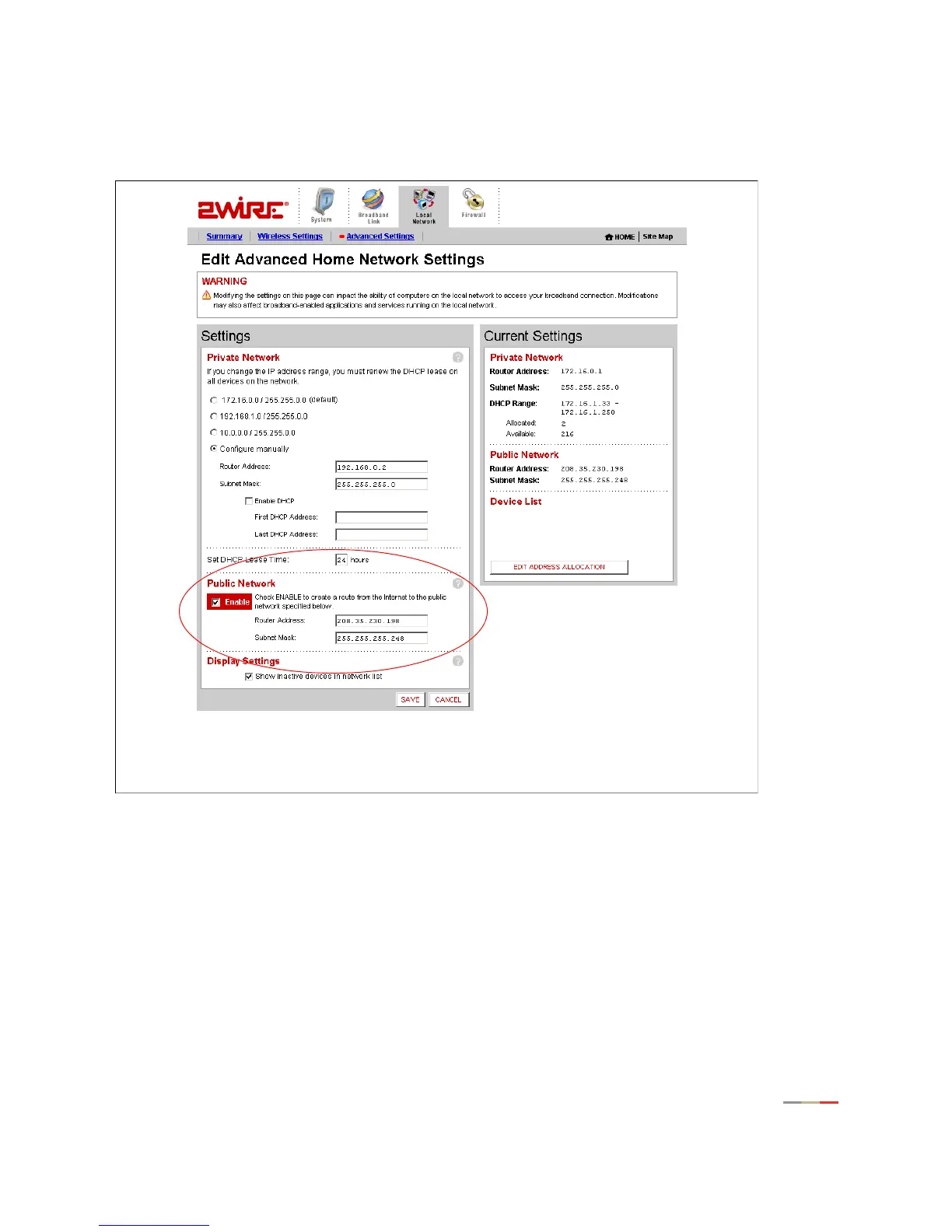
First, configure the gateway to support “Public Network” static IP addressing using the service provider
assigned IP addresses of 208.35.206.198 for the gateway and a subnet mask of 255.255.255.248 as
shown in Figure xxx. Click
SAVE to ensure the changes are saved.
Figure xx
Second, assign static IP addresses to the Network Servers from the available. This can be done by hard
coding these on the network interface for these servers or via the gateway using DHCP. The later is shown in
this example.
Check that the gateway-connected network interface for each server is configured as a DHCP client (i.e. to
“Obtain an IP address automatically”).



 To Next Page