Configuring Mulitple Static IP Addresses
73
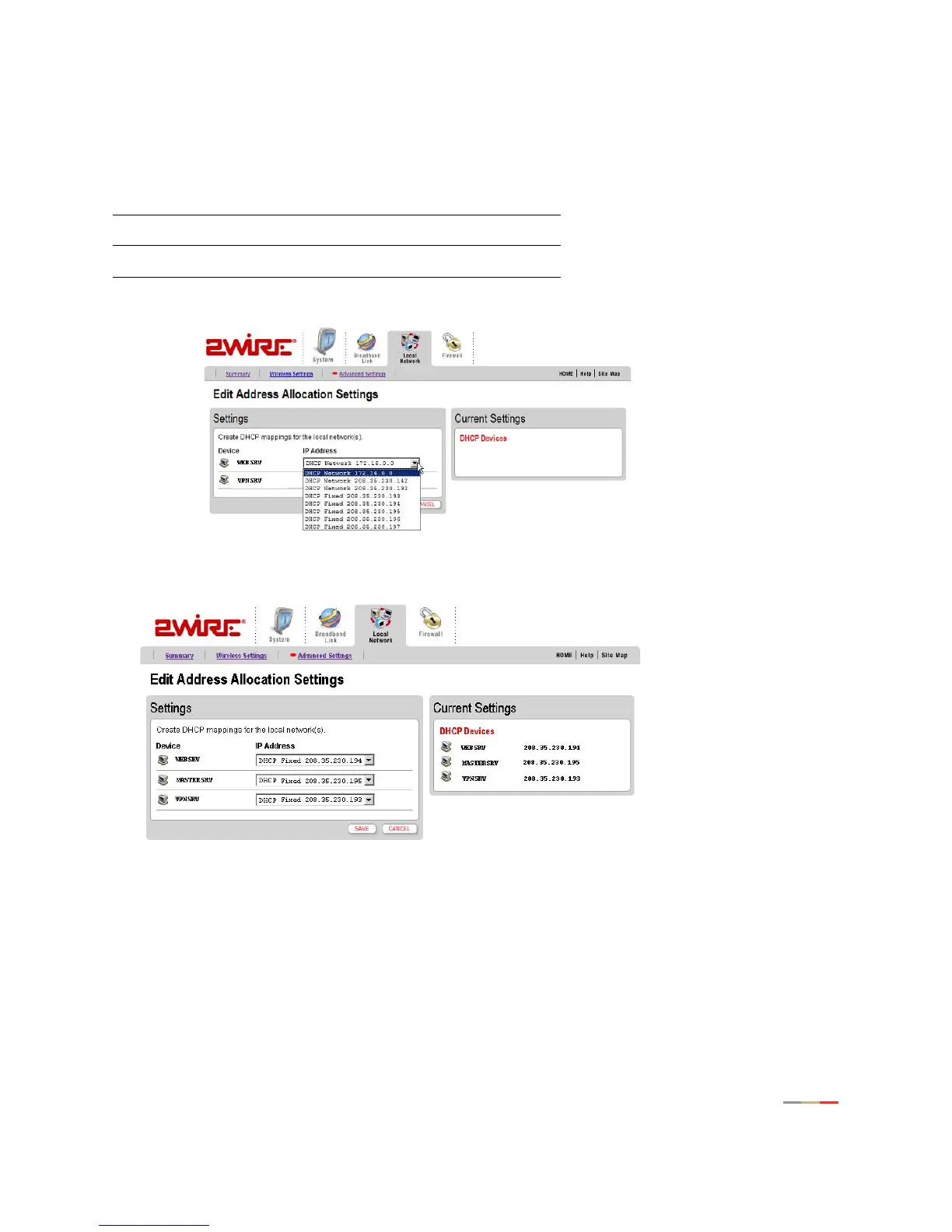
Edit the addresses assigned to each device as shown below. Assign an available static IP address to each
server, selecting the “DHCP Fixed” option from the list box next to each server name. For this example,
select the following options:
Click
SAVE after making your selections in order to ensure the addresses are properly assigned.
After this step, restart each server so that it is issued the desired static IP address.
Finally, configure the gateway to allow the appropriate broadband traffic to flow to the network servers.
In this example, all broadband traffic destined for the VPN server will be allowed. Allowing all inbound traffic
disables the inbound port blocking feature of the gateway firewall. However, stateful packet inspection will
still occur as the traffic passes through the gateway providing continued protection against Denial of
Service and other common Internet attacks.
Device IP Address
VPNSRV DHCP Fixed 208.35.230.193
WEBSRV DHCP Fixed 208.35.230.194



 To Next Page