10 11
a
Using the Configuration Page
Certain set-up and configuration options are available on the password-protected
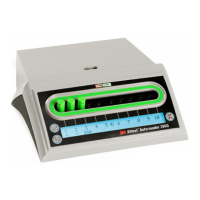
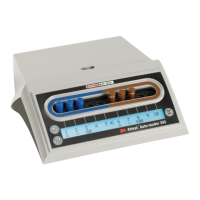
3M™ Attest™ Auto-reader 390 Web App Configuration page. Ideally, the 3M™ Attest™
Auto-reader 390 should be empty (i.e., have no incubating BIs) when it is reconfigured.
Navigate to the Configuration page by entering either:
1) http://attestxxxxxx/protect/config.htm (where xxxxxx is the 6-digit unit serial number), or
2) http://xxx.xxx.xxx.xxx/protect/config.htm (where xxx.xxx.xxx.xxx is the IP address)
in the web browser address bar and pressing Enter. A security screen will appear. Fill in
the fields as follows:
User name: manager
Password: Attest
and press OK.
Click on the desired radio buttons to change settings.
Auto-reader Type Select the configuration desired for wells 1-5/6-10 by clicking on the appropriate radio button.
Language Selected setting indicates language in which text on 3M™ Attest™ Auto-reader 390 Web App pages will appear on the computer screen.
Pushbutton
Configuration
Selecting Enable
allows the user to configure the 3M™ Attest™ Auto-reader 390 from the buttons on the unit itself.
Selecting Disable
prevents the user from being able to configure the 3M™ Attest™ Auto-reader 390 from the buttons on the unit itself.
Buzzer
Configuration
Selecting Enable
enables the audible alarm. The speaker icon will appear on the 3M™ Attest™ Auto-reader 390 LCD panel.
Selecting Disable
disables the audible alarm. The speaker icon will disappear from the 3M™ Attest™ Auto-reader 390 LCD panel.
Attest Auto-reader
390 Nickname
Naming the 3M™ Attest™ Auto-reader 390 may be useful in facilities with multiple units. The assigned nickname will appear on the 3M™ Attest™
Auto-reader 390 Web App Status page.
Enable DHCP
Default: Setting is checked indicating the Web App will use the Dynamic IP address automatically assigned when the 3M™ Attest™ Auto-reader 390 is
connected to the network. Remove the check if you wish to use a Static IP address assigned by your facility IT.
IP Address Enter Static IP address assigned by IT.
Gateway Enter Gateway.
Subnet Mask Enter Subnet Mask.
Primary DNS Enter Primary DNS.
Secondary DNS Enter Secondary DNS.
MAC Address XX:XX:XX:XX:XX:XX (Unique MAC address assigned to device. This value cannot be changed.)
Use Computer
Time
Check this box if you wish to set the clock on-board the 3M™ Attest™ Auto-reader 390 using the computer’s clock.
Attest Auto-reader
390 Time
Alternatively, leave the Use Computer Time box unchecked and complete the date and time boxes to set the 3M™ Attest™ Auto-reader 390 clock.
After changing desired settings, click on Save Config button to save your changes. A new screen confirming the settings were successfully changed appears.


 To Next Page
 Loading...