EasyManua.ls Logo

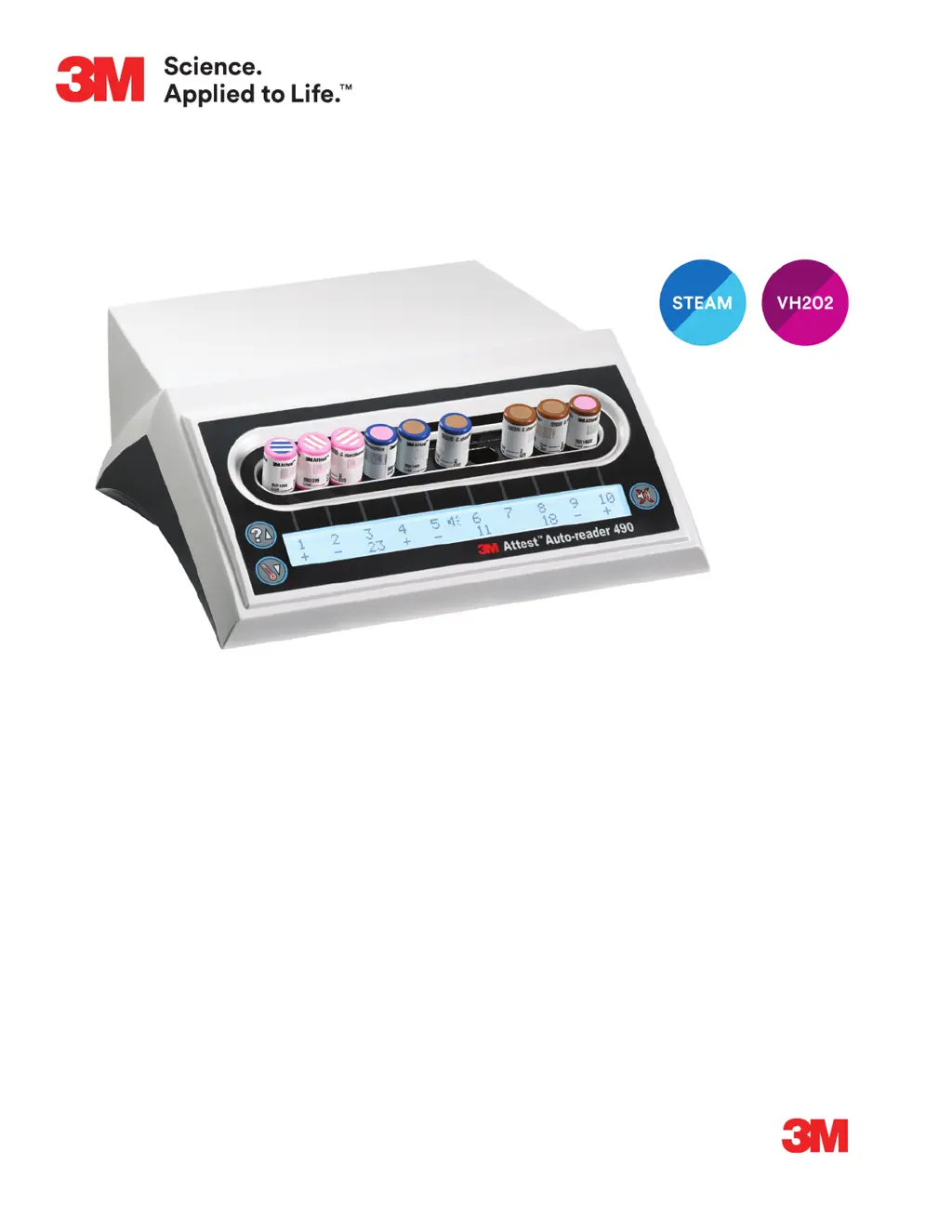
3M Attest Auto-reader 490 - User Manual

3M Attest Auto-reader 490
284 pages
Print Icon
To Next Page IconTo Next Page
Loading...
Description:
DIELINE
Base File Name:
Software:
SGS Contact:
Email:
Printer:
Printer Location:
Supplier:
3MAttest™
Auto-Reader 490
Requester:
Doug Wynveen
Reference:
Die # / Doc. Size:
8.5" x 11"
Item Spec#:
34-8723-2501-3
Supersedes#:
34-8721-7544-2
Cat/Product#:
490
Structure#:
SS-51660
Cover and Operator’s Manual
PA: 34872325013.indb
GA:
InDesign CC
PROCESS
BLACK
PROCESS
CYAN
3M
RED
PROCESS
MAGENTA
PROCESS
YELLOW
5324303 - 4
2
06.10.19 PU files from OMNI and check for style and structure. kat
06.20.19 Final Release kat
3M
Attest
Auto-reader 490
1 Operator’s Manual
2 Manuel de l’utilisateur
3 Benutzerhandbuch
4 Manuale dell’operatore
5 Manual del usuario
5 Manual del operador
6 Bedieningshandleiding
7 Användarhandbok
8 Brugsvejledning
9 Brukerhåndbok
0 Käyttöopas
- Manual do Utilizador
- Manual do Operador
= Εγχειρίδιο Χειριστή
H Instrukcja obsługi
F Příručka pro obsluhu
S Priročnik za uporabo
M Инструкция по эксплуатации
] Upute za korištenje
d Operatör Kılavuzu
I 󱯿󰚎󱨹󰪉
j 
T 󺇸󺀬󺇷 󹑋󸳛󺀣

Table of Contents

Questions and Answers

  • N
    Nicholas LaraAug 19, 2025
    What to do if the 3M Laboratory Equipment Auto?reader 490 displays flashing asterisks and/or E11/C4 codes?
    • K
      Kristin WellsAug 19, 2025
      If the LCD display of your 3M™ Attest™ Auto?reader 490 flashes asterisks (***) and/or shows E11 and/or C4 codes below unoccupied incubation wells, move the device away from sunlight or incandescent light sources.
  • R
    Richard Joyce DDSAug 21, 2025
    What to do if there is a temperature control error in 3M Attest Auto-reader 490 Laboratory Equipment?
    • S
      samanthahubbardAug 21, 2025
      If you encounter a temperature control error with your 3M Laboratory Equipment, unplug the unit and then plug it back in to clear the error. If the error persists, it may require repair or replacement.
  • R
    Robin MaxwellAug 23, 2025
    What does it mean when my 3M Laboratory Equipment says memory error?
    • E
      Elizabeth NguyenAug 23, 2025
      If your 3M™Attest™ Auto?reader 490 displays a memory error, indicating it can't save or read data, try unplugging the unit and plugging it back in. If the error continues, the device may need repair or replacement.
  • B
    Beth SmithAug 26, 2025
    What to do if my 3M Attest Auto-reader 490 Laboratory Equipment shows a communications error?
    • F
      fosterrebeccaAug 26, 2025
      If a communications error occurs on your 3M Laboratory Equipment, unplug the unit and plug it back in to attempt to clear the error. If the error persists, the equipment may require repair or replacement.
  • J
    Johnny PorterAug 28, 2025
    What to do if 3M Attest Auto-reader 490 displays LED error?
    • G
      gibsonantonioAug 28, 2025
      If your 3M Laboratory Equipment displays an LED error for a specific well, unplug the unit, then plug it back in to clear the error. If the error remains, the equipment may require repair or replacement. Avoid using the affected incubation well.
  • D
    Dana CookAug 30, 2025
    What to do if my 3M Attest Auto-reader 490 Laboratory Equipment gives a power failure error?
    • R
      Roger CollinsAug 30, 2025
      If your 3M Laboratory Equipment displays a power failure error, ensure the power supply connection to the Auto?reader is secure. Retest the sterilizer with a new BI.
  • D
    Donna AndersonSep 1, 2025
    What to do if the LCD panel on my 3M Attest Auto-reader 490 doesn't display properly?
    • R
      Ronald LarsonSep 1, 2025
      If the LCD panel on your 3M Laboratory Equipment is not displaying correctly, try cycling the power. If the problem continues, it may need repair or replacement.
  • T
    Thomas ThompsonSep 3, 2025
    Why won't my 3M Attest Auto-reader 490 Laboratory Equipment enter Configuration mode?
    • L
      Lori MoralesSep 3, 2025
      If your 3M™ Attest™ Auto?reader 490 will not enter Configuration mode, on the 3M™ Attest™ Auto?reader 490 Web App Configuration Page, go to Pushbutton Configuration and select the Enable radio button. Save changes to begin using the new setting.
  • J
    Jeremy JohnsonSep 5, 2025
    What causes a negative control BI for 3M Laboratory Equipment?
    • J
      Jared GarrisonSep 5, 2025
      A negative control BI for 3M Laboratory Equipment may occur if the BI was not properly activated, the media did not contact the spore carrier, or the control BI was sterilized. Ensure the BI cap is closed and the glass ampoule is crushed. Flick the BI until media flows to the spore chamber at the bottom. Use a non-sterilized BI as a control and check the process indicator on the BI cap.
  • M
    Michael FloresSep 7, 2025
    Why am I getting an unexplained positive BI result with my 3M Attest Auto-reader 490?
    • A
      Alexandra RodriguezSep 7, 2025
      An unexplained positive BI result with your 3M Laboratory Equipment may be due to adhesive residue on the vial, or if the test vial is absorbing fluorescent residue from a chemical indicator or tape. Avoid placing tape or labels on the vial. Position the vial to prevent direct contact with chemical indicators or tape.

3M Attest Auto-reader 490 Specifications

General IconGeneral
DisplayLCD
ConnectivityEthernet
Power SupplyAC adapter
Power Requirements100-240 VAC, 50/60 Hz
Storage Temperature-20°C to 60°C (-4°F to 140°F)
Warranty1 year
Relative Humidity20% to 80% non-condensing

Related product manuals