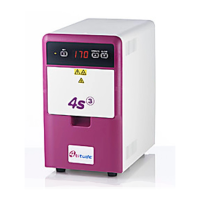
4s3™ Semi-Automatic Sheet Heat Sealer
4s3™ Semi-Automatic Sheet Heat Sealer, Operation Manual V1.0
10 Appendix D: Shipping Instructions
When shipping the unit the original packaging must be used to prevent damage to the instrument.
The manufacturer accepts no responsibility for damage incurred unless the unit is correctly packed as described
below and transported using the original packaging.
1. Before shipping remove the plate carrier(s) from the unit.
Note: If left inside the unit the plate carriers may cause severe damage to the sealer!
2. Replace protective elastic bands.
3. Push the “CLOSE” (DOWN) button to close the drawer. DO NOT manually push the drawer closed.
4. Switch off the unit.
Note: if the unit is shipped without the protective elastic bands, the front panel can be damaged during
shipping.
5. Place the sealer between the two foam inserts inside the original shipping box.
6. Place the accessories in the smaller cardboard box and place on top of the foam inserts.
7. Close the box using a suitable adhesive tape.


 To Next Page