TroubleshootingGuide
23|Page
ADJUSTINGMAN IFOLDPRESSURE:
Themanifoldgaspressureofthetanklessunitcanbeadjustedbythefollowingprocedure.
Adjustingthemanifoldpressurecancauseunexpectedcombustionconditionsduring
operation,whichcancauseahealthhazard,damagethetanklessunit,andorshortenits
lifespan.Therefore,changingthemanifoldpressureisnotrecommendedunless
there
areverystrongreasonstodoso(e.g.highelevationinstallations),andwiththe
consultationoftheTechnicalServiceDepartment.
1) Setupthemanometerbyfollowingsteps1through4onthe“Checkingmanifoldgas
pressure”proceduresonp.21.
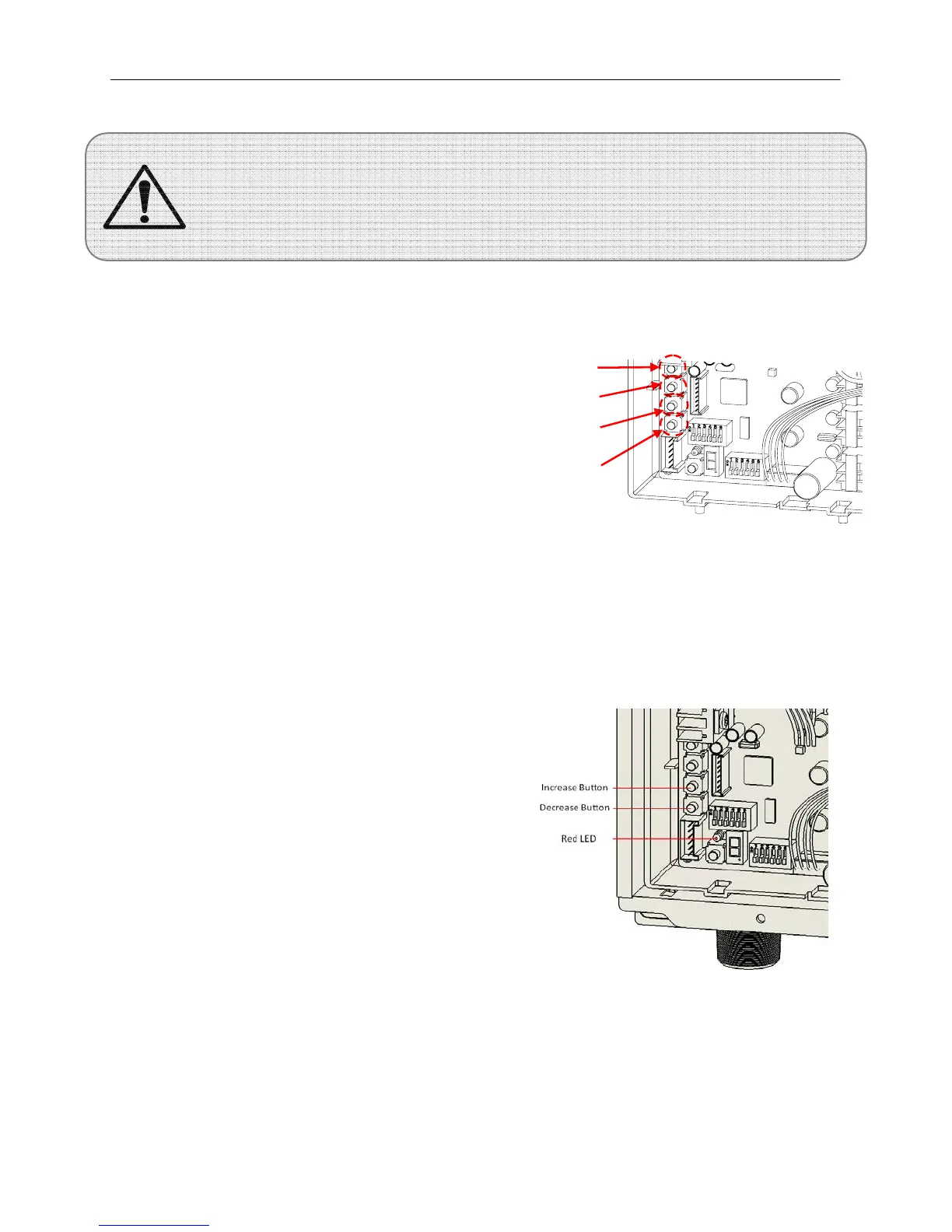
2) Pressandholddownthe“MIN”button
onthecomputerboard.Whileholding
downthe“MIN”button,presseitherthe
“INCREASE”or“DECREASE”buttonto
increaseordecreasethemanifoldgas
pressure,respectively(Figure5.18).
Refertothemanometertoverifythat
pressurehasbeensettodesiredvalue.
3) Nowpressandholddownthe“MAX”
button
onthecomputerboardtochange
themaximumburnpressure.
4) Repeatedlyadjusttheminimumand
maximumpressuresagainuntilboth
levelsarestableandtherearenomorechangesfromthepreviousiteration.
5) Afterthemanifoldgaspressurehasbeenset,deactivatetheunit(stopallwaterrunning
throughtheunit),removethemanometertube,andreplacetheportscrew.
RESETTINGTHECOMPUTERBOAR D:
1) Verifythatthereisnowaterflowingthrough
theunit.
2) Ifatemperatureremotecontrollerhasbeen
installed,turnthepowerofftotheremote.
3) Turnoffpowertotheunit,andthenturnon
again.
4) Pushandholdthe“INC”and“DEC”buttons
onthe
computerboardsimultaneouslyfor
severalsecondsuntiltheredLEDlightsup
solid.
5) UsethePowerON‐OFFswitch/GFItoturnthe
unitoffthenonagain.Thecomputerboardis
reset.
WARNING
Computerboard
MAX
MIN
Increase
Decrease
Figure20
Figure21





 To Next Page