Main menu
64 Instruction manual BFC
11
gis
11.7.3 Week program: setting the water
temperature
1. Use and to set the water temperature. In the
example this is 75°C.
Confirm with .
The cursor moves to
PUMP ON
11.7.4 Week program: setting the program-
controlled pump
1. If required, a pump can be controlled during the
period. Use and to set
PUMP ON
. The pump
ensures a regular circulation of hot water in the hot
water pipes. You can skip this step if you there is
no pump in your hot water circuit.
Confirm with .
The cursor moves to
SAVE
.
2. Confirm with .
The display shown in the figure will appear.
3. If you wish, you can use to scroll to another day,
and change more switch-on (11.7.1 "
Week
program: setting the switch-on time") and switch-
off (11.7.2 "
Week program: setting the switch-off
time") times .
4. After changing all desired switch-on and switch off
times, you can start running the week program:
Scroll with to
START OPERATION
.
Confirm with .
11.8 Adding times to a week program
Call up the menu to
INSERT
switch-on and switch-off
times into a week program as follows:
1. :
WEEK PROGRAM
|
PROGRAM OVERVIEW
.
Confirm with .
The display shows the menu for the week
program. The cursor points to the active period.
2. Scroll to
INSERT
.
Confirm with .
The submenu for adding a period will appear.
Example
As an example, we will program an extra period in
which the switch-on time is set to 18:00 and the
corresponding switch-off time to 22:00. The water
temperature will be set to 75
o
C and the pump will run
continuously.
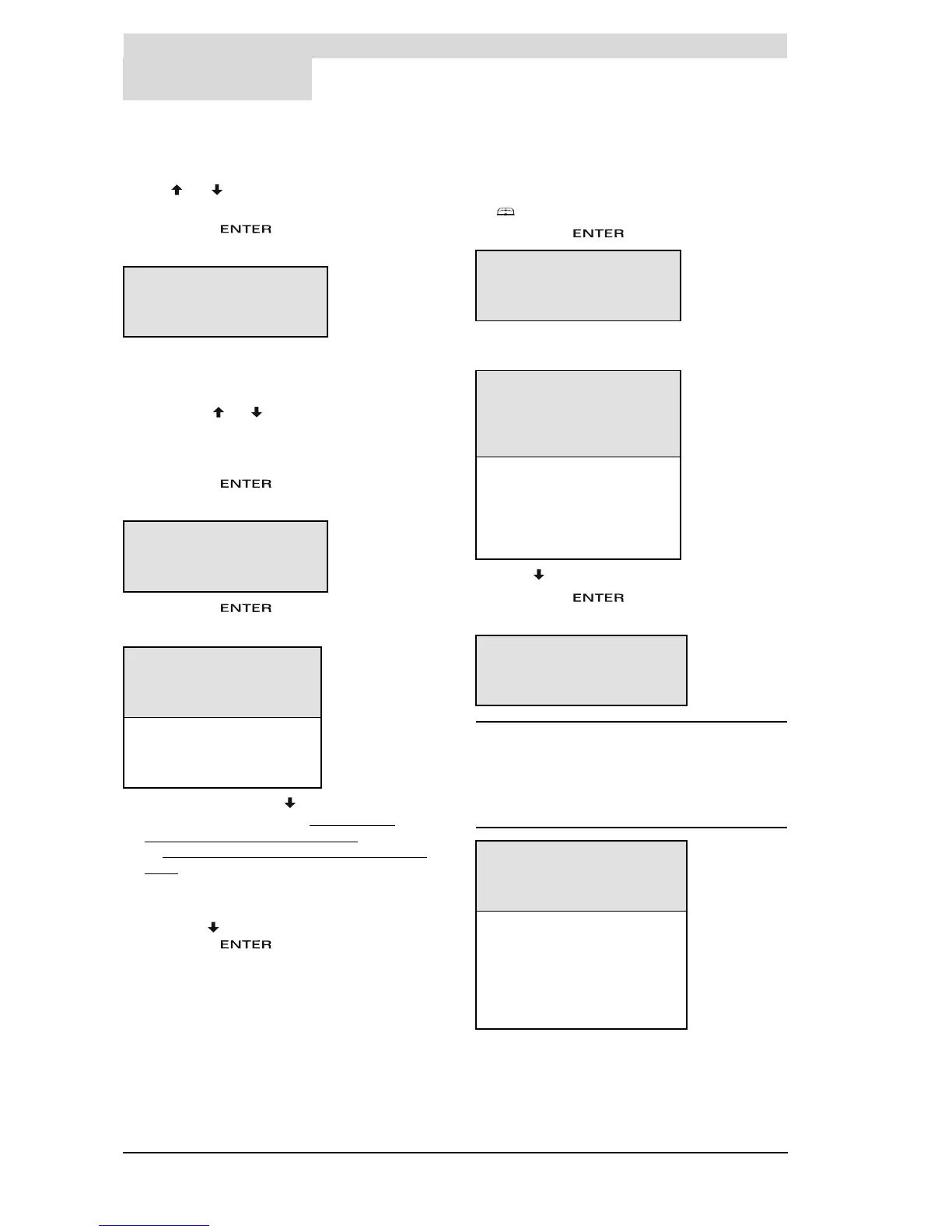
ON SU 08:15
OFF SU 12:45
Tset 75ÉC
PUMP»ON SAVE
ON SU 08:15
OFF SU 12:45
Tset 75ÉC
PUMP ON »SAVE
DAY TIME Tset
ON »SU 08:15 75ÉC P
OFF SU 12:45
ON MO 00:00 65ÉC P
OFF MO 23:59
ON TU 00:00 65ÉC P
OFF TU 23:59
WEEK PROGRAM
START OPERATION
^»PROGRAM OVERVIEW
È
DAY TIME Tset
ON »SU 08:15:00 75?C
P
OFF SU 12:45:00
ON MO 00:00 65?C P
....................
....................
OFF SA 23:59
INSERT
DELETE
START OPERATION
ON »SU 08:15
OFFSU12:45
Tset 75ÉC
PUMP ON SAVE
DAY TIME Tset
ON »SU 18:00 75?C P
OFF SU 22:00
ON MO 00:00 65?C P
OFF MO 23:59
....................
....................
OFF SA 23:59
INSERT
DELETE
START OPERATION







 To Next Page