Instruction manual BFC 67
gis
Setting the program-controlled pump
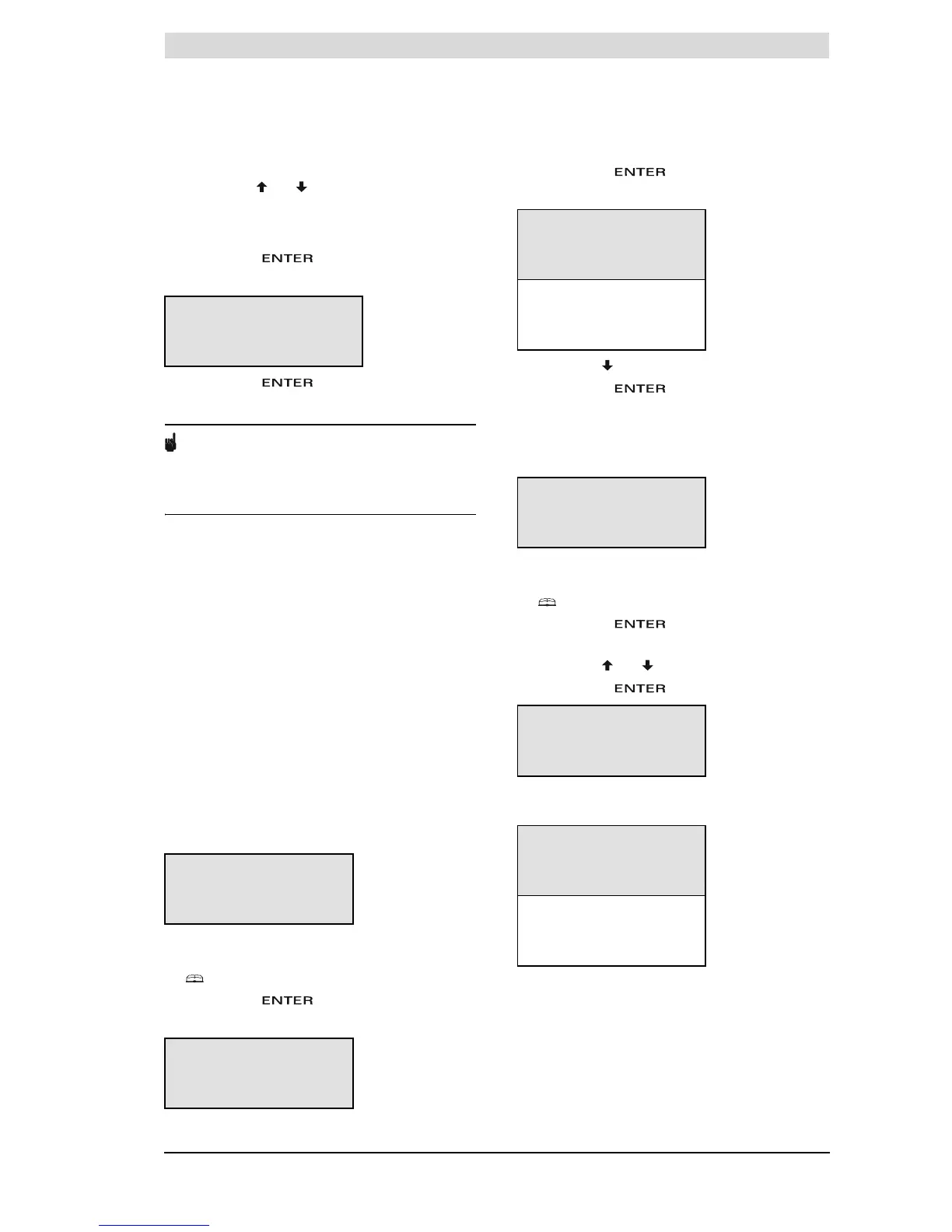
1. If required, a pump can be controlled during the
period. Use and to set
PUMP ON
. The pump
ensures a regular circulation of hot water in the hot
water pipes. You can skip this step if you there is
no pump in your hot water circuit.
Confirm with .
The cursor moves to
START
.
2. Confirm with .
The extra period has been programmed.
Note
Once the extra period has completed running, the
controller returns to the mode ON, OFF or
WEEK PROGRAM
. The following week, the extra
period will NOT be automatically switched back on.
11.11 Settings
Using the option
SETTINGS
you can adjust certain
settings, and display certain water heater
specifications:
• Adjustable settings
- Menu language.
- Current day of week and time.
• Displayable water heater specifications, this
category is only relevant to the installation
engineer and/or service and maintenance
engineer
- Regulation interval (water temperature).
- Ignition speed of fan.
- Working speed of fan.
11.11.1 Setting menu language
To set menu language:
1. Call up the menu for selecting the language as
follows:
2. :
SETTINGS
.
Confirm with .
The display shows the menu for settings.
3. The cursor is positioned beside
LANGUAGE
Confirm with .
The display shows the language selection menu.
4. Scroll with to the desired language.
Confirm with .
The language is set.
11.11.2 Setting day and time
To enter the time and day:
1. Call up the menu for entering the day and time as
follows:
2. :
SETTINGS
.
Confirm with .
The display shows the menu for settings.
3. Scroll with and to
DAY
/
TIME
Confirm with .
The display shows the sub-menu for adjusting the
day.
ON SU 08:15
OFF SU 12:45
Tset 75ÉC
PUMP ON »START
MENU
WEEK PROGRAM
^ EXTRA PERIOD
ȻSETTINGS
SETTINGS
»LANGUAGE
^ DAY/TIME
È SPECIFICATIONS
LANGUAGE
ENGLISH
^ NEDERLANDS
ȻDEUTSCH
FRANCAIS
ITALIANO
CZECH
ESPANOL
MENU
WEEK PROGRAM
^ EXTRA PERIOD
ȻSETTINGS
SETTINGS
LANGUAGE
^»DAY/TIME
È SPECIFICATIONS
DAY
»Sunday
^ Monday
È Tuesday
Wednesday
Thursday
Friday
Saturday







 To Next Page