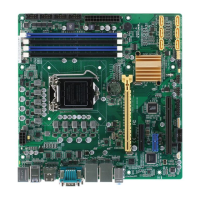
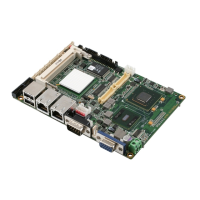
EMB-H81B
2-2
DC_PWR2
DC_PWR1
DISPLAYPORT
HDMI
USB3_12
USB910
LAN1
LAN2
LINE-OUT
MIC-IN
ALC
887
AAFP
LAN
8111G
LAN
8111G
ASM
1442K
CLRTC
17.0cm(6.7in)
17.0cm(6.7in)
SATA3G_1 SATA6G_2 SATA6G_1
F_PANEL
DIS_ME
SPEAKER CHASSIS
USB1112 USB56 USB34
CPU_FAN
CHA_FAN
COM2COM1
PCIEX1
LGA1150
DDR3 DIMM_B1 (64bit, 204-pin module)
DDR3 DIMM_A1 (64bit, 204-pin module)
INV
COM1_VSET
LJ3
LJ2
LJ1
DIO
LVDS
BATTERY1
SB_PWR
VS_PWR
MINICARD1
MINICARD2
SATA_PWR
VGA
KBMS
SPI_1
Intel
®
H81
Super
I/O
AMP_CON
8
9761 32 4 5
18
19
10
11
12
13
14
15
16
17
20 323
27
212224
26
25
28
29
22
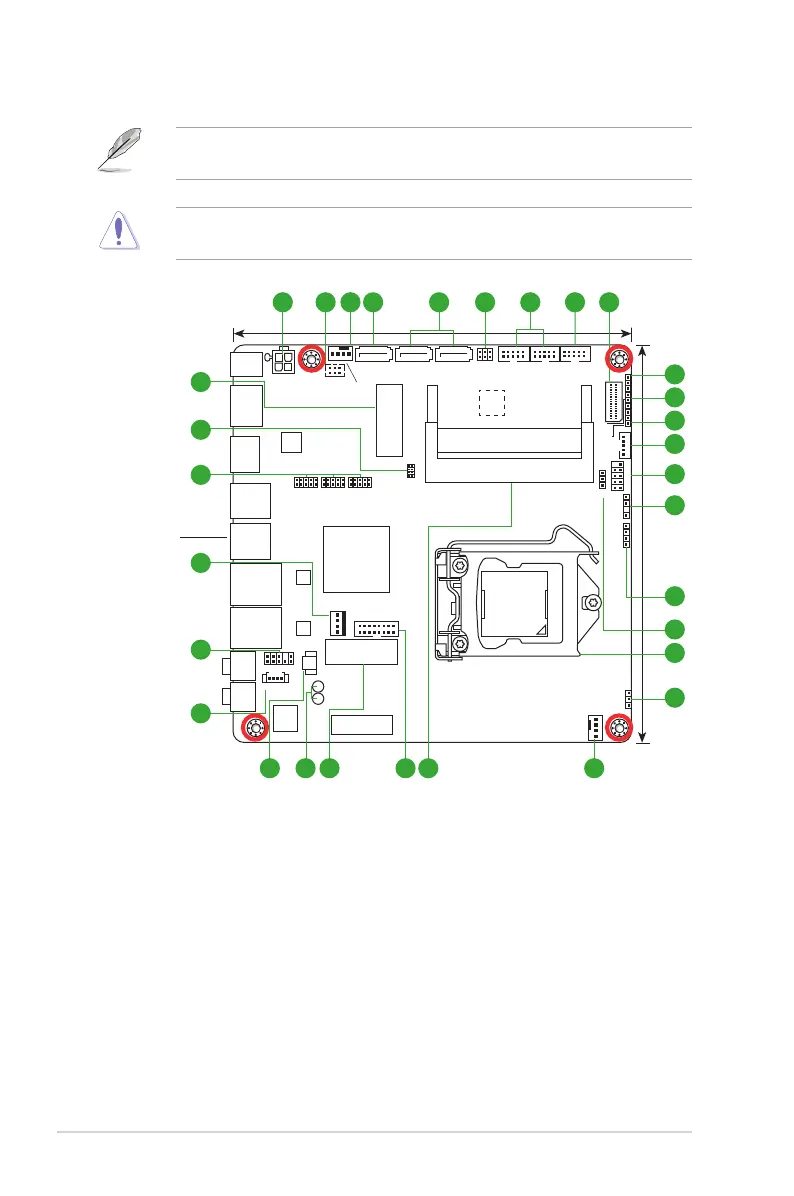
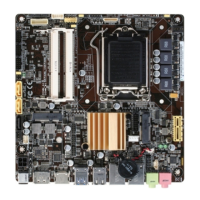
2.2 Motherboard layout
Place this side
towards the rear
of the chassis
NOTE: Place four screws into the holes indicated by circles to secure the
motherboard to the chassis.
CAUTION!Donotovertightenthescrews!Doingsocandamagethe
motherboard.


 To Next Page