51
11-2 GLP Report
Set the following parameters to output the report.
To print the report, set the “GLP output ( info )” parameter to “1” and use MODE 3 of the
AD-8121B. For details on using the printer, refer to “17-1 Connection to the AD-8121B Printer”.
To output the report to a personal computer using the RS-232C interface, set the “GLP output
( info )” parameter to “2”.
If the time and date are not correct, set the correct time and date in “Clock ( Cl adj )” of the
function table.
Note
For operational details about calibration and calibration test, refer to “8. CALIBRATION”.
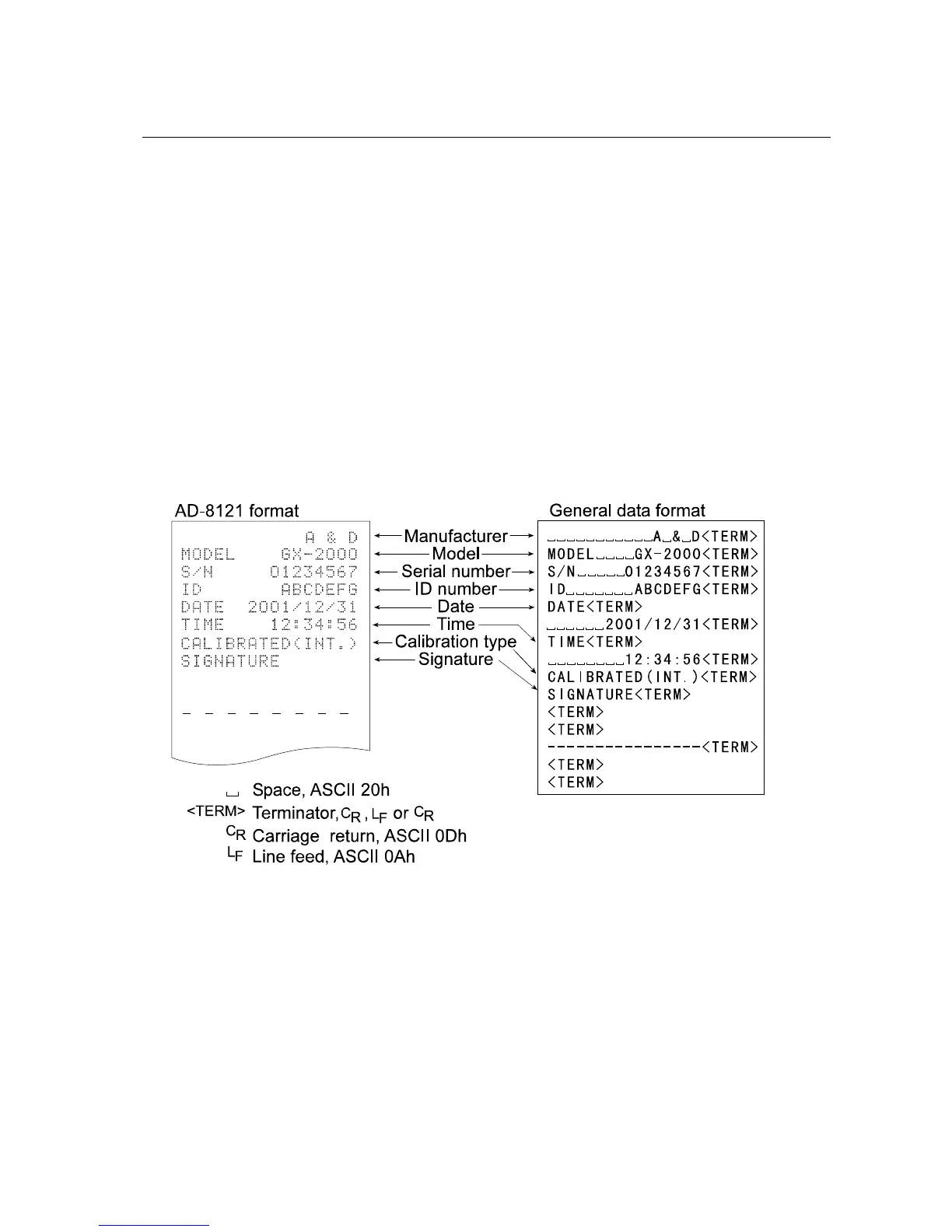
Calibration report using the internal mass
When the setting is “info 1”: When the setting is “info 2”:



 To Next Page