20
11. FUNCTION SETTINGS
The scale has function settings to specify the scale performance.
The parameters set in the function settings are maintained even if the power is turned
OFF.
11.1. Setting the parameters
1. Turn the power OFF.
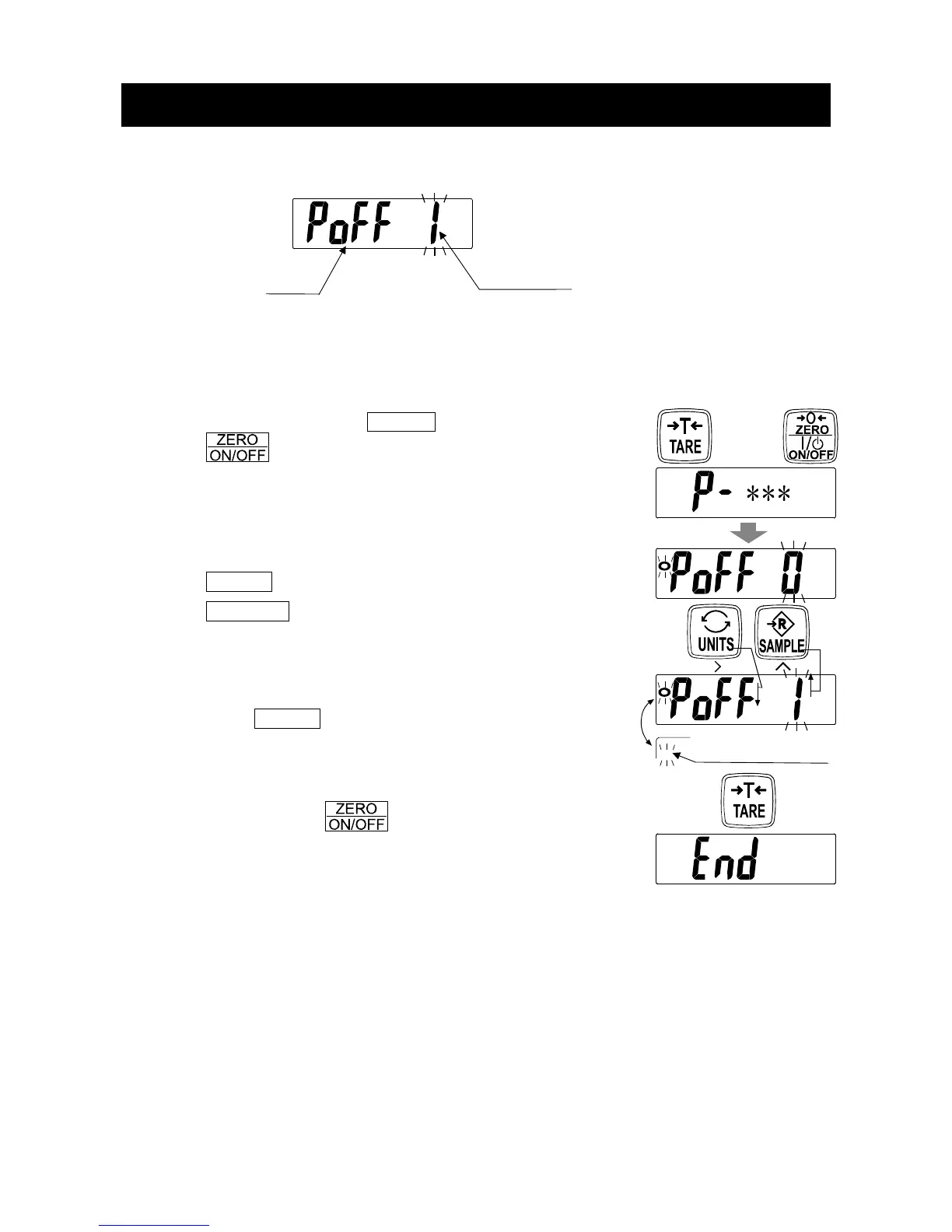
2. Touch and hold the
TARE switch and touch
the switch to turn the power ON. The
software version is displayed.
“∗∗∗” indicates the software version number.
3. After about one second, the item is displayed.
4. Change the item or parameter using the following switches.
UNITS To display the next item.
SAMPLE To increase the value of the blinking
digit by one (to change the parameter).
When the parameter is changed,
the STABLE indicator turns off.
5. Tap the TARE switch to store the setting value.
After displaying “
end
”, the scale goes to the weighing
mode.
To cancel the setting procedure without storing the value,
touch and hold the
switch to turn off the scale.
Item
Parameter
While
touching & holding
, Touch
Tap
When changed
Tap


 To Next Page