21
11.2.
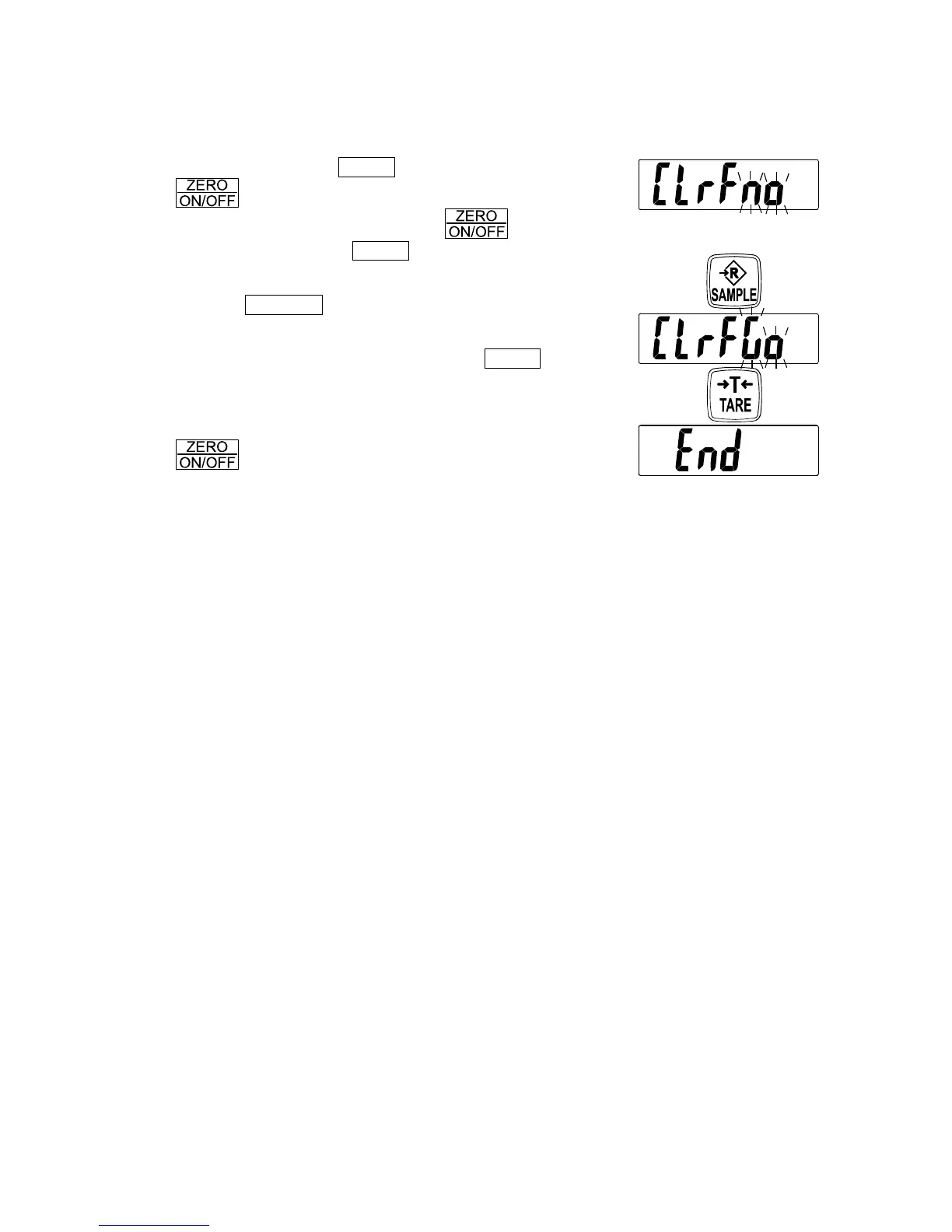
Restoring the function settings to the factory set values
1. Turn the power OFF.
2. Touch and hold the TARE switch and touch the
switch to turn the power ON and to display
the software version. Release the switch but
continue to touch the TARE switch until “
Clrf no
”
with “no” blinking is displayed.
3. Tap the SAMPLE switch.
“
Clrf no
” changes to “
Clrf go
” with “
go
” blinking.
4. When “
Clrf go
” is displayed, tap the TARE switch.
The factory set values are restored. After displaying
“
end
”, the scale goes to the weighing mode.
To cancel the restoring procedure, touch and hold the
switch to turn off the scale.
Tap
Tap


 To Next Page