54
12.5.1. Displaying the number of measurements
To display the number of measurements:
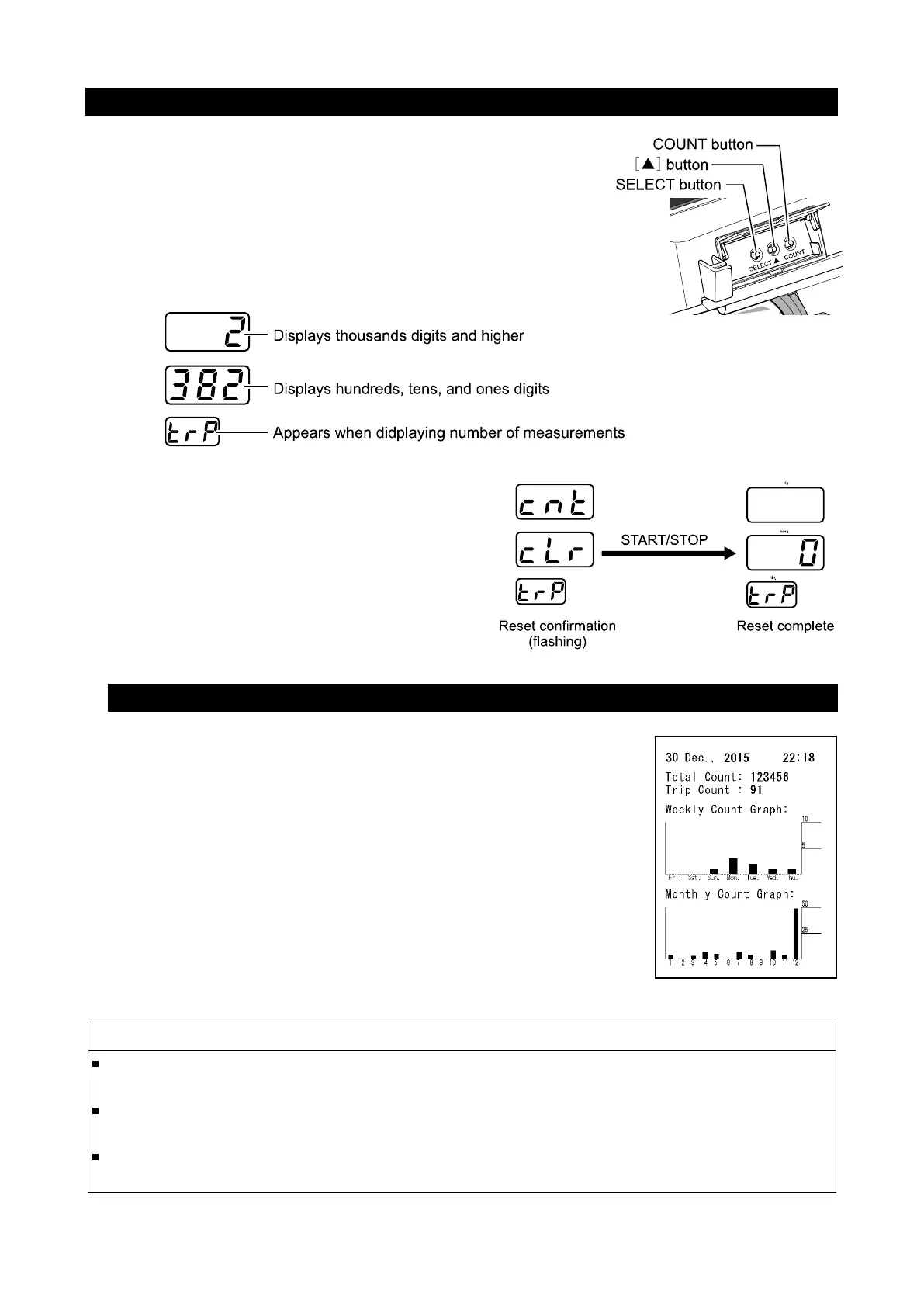
Hold the COUNT button for 1 second while the monitor is
in the standby mode. The number of measurements is
displayed for about 60 seconds in the systolic and diastolic
display sections.
In the example display below, the number of
measurements is 2,382. (The maximum count is 999,999.)
To reset the number of measurements:
Hold the ▲ button for 4 seconds to display
the reset confirmation display.
Press the START/STOP button to reset the
count.
12.5.2. Printing the count graph
To print the count graph:
Press the COUNT button. While the number of measurements
is displayed, press the START/STOP button to print the count
graph.
Total Count: Number of measurements since shipping
Trip Count: Number of measurements since the last
reset (See "12.5.1. Displaying the number of
measurements")
Weekly Count: A distribution of the number of
measurements in the last week.
Monthly Count: A distribution of the number of
measurements in the last month.
If the function F07 is set to off, the count graph is not printed. (See "10.5. Print
quality")
After the count graph is printed, the number of measurements remains displayed for
about 60 seconds.
If "Low Battery" is printed in the lower left of the print out after the count graph is
printed out, please contact your local A&D dealer.
SYS mmHg
DIA mmHg
PUL /min.
SYS mmHg
DIA mmHg
PUL /min.



 To Next Page