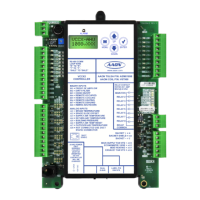
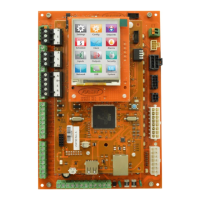
The AAON USB-Link 2 (ASM02244) is a portable interface device designed to connect a computer to AAON controllers, enabling direct communication without the need for a separate CommLink. This device facilitates viewing the status, configuring, and adjusting setpoints of any controller on a control system's communication loop using Prism 2 software.
Function Description:
The USB-Link 2 acts as a bridge between a personal computer and AAON control systems. It allows users to interact with individual controllers or networked systems to monitor performance, modify operational parameters, and troubleshoot issues. The device is powered by the USB port of the connected computer, making it highly portable. It supports both standalone and networked configurations, adapting to various system setups.
Important Technical Specifications:
- Model Number: ASM02244
- Software Compatibility:
- SS0073 (version 4.11 and up): Requires separate driver installation. Drivers are supplied on a flash drive with the USB-Link 2 or downloadable from www.aaon.com.
- SS3007 (version 1.00 and up): Does not require separate driver installation, as it utilizes drivers included with Windows 10.
- Physical Dimensions: Approximately 3.7 inches long, 2.5 inches wide, and 1.1 inches high.
- Connectors:
- Female 6-Pin Mini-DIN Connector (for communication cable)
- Female Type B USB Connector (for connection to PC)
- Communication Interface: RS-485
- LED Indicators:
- COMM: Indicates communication activity between the USB-Link 2 and the connected controller(s). Flashes when data is exchanged.
- USB TX: Indicates data transmission from the USB-Link 2 to the computer via USB. Flashes when data is sent from Prism 2 to the USB-Link 2.
- USB RX: Indicates data reception by the USB-Link 2 from the computer via USB. Flashes when data is sent from Prism 2 to the USB-Link 2.
- Switches:
- Configuration Switch (NETWORKED/STAND ALONE): Determines whether the USB-Link 2 operates in a networked system (with CommLink/MiniLink) or as a standalone device.
- Communication Speed Switch (LOW/HIGH): Adjusts the communication baud rate to match the controller's settings.
- System Requirements (PC):
- USB 1.1 or 2.0 port
- Microsoft Windows 10 (installed on the PC)
- Prism 2 software version 4.0.4 or later (supplied with USB-Link 2 or downloadable from www.aaon.com/prism)
- Included Accessories: USB cable, mini-DIN male communication cable, and adapters for terminal and modular connections.
Usage Features:
- Direct Connection: Provides a direct link to AAON controllers, bypassing the need for a traditional CommLink in many scenarios.
- Portability: Small size and USB power make it highly portable for field use.
- Configuration Flexibility:
- Stand Alone Mode: Used when connecting to a single controller or multiple controllers on a loop without a CommLink or MiniLink.
- Network Mode: Used when a CommLink or MiniLink is wired to the communications loop.
- Communication Speed Selection: Allows users to select between "Low Speed" (for VCM-X, older Orion, Auto-Zone, VCB-X, or GPC-XP controllers) and "High Speed" (for Pioneer Gold, VCCX2, AZ2, VCB-X, or GPC-XP controllers) to match the controller's baud rate.
- Driver Installation (SS0073): For USB-Link 2 units with SS0073 software, specific drivers must be installed on the computer before connecting. The manual provides detailed steps for identifying the Windows system type (32-bit or 64-bit) and installing the correct drivers from the provided flash drive or downloaded files.
- Plug-and-Play (SS3007): USB-Link 2 units with SS3007 software leverage Windows 10's built-in drivers, eliminating the need for separate driver installation.
- COM Port Management: The device is assigned a COM port number by the PC. For Prism 2 compatibility, this number must be less than 10. The manual provides instructions for finding and, if necessary, changing the assigned COM port number through the Device Manager in Windows.
- Prism 2 Software Integration: Detailed steps are provided for configuring Prism 2 to recognize and communicate with the USB-Link 2, including selecting the correct serial port, CommLink type (CommLink 5 or USB Link II), and network configuration (USB Link Stand Alone or USB Link Network).
- Unit Search Functionality: Prism 2's "Search For Units" feature allows automatic detection of installed controllers on the system, displaying found units and their status.
Maintenance Features:
- Software Number Identification: The software version (SS0073 or SS3007) installed on the USB-Link 2 can be identified by a sticker on the back of the unit, which is crucial for determining driver requirements.
- Troubleshooting Guide: The manual includes a comprehensive troubleshooting section covering common issues related to Prism 2 software, USB connection, RS-485 wiring, and viewing controllers on a network.
- LED Diagnostics: The COMM, USB TX, and USB RX LEDs provide visual feedback on communication activity, aiding in quick diagnosis of connection issues.
- Switch Setting Cycle: Users are advised to cycle power to the USB-Link 2 (by disconnecting and reconnecting the USB power supply cable) whenever the configuration or communication speed settings are changed to ensure the new settings are applied.
- Support Information: AAON Controls Tech Support contact details (phone numbers and email) are provided for assistance, along with a note to have the model and serial number of the unit available when calling.
- Parts Replacement: Instructions for obtaining replacement parts are to contact a local AAON Representative.

 Need help?
 General

 To Next Page