Mounting
18 OI/PME/LME/EAN823/EBN853/EBN861-EN
3.3 EBN861
Important (Notice)
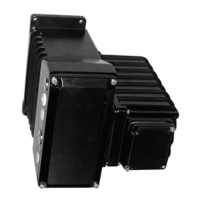
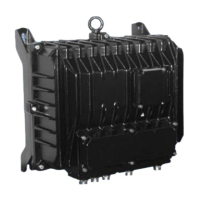
The total weight of the electronic unit EBN861 is 40 kg (88 lbs). For this reason, the electronic
unit is equipped with a load-bearing eyelet. If, for technical reasons, the load-bearing eyelet
cannot be used, the two halves of the housing can be installed separately.
Separating the housing halves
1. Place the electronic unit on a horizontal surface.
2. Unscrew and remove the cover screws(Fig. 9).
3. Open the el
ectronic unit.
4. Disconnect the internal plug connection between the housing halves.
5. Close the housing halves.
6. Unscrew and remove the hinge screw (Fig. 9).
7. Fold the front
section forward while lifting it up and off the hinge pins. The cover of the
electronic unit must be positioned in exactly the right place. For details about how to install
the housing half see section “Mounting”.
Mounting
the housing halves
1. Set the front housing half down on the hinge pin and insert and fasten the hinge screw. The
cover of the electronic unit must be positioned in exactly the right place.
2. Restore the internal plug connection.
3. Close the housing and insert and fasten the cover screws (Fig. 9).
Mounting
1. Fasten m
odule or, in case of separate mounting, rear housing half on vertical support with
screws of property class 8.8 (tensile strength 800 N/mm
2
(116032 pounds/square inch), yield
strength 640 N/mm
2
(92826 pounds/square inch).
2. Provide adequate room for installation and make sure the actuator is accessible from all
sides.
3. The cable glands point down.


 To Next Page