Local operation
28 OI/PME/LME/EAN823/EBN853/EBN861-EN
5.2 Operating elements of the service field (ISF)
1
2
3
4
5
6
7
8
9
10
M00203
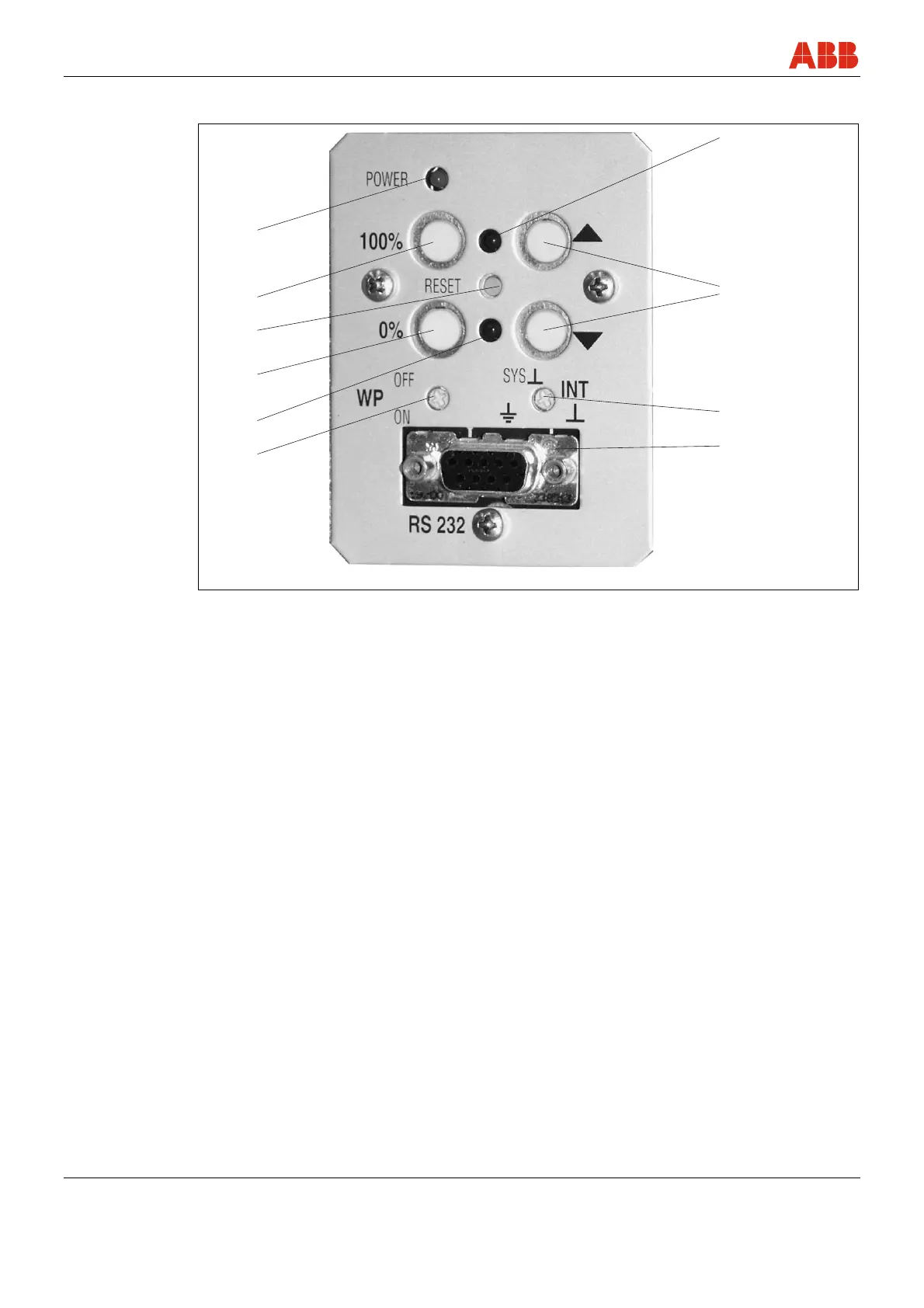
Fig. 20: Commissioning and service field (ISF)
1 “Power” LED: Displays supply by line
voltage.
2 Accept button (100 %): Press to set the
current position as 100 %; press in
combination with the 4 button to end the
adjustment process.
By simultaneously pressing the 4 button
for at least 5 seconds you can switch the
actuator to manual mode (MAN).
(Software version 2.00 and higher)
3 Reset button: Press to restart the
processor. If the adjustment is not yet
terminated, the set end positions are
deleted.
4 Accept button (0 %): Press to set the
current position as 0 %; press in
combination with the 2 button to end the
adjustment process.
By simultaneously pressing the 2 button
for at least 5 seconds you can switch the
actuator to manual mode (MAN).
(Software version 2.00 and higher)
5 LED for 0% position: Depending on the
flash rate, this LED indicates either
adjustment, position saved, manual
mode (MAN) via digital input (software
version 2.00 or higher) or error.
6 Write-protection switch (default: OFF).
7 RS232 connector: Connection for a PC.
8 Potential switch: Connection of reference
potential either to system or protective
ground (default setting: to system).
9 Travel button: Press to initiate actuator
movement.
10 LED for 100 \% position: Depending on
the flash rate, this LED indicates either
adjustment, position saved, manual
mode (MAN) via digital input or graphic
user interface (software version 2.00 or
higher) or error.


 To Next Page