20
INSTRUCTION HANDBOOK
69
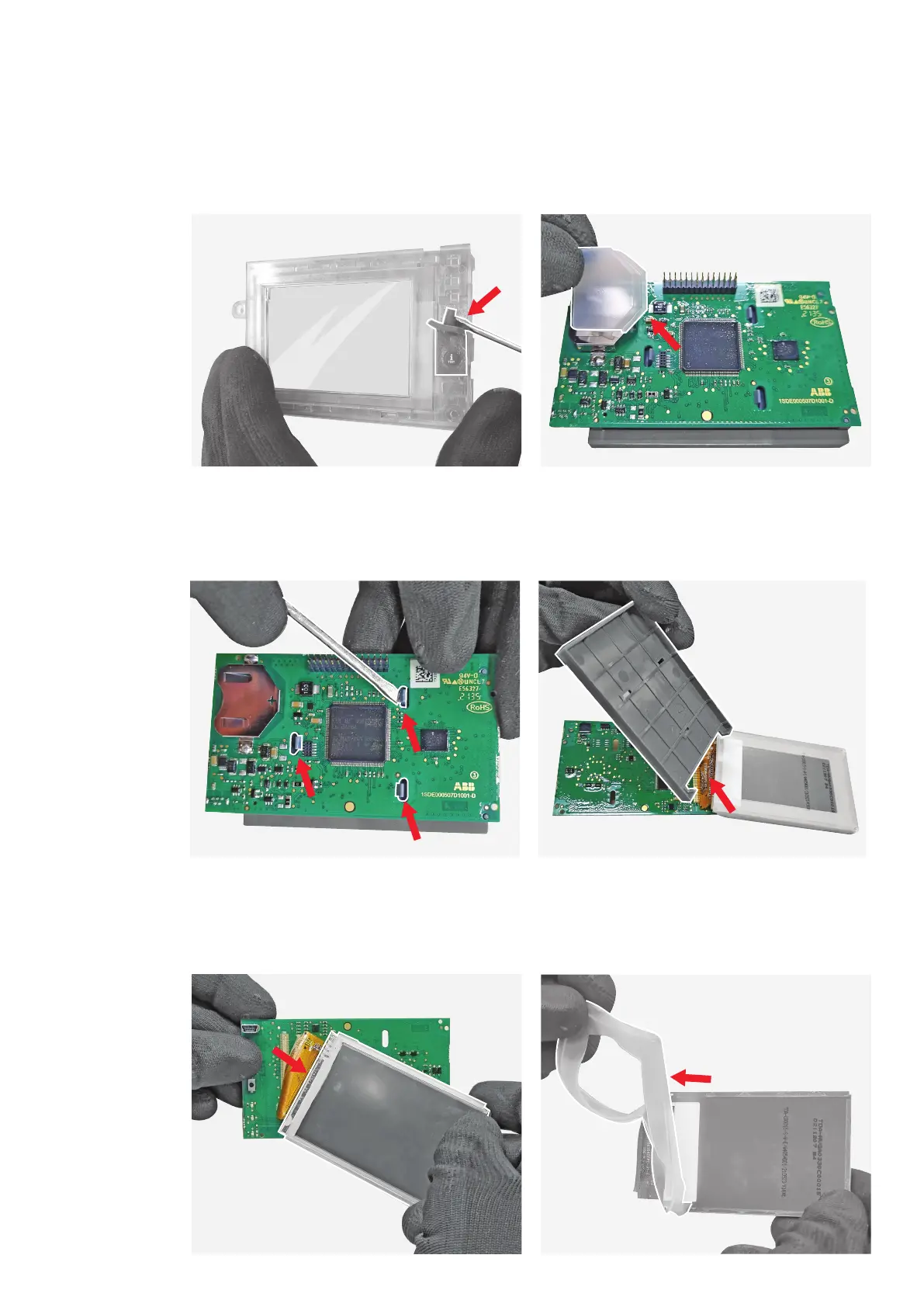
By means of the flat screwdriver unhook the
display printed circuit board from the display
support.
71
Manually separate the display from its printed
circuit board.
70
Manually remove the display support.
72
Manually separate the gasket from the display.
68
Manually remove the battery gasket.
67
By means of the flat screwdriver remove the
“i TEST” pushbutton from the HMI LCD cover.







 To Next Page